
Concepts - Access rights - OVHcloud Control Panel and IAM
Learn about the ways that users, groups, and IAM policies interact with regard to access rights.
OVHcloud Control Panel users and groups
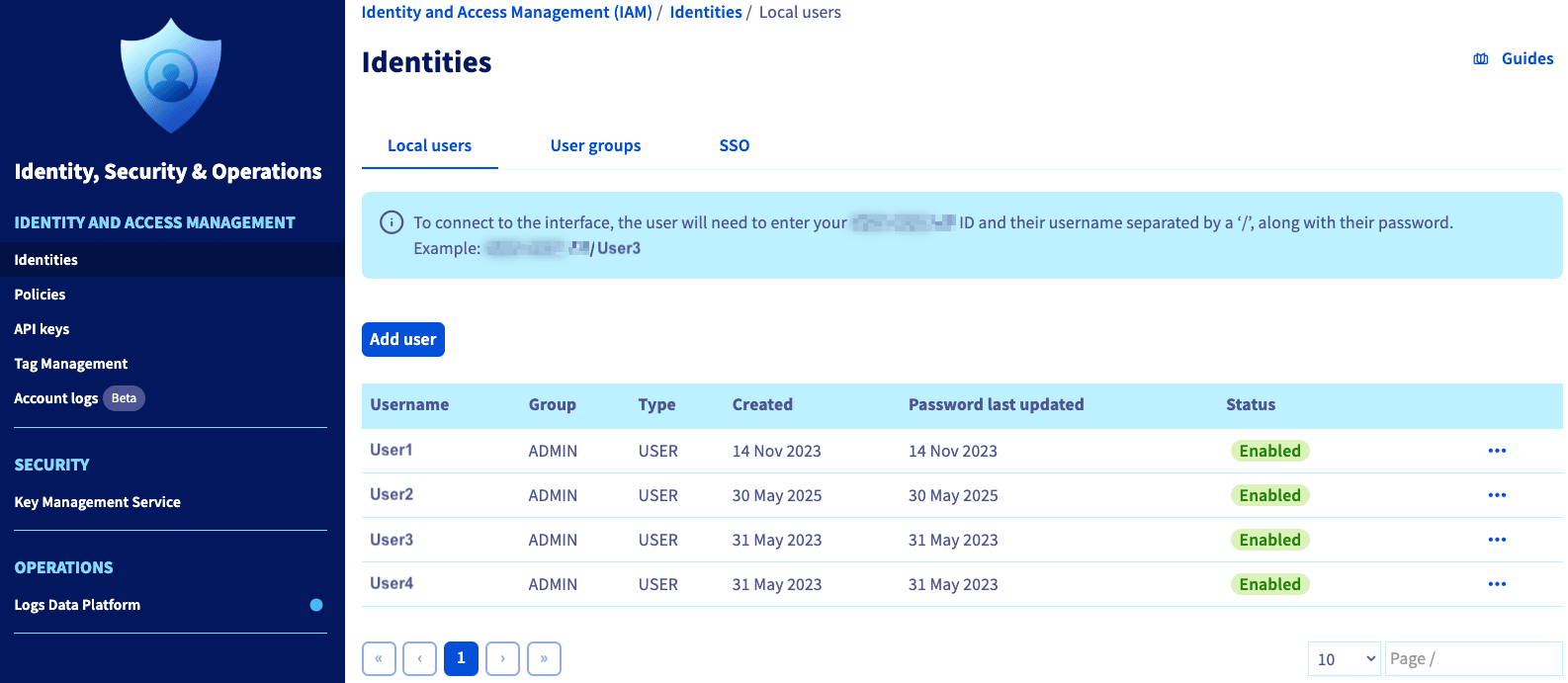
From the OVHcloud Control Panel, navigate to the Identities section via the Identity, Security & Operation menu.
In the Local users tab, you can add users to your OVHcloud account.
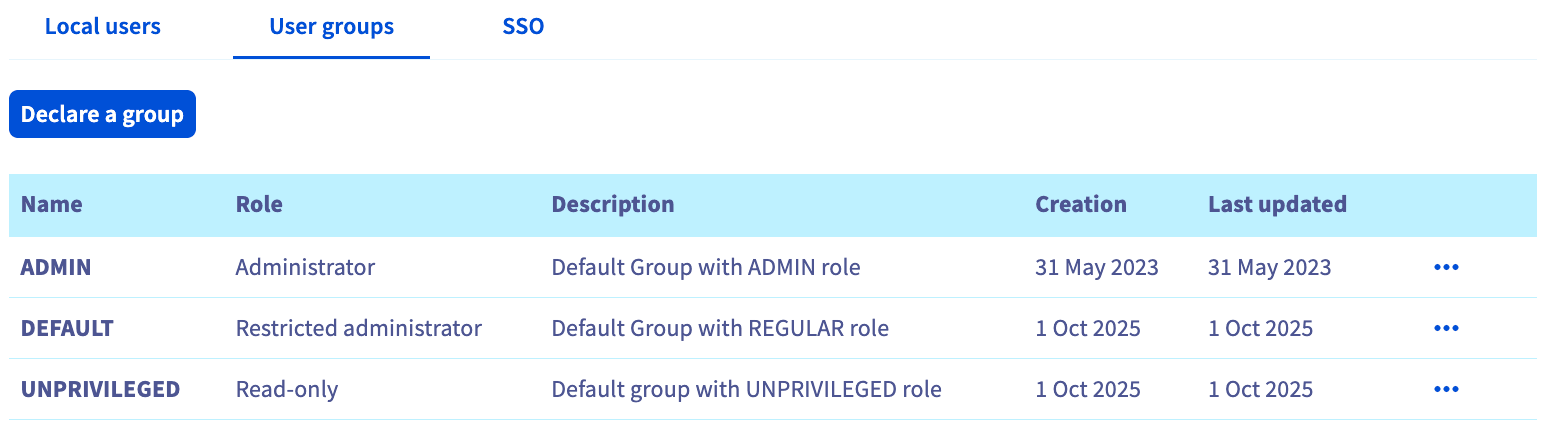
In the User groups tab, you can create Groups with specific permission sets.
NOTE: These permissions only apply to the OVHcloud Control Panel.
For information on creating, editing, or deleting users and/or groups, see our Creating and managing local users guide.
WARNING: Any user with an "ADMIN" role has complete control over your account and services, including:
- Creating services for which you will be charged,
- Deleting services, which is sometimes irreversible,
- Adding or deleting other users with an ADMIN role, and
- Changing the account's contact, billing, and payment information.
Manage users and groups linked to policies
Prerequisite: You must have a policy in place in your OVHcloud account. For instructions on policy creation, please see our Using IAM policies with the OVHcloud Control Panel guide.
Once IAM policies are created, you can manage the users and/or groups linked to that policy.
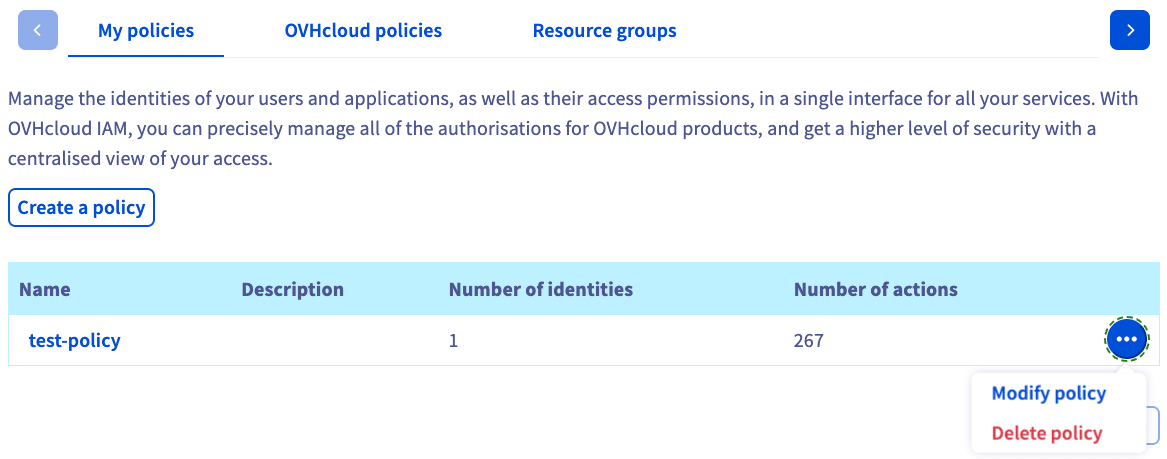
From OVHcloud Control Panel, navigate to the Policies section via the Identity, Security & Operation menu.
Click the more options ... button next to the policy you want to manage. Select Modify policy.
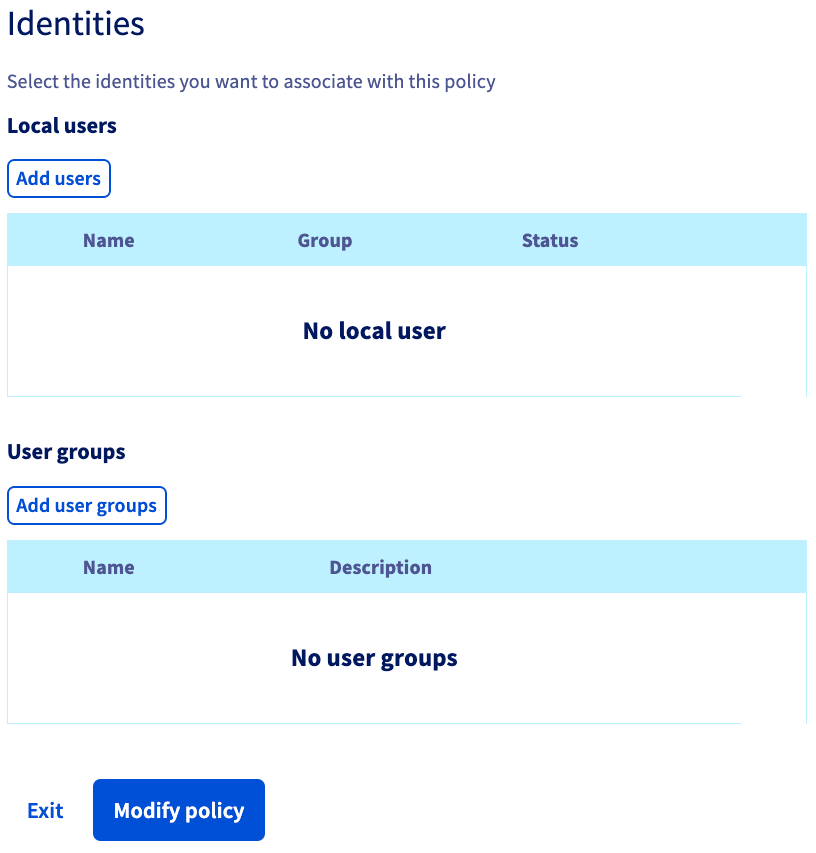
On the next screen, you add users and/or groups in the "Identities" section. Click Modify policy to apply your changes.
NOTE: Access rights granted by an IAM policy function regardless of OVHcloud Control Panel group roles, meaning that policy rights will overrule any limitations set by a Group's role.
Use case: vSphere access
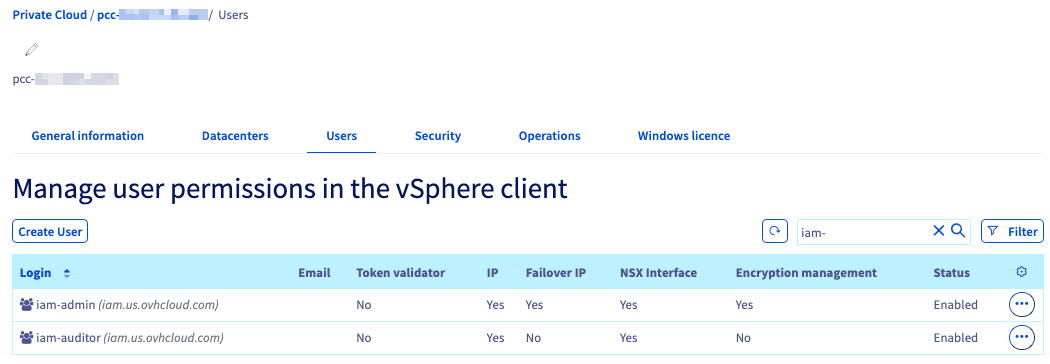
Before continuing, please read our How to Use IAM Policies with vSphere guide.
If you want to grant a user access to vSphere but not your OVHcloud Control Panel, the following conditions would have to be set:
- The user is in a group whose role is "None" (see above).
- An IAM policy is created granting access to vSphere with the
pccVMware:vSphere:assumeRole?iam-adminaction manually added. (See this guide for more details.) - The group is added as a "Linked Identity" on the policy (see above).
While it is not required to also authorize the user for vSphere in your Hosted Private Cloud environment, doing so can serve as a backup option should there ever be difficulties using the IAM policy.
Go further
Browse all the Account information guides.
Browse the rest of the OVHcloud US documentation for guides on our other products and services.