
Adding a New Tier-1 Gateway in NSX
OVHcloud provides you with NSX with two gateways, a north-south gateway (ovh-T0-gw) and an east-west gateway (ovh-T1-gw). You can create additional east-west gateways.
Learn how to add an east-west (Tier-1 Gateway) gateway to your NSX configuration.
Requirements
- Being an administrative contact of your Hosted Private Cloud infrastructure to receive login credentials.
- A user account with access to the OVHcloud Control Panel.
- Having NSX deployed.
NOTE: Through your NSX interface, you can create north-south gateways. We strongly advise you not to do it because some options are not available and you will not be able to make such a gateway work correctly.
For more information on NSX at OVHcloud, please refer to our Getting Started with NSX guide.
Instructions
We will add a new east-west gateway (Tier-1-Gateways) and link it to the north-south gateway provided by OVHcloud (ovh-T0-gw).
Next, we will create a segment and attach a virtual machine to it.
Creation of the new east-west gateway
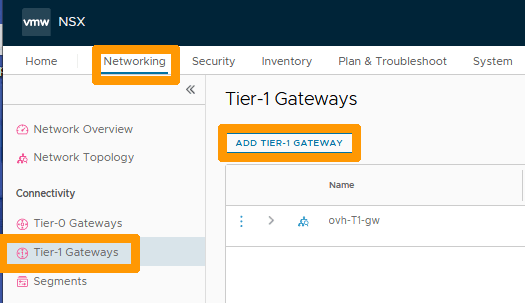
In the NSX interface, go to the Networking tab.
- Click on
Tier-1 Gatewayon the left. - Then click on
ADD TIER-1 GATEWAY.
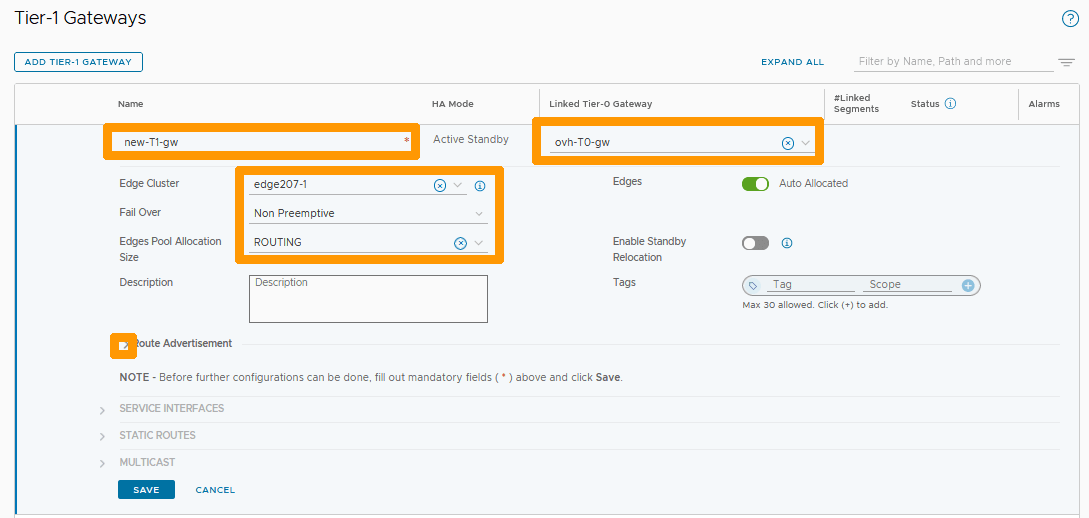
Enter the name of your new gateway as new-T1-gw below Name and fill in these parameters:
- Linked Tier-0-Gateway : Your north-south gateway
ovh-T0-gw. - Edge Cluster : Your
edgeXXX-X. - Fail Over :
Non Preemptive. - Edge Pool Allocation Size :
Routing.
Then click the Arrow to the left of Route Advertisement.
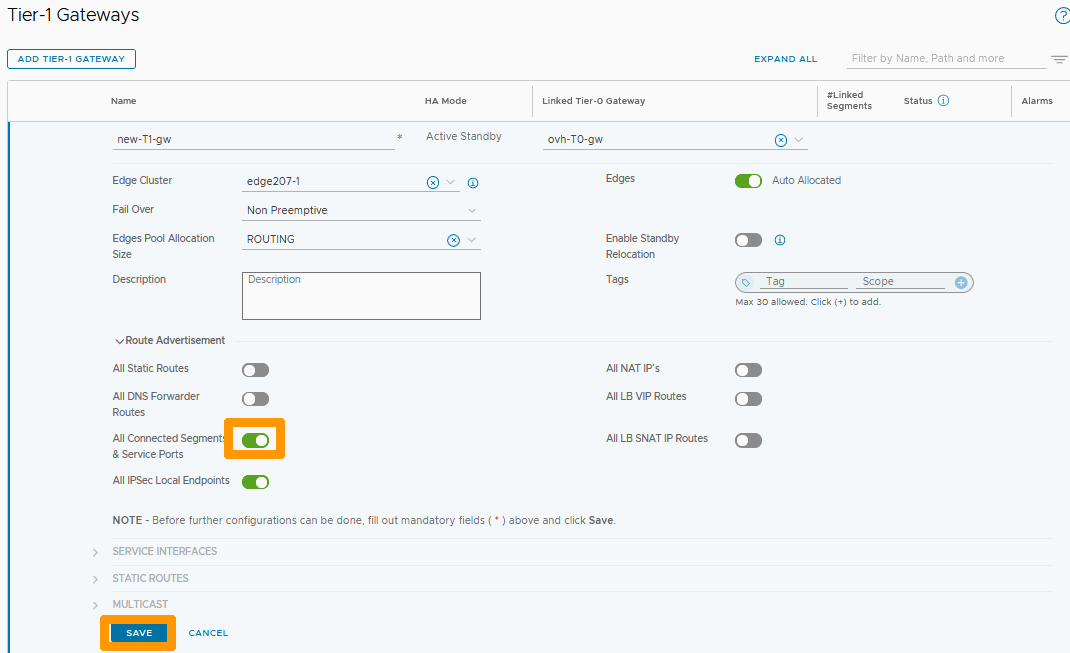
Select the button to the right of All Connected Segment & Service Ports if you want to connect outside this gateway, then click SAVE.
Click NO.
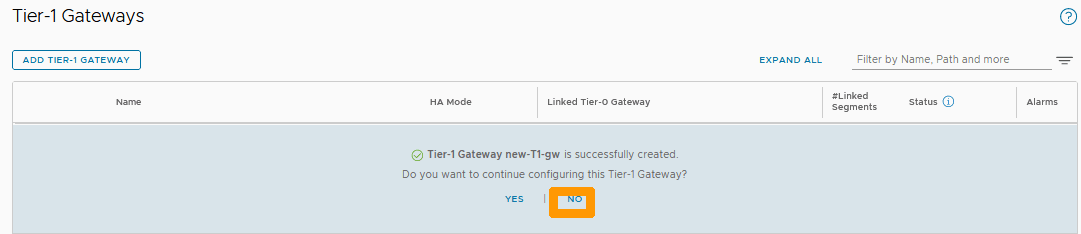
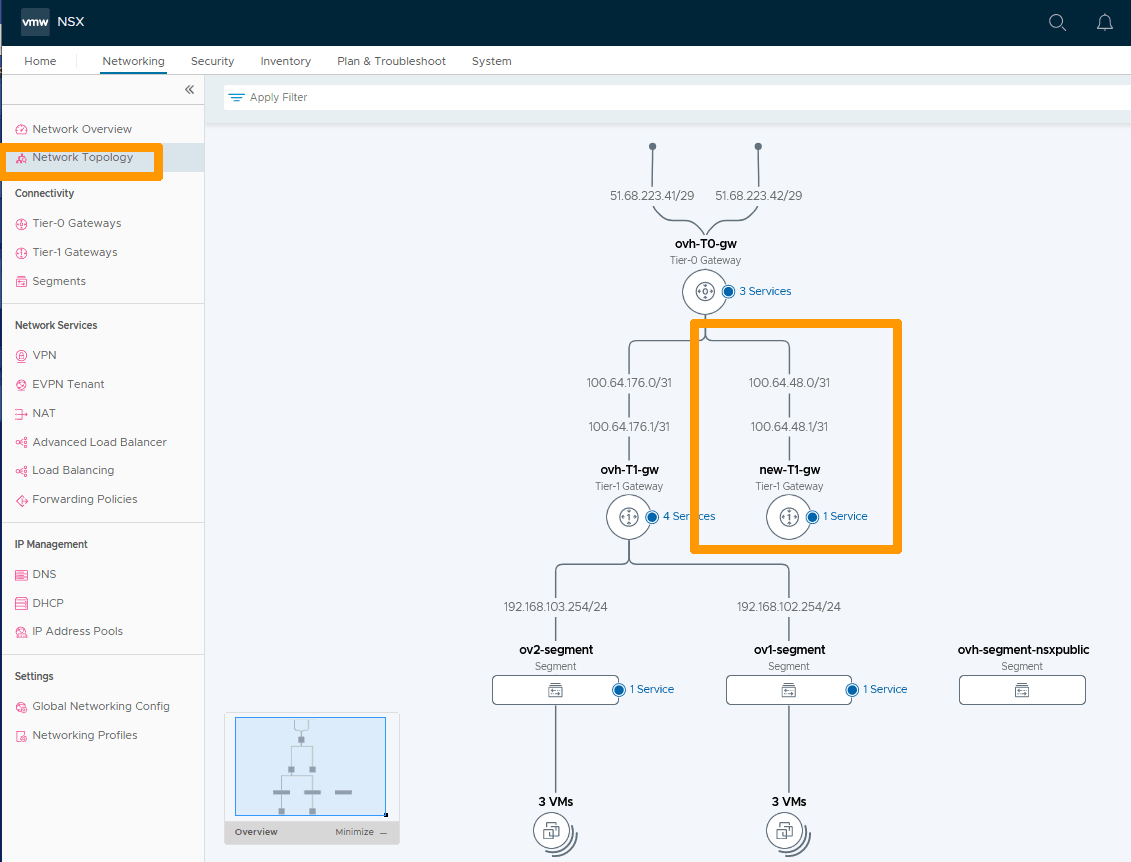
Your new gateway is displayed and we can see it connected to your north-south gateway (ovh-T0-gw).

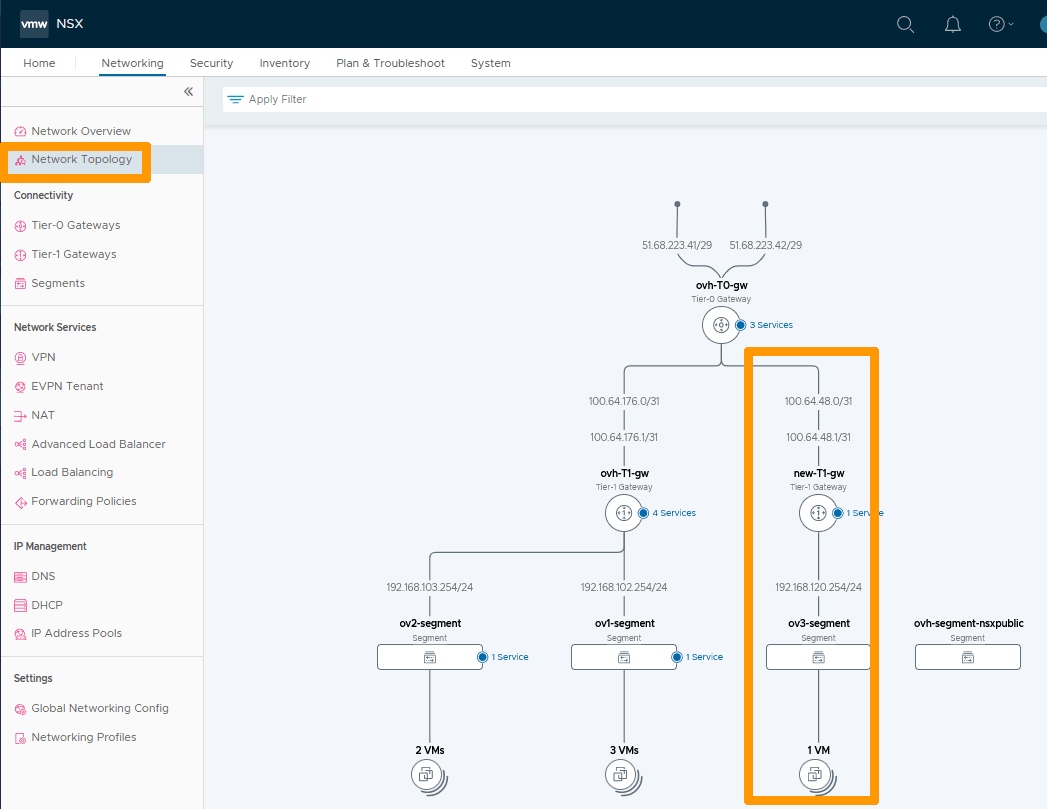
Click Network Topology in the vertical menu bar to the left to view your network topology and to display your new new-T1-gw gateway connected to ovh-T0-gw.
Adding a segment on your new gateway
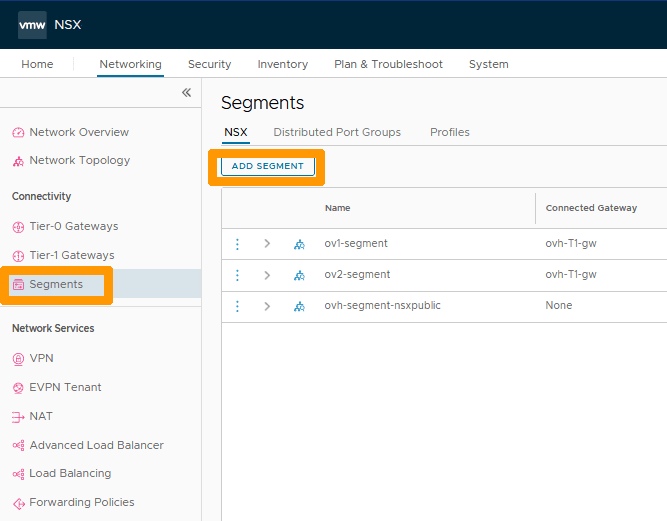
Go to Segments on the left and click ADD SEGMENT.
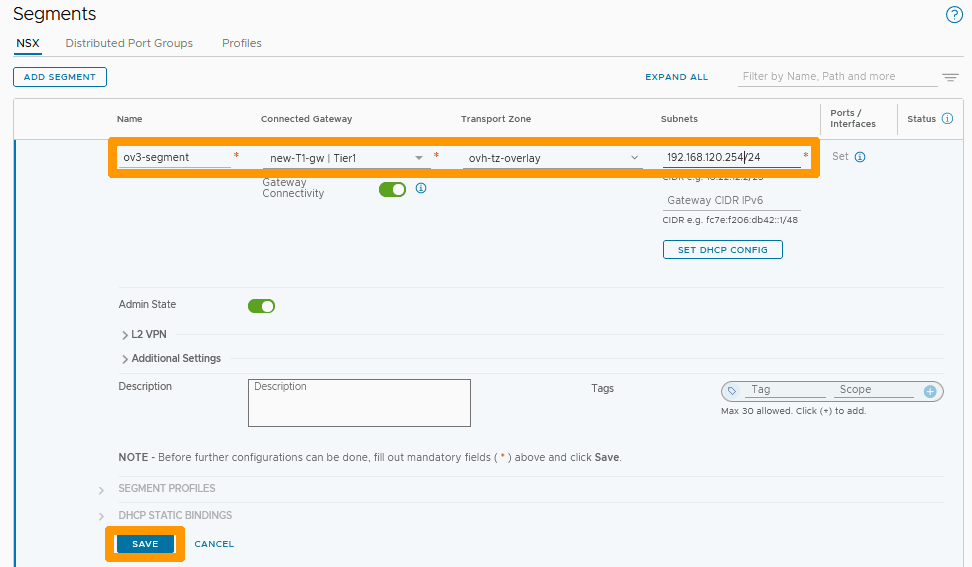
Fill in this information :
- Name : Name of your segment
ov3-segment. - Connected Gateway : Your new gateway
new-T1-gw. - Transport Zone : Your subnet
192.168.120.254/24.
Click SAVE.
Click NO.
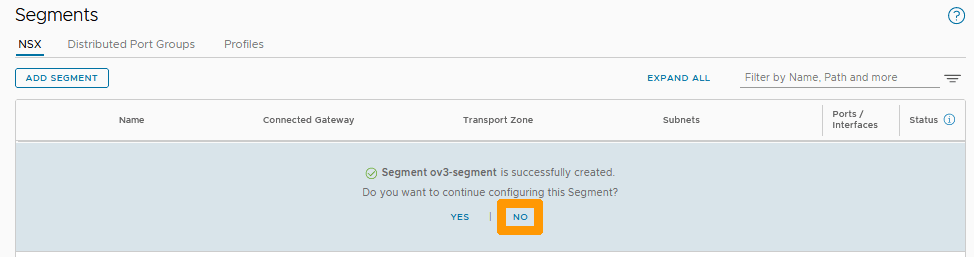
Your new segment is created and connected to your new new-T1-gw gateway.
Displaying a complete configuration with a virtual machine on your segment
The new segment is an Overlay segment but it is possible to add a VLAN segment and connect it to your new gateway.
Use our guide on Segment Management in NSX to add a new virtual machine to your new segment.
Then click Network Topology.
Conclusion
Having read this guide, you should be able to add an east-west (Tier-1 Gateway) gateway to your NSX configuration.