
Order a free SSL certificate
The OVHcloud Load Balancer service can be configured to support SSL termination.
The purpose of SSL termination is to decrypt the incoming encrypted stream before forwarding it to the appropriate service, such as a web server.
Handling SSL termination on the Load Balancer reduces the computational load on your backend servers and centralizes certificate management. This makes maintenance and security updates easier.
Requirements
- An OVHcloud Load Balancer service in your OVHcloud account.
- Access to the OVHcloud Control Panel or OVHcloud API
Instructions
Configure the frontend for SSL termination
To enable SSL termination, you must first configure your frontend.
You can configure your SSL termination in the OVHcloud Control Panel via the Network and then Load Balancer menus.
NOTE: If you are not using the beta version of the OVHcloud Control Panel, you can find the OVHcloud Load Balancer via the Bare Metal Cloud or Hosted Private Cloud sections.
After selecting the Load Balancer you wish to modify, create a new frontend or edit an existing one.
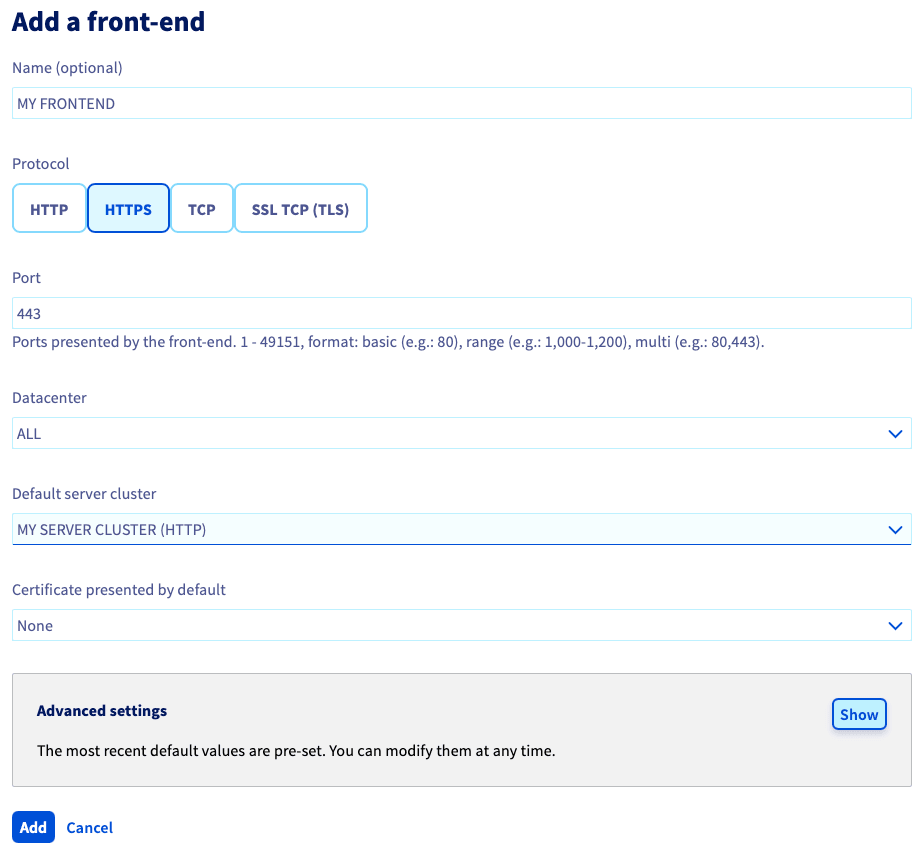
In the Front-ends tab, click on the Add a front-end button to create a new frontend.
In the configuration window that opens, select the HTTPS protocol. Then, select the Default server cluster.
Finally, open the Advanced settings and fill in the HTTPS Redirection field.
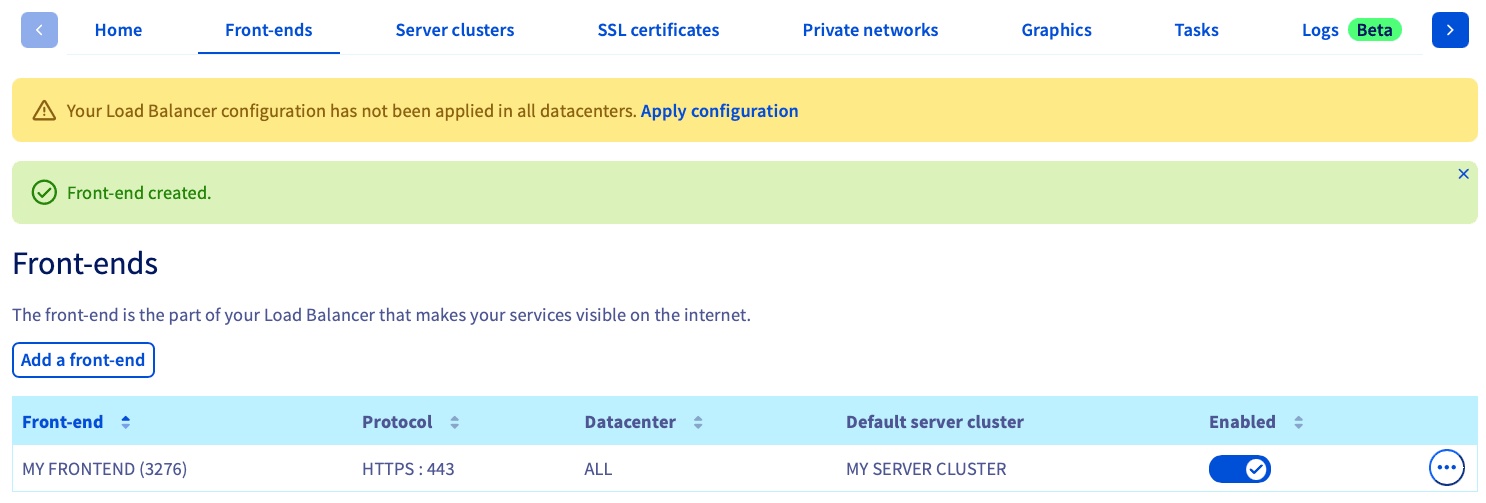
Once the frontend has been created, a banner will appear prompting you to Apply configuration to deploy your changes in the appropriate zone.
Order the free SSL certificate
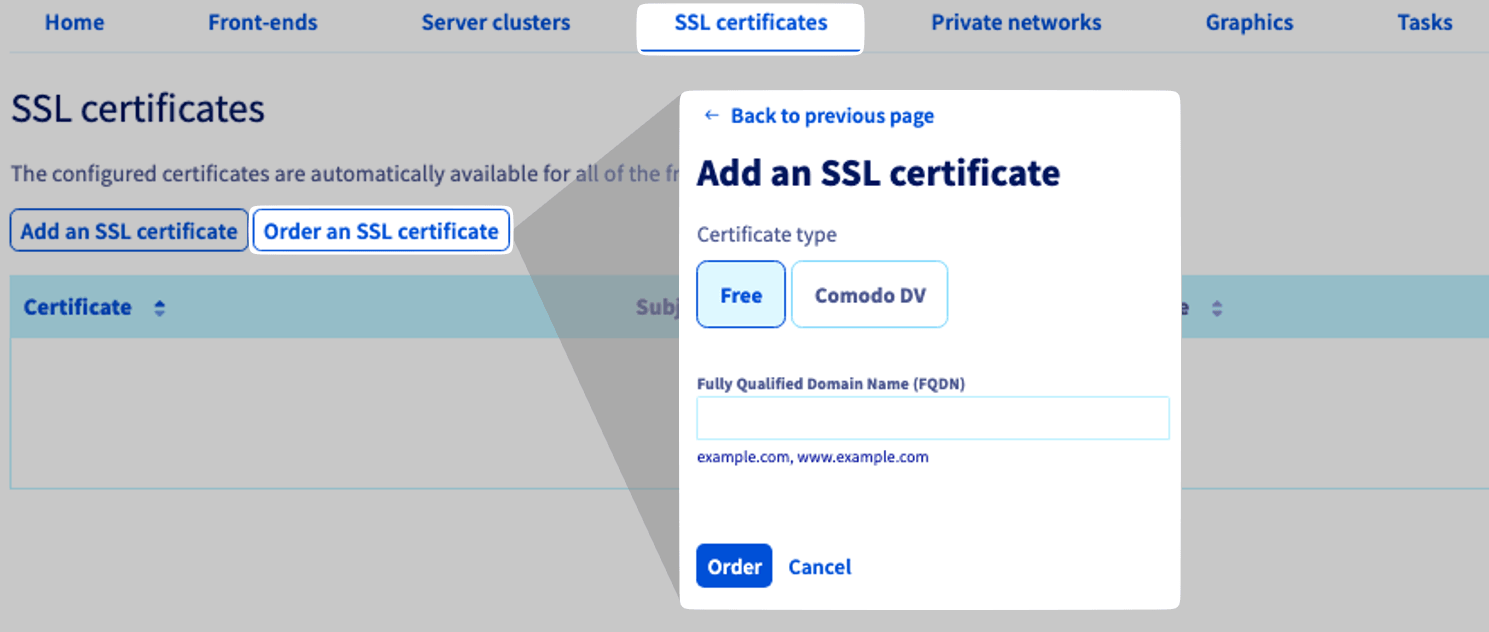
From the SSL certificates tab, click Order an SSL certificate.
In the pop-up window, select Free, enter a FQDN, and click Order.
Follow up on the order
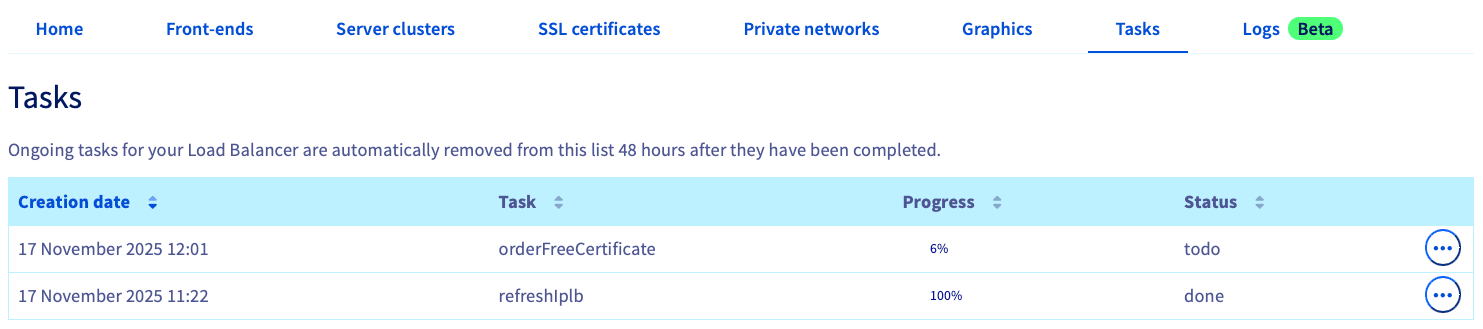
Select the Tasks tab, and look at the Task column for those labeled as orderFreeCertificate.
Go further
Browse all the Load Balancer guides.
Browse the rest of the OVHcloud US documentation for guides on our other products and services.
Learn more about Load Balancer on the OVHcloud US website.