
Gateway Firewall Management in NSX
Gateway Firewall allows filtering between internal segments and the network outside the incoming or outgoing cluster.
It works on the North-South (Tier-0 Gateways) and East-West (Tier-1 Gateways) gateways if the source or destination is not inside the cluster.
If you want to create filtering rules between internal segments, you will need to use distributed firewall using our guide on distributed firewall management.
Learn how to manage gateway firewalls.
Requirements
- Being an administrative contact of your Hosted Private Cloud infrastructure to receive login credentials.
- A user account with access to the OVHcloud Control Panel.
- Having NSX deployed with one segment configured in your NSX configuration. You can use our guide on segment management in NSX for more information.
Instructions
We will create a strategy to improve the visibility and administration of rules based on their usefulness.
Next, we will add a rule within our strategy that blocks access to the entire external network of a cluster from a group that contains a segment (you can use our Distributed Firewall Management guide to create groups) and any for the destination.
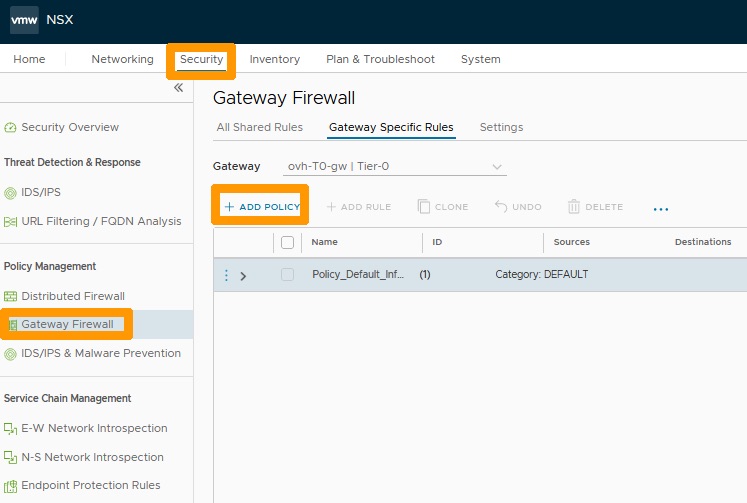
Go to the Security tab, select Gateway Firewall and click + ADD POLICY.
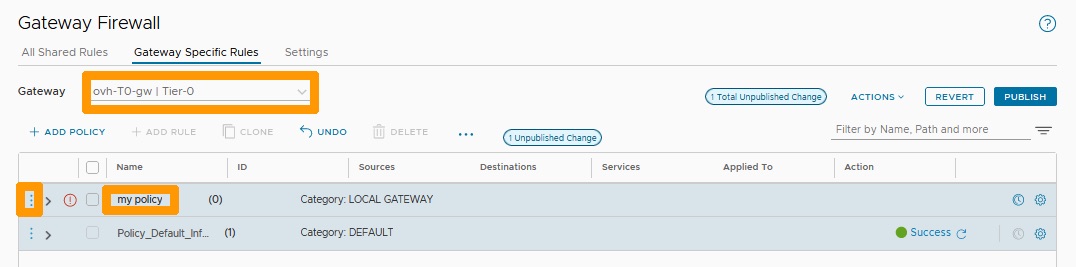
Select ovh-T0-gw to the right of Gateway.
- Name your policy
my policybelow the Name column. - Click the
three vertical dotsto the left of your policy.
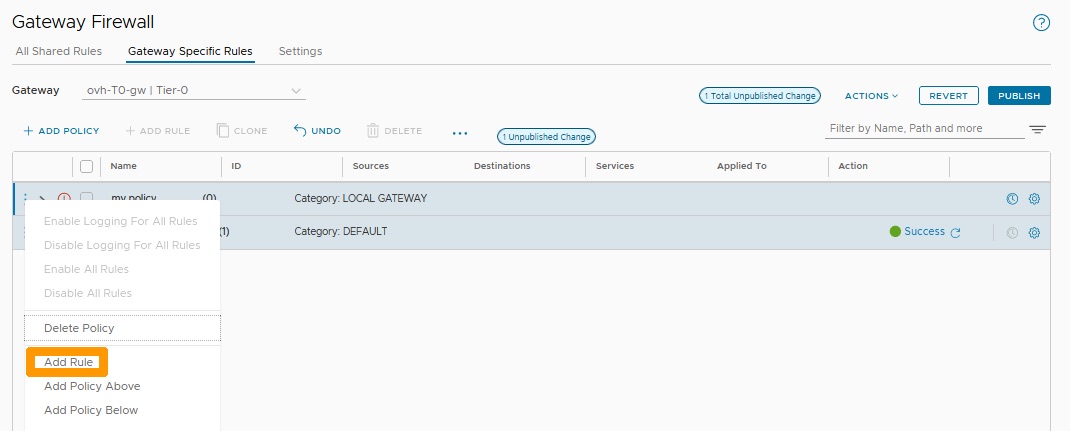
Click Add Rule in the menu.
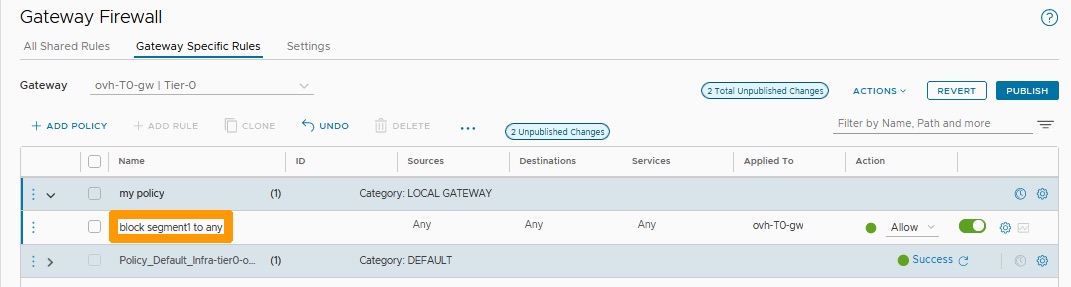
Name your rule block segment1 to any below the Name column.
Click on the pen to the right of "Any" in the Source column.
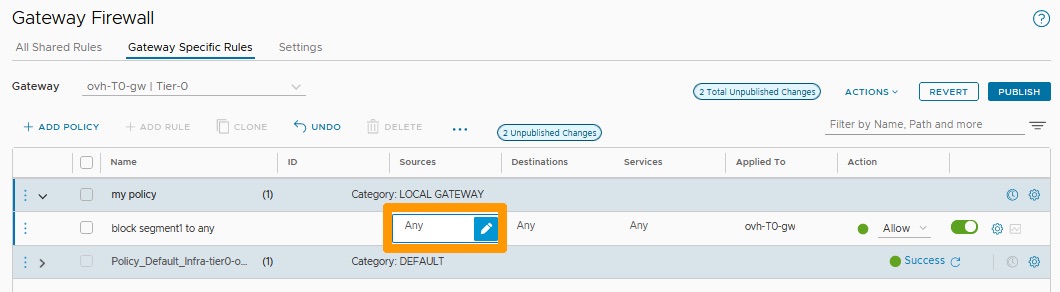
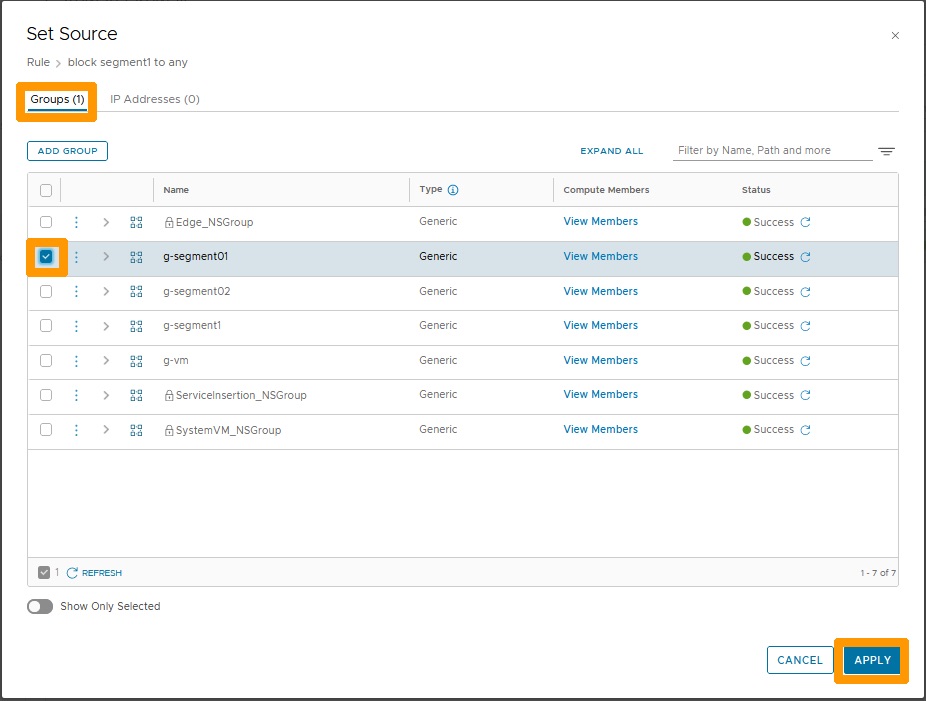
Stay in the Groups tab, select the g-segment01 group and click APPLY.
Choose Drop under the Action column and click PUBLISH.
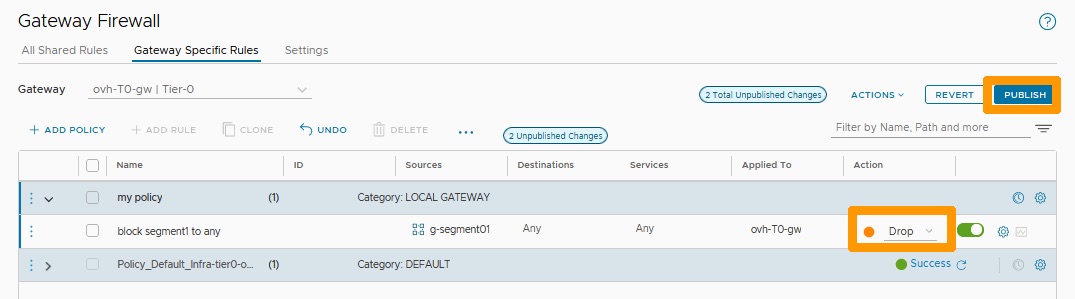
Your rule is active on the ovh-T0-gw gateway, it blocks all outgoing traffic from members of the g-segment01 group.
Conclusion
Having read this guide, you should be able to create a strategy to improve the administration of rules based on their usefulness as well as add a rule within that strategy that blocks access to the entire external network of a cluster from a group that contains a segment and any for the destination.