
Find Your Additional IP Limit
Learn how to find the number of Additional IPs that can be ordered for your OVHcloud service.
Since October 6th, 2022 our service "Failover IP" has been named Additional IP. This renaming does not affect its technical features.
Requirements
- a dedicated server
- access to the OVHcloud API
- if unfamiliar with the OVHcloud API, read our First Steps with the OVHcloud API guide
Instructions
First, access the OVHcloud API and open the /dedicated/server section.
Find the service name
You will need the internal name of your dedicated server to find your Additional IP limit. If you do not know, or know how to find, this information you can use the OVHcloud API or the OVHcloud Control Panel to retrieve it.
Click each tab across the top to view all content.
In the OVHcloud API, locate the API call below and click Execute.
The result will show the internal name of your service.
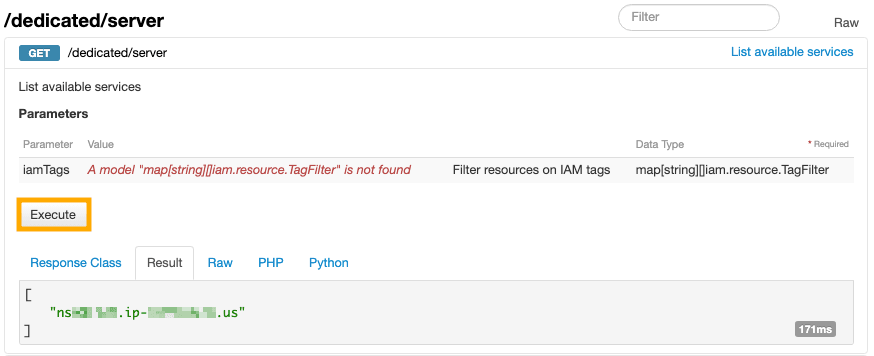
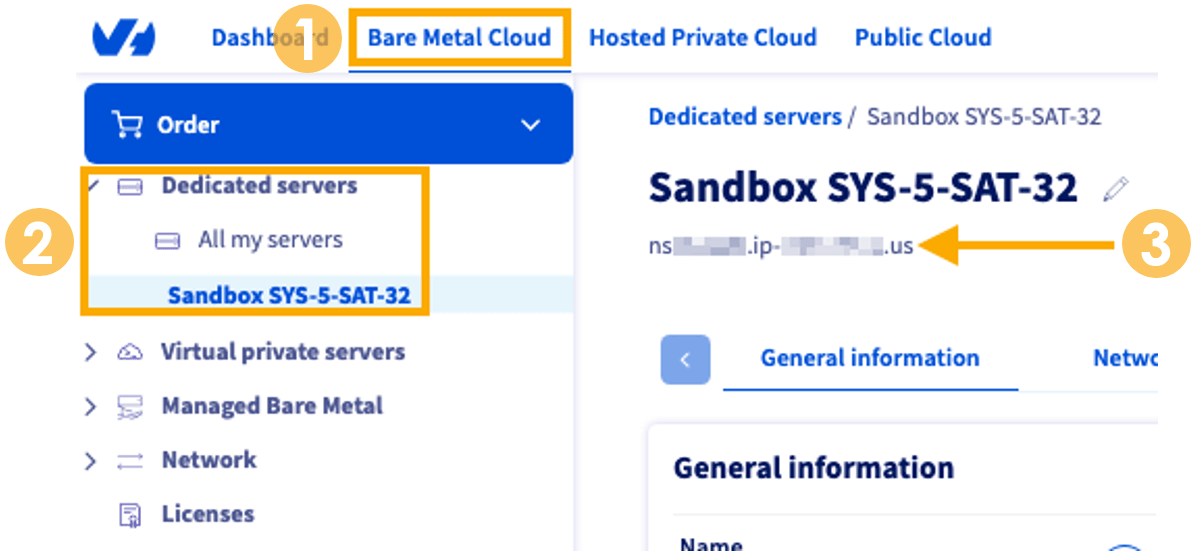
Find your Additional IP limit
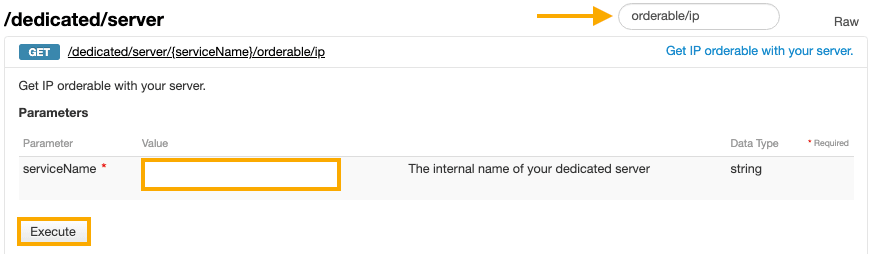
In the OVHcloud API, locate the following API call. You can find it quickly by using the Filter option as shown in the picture below.
Enter the serviceName you found in the previous step, then click Execute.
Interpret the result
In the output, the blockSizes, ipNumber, and number fields (shown below in green) determine the Additional IPs available to you.
Example result:
The factors that limit the number of Additional IPs/Blocks are ipNumber and number.
- ipNumber: Shows the total number of IPs (single Additional IP and IPs in Additional IP blocks) that can be routed to the server.
- number: Shows the number of additional IP products (single Additional IPs or Additional IP blocks) that can be routed to the server.
So, in this example, the number is 16 and the ipNumber is 128, this means that up to 16 Additional IP products can be attached to the server but the total number of IPs (single and as part of a block) routed to the server cannot exceed 128.
Go further
Browse all the Additional IP guides.
Browse the rest of the OVHcloud US documentation for guides on our other products and services.
Learn more about Additional IP on the OVHcloud US website.