
Backup Agent - Deletion procedure
Requirements
- An active Backup Agent service.
OVHcloud Control Panel Access
- Direct link: Backup Agent
- Navigation path:
Bare Metal Cloud>Backup Agent
Instructions
Delete an agent
NOTES:
- Once your agent is suspended, you can no longer create a new agent on the same server.
- The agent will have a
Disabledstatus until all retention and/or immutability periods expire; afterward, the agent is auto-deleted. - Removing one agent does not cancel your entire Backup Agent service.
- Deleting the underlying server does not auto-delete the agent.
- You do not need to delete the vault attached to the agent.
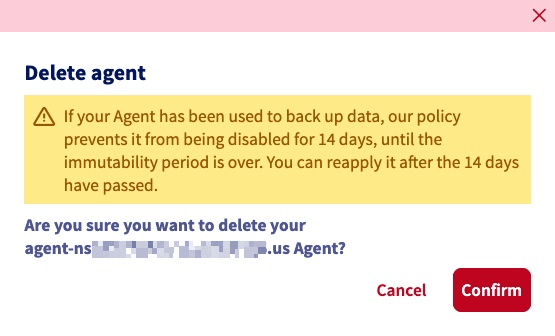
Go to the Agents section and click on the delete button for the relevant agent.
Confirm the agent deletion in the window that appears.
Delete your service (tenant)
WARNING: When you cancel, backup activity steps and your agents, vaults, and tenant are torn down. However, backup data that is still within its retention or immutability period cannot be physically deleted until that protection expires, so storage cleanup may continue after the service is already disabled.
Navigate to your Backup Agent service and, in the General information tab in the My offer panel, click the Cancel → button.
In the pop-up window, Confirm the deletion.
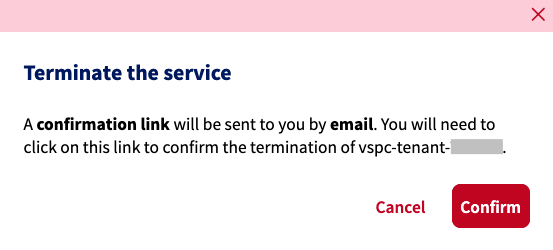
An email with a confirmation link will be sent to the address on file. You must click the cancellation link to finalize the deletion of your tenant.
If you do not wish to continue with cancelation of your service, simply ignore the email without clicking the confirmation link.
Once the cancellation is complete, you can activate the Backup service again in the OVHcloud Control Panel.
Delete a vault
NOTE: Customers cannot delete vaults. Vaults are removed as part of the tenant deletion process. The time it takes to remove the vault fully depends on the applicable S3 Object Lock (immutability) protection period on the stored backup objects. While that protection is active, the data cannot be physically deleted until the protection expires.
Go further
Browse all the Dedicated Servers guides.
Browse the rest of the OVHcloud US documentation for guides on our other products and services.
Learn more about Dedicated Servers on the OVHcloud US website.