
Setting OpenStack Environment Variables
By setting OpenStack environment variables on your desktop, you can use the OpenStack API to manage your infrastructure.
Requirements
- access to the OVHcloud Control Panel
- an OpenStack user account
- OpenStack installed on your system
Instructions
Step 1: Retrieve the variables
To retrieve your environment variables, you can download the OpenRC file from the OpenStack user account you have created.
Log in to the OVHcloud Control Panel and switch to the Public Cloud section. Select your Public Cloud project at the top of the left-hand sidebar.
- Switch to the
Public Cloudsection. - Click on
Users & Roles. - Click on the more options
...button to the right of your user and selectDownload OpenStack's RC file.
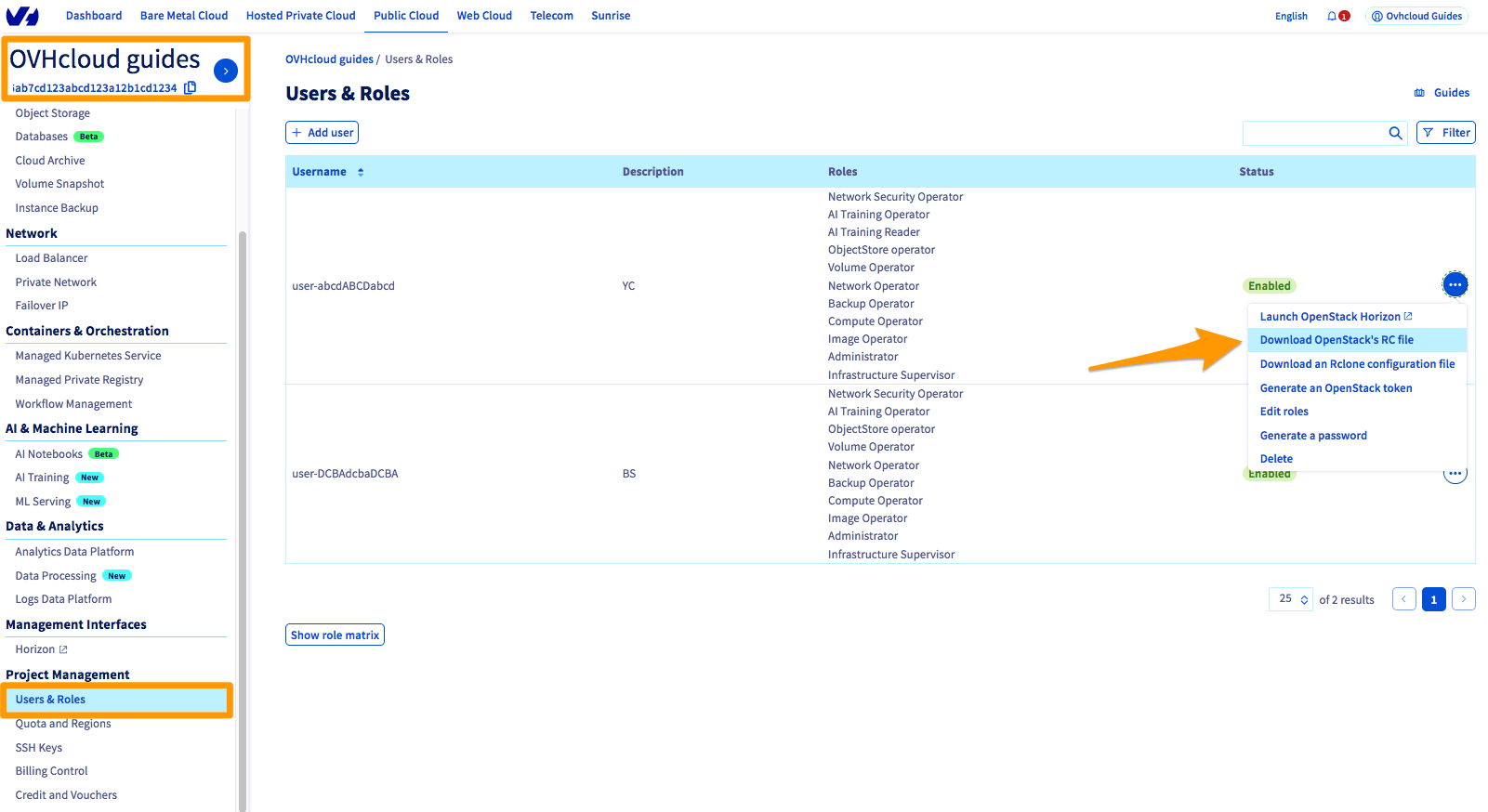
An OpenRC file corresponds to a specific user and zone. You cannot manage multiple zones in the same file.
Step 2: Set the variables
On Linux
- Open a terminal, or connect via the user who will be making the OpenStack API calls.
- Load the file’s contents in the current environment. You will then be prompted to enter the Horizon user password.
As outlined in this guide, the password is only visible once — when it is created.
If you forget your password, you will need to reset it.
If the CLIs are already installed, check if they are working properly:
On Windows
The OpenRC file is not designed to be launched on Windows.
There are two ways of setting environment variables:
- You will need to adapt the file by changing certain commands. The export part can be replaced with set:
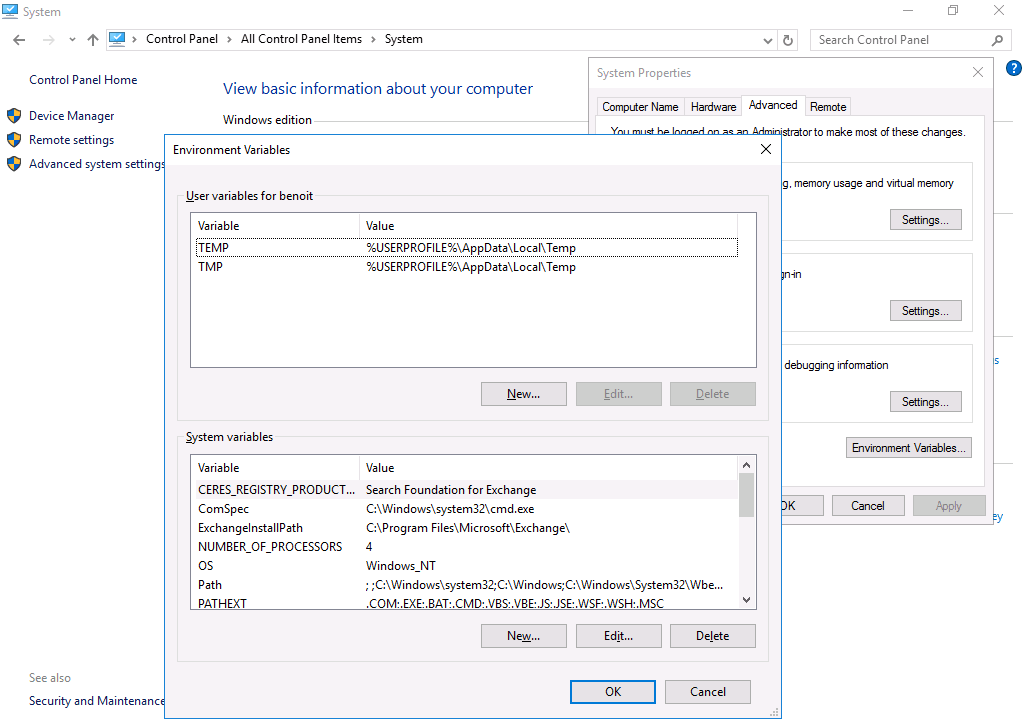
- You can set the variables directly via the system settings: Control Panel > System > Advanced System Properties > Environment Variables:
Go further
Browse all the Public Cloud - General information guides.
Browse the rest of the OVHcloud US documentation for guides on our other products and services.
Learn more about Public Cloud on the OVHcloud US website.