
Backup Agent - Connect to VSPC
Requirements
- You must have received VSPC connection credentials by email after ordering your Backup Agent service.
- A compatible web browser.
Instructions
Access VSPC
This account is read-only and allows you to access visualizations of your backups and agents.
Go to the VSPC URL: https://vspc.prod01.us-east-vin.backup.us.ovhcloud.com.
Log in
Log in using the credentials that were provided to you by email. The login format is usually vspc-tenant-XXXXXX\user-XXXXXX.
NOTE: If you have lost your password, use the Forgot password? link on the login page to reset it. If you have lost your username, please contact our customer support team.
View Backup Jobs
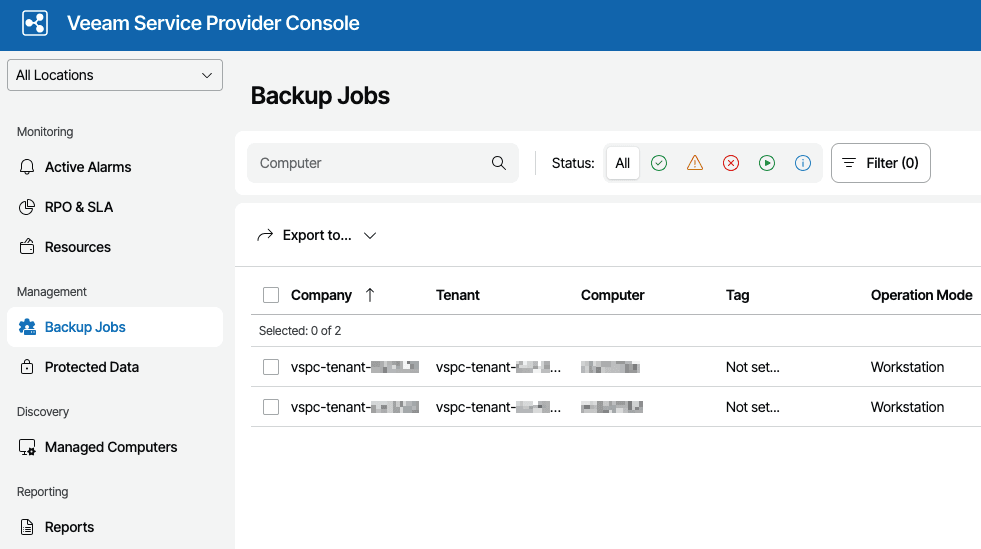
Once logged in, click on Backup Jobs in the left menu.
View successful jobs
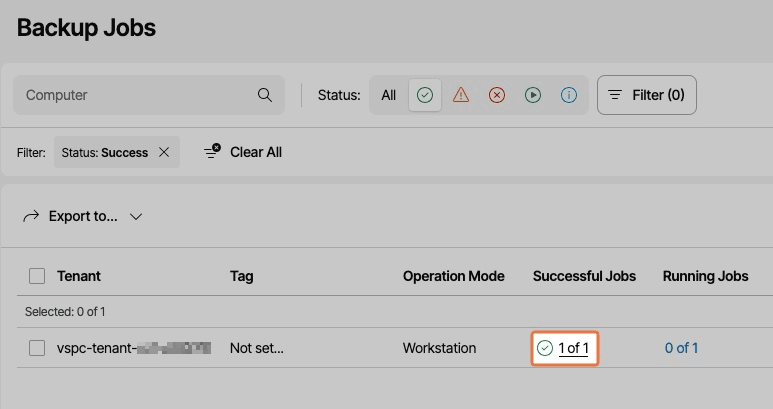
Click on Successful Jobs for your tenant.
View restore points
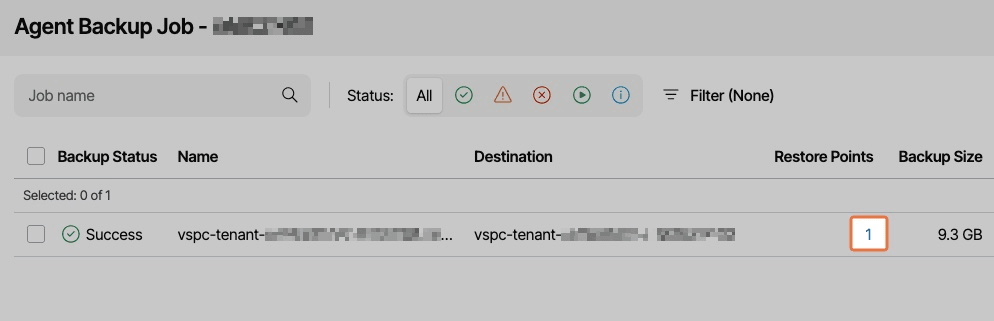
You can view the available restore points for your backups.
Access managed agents
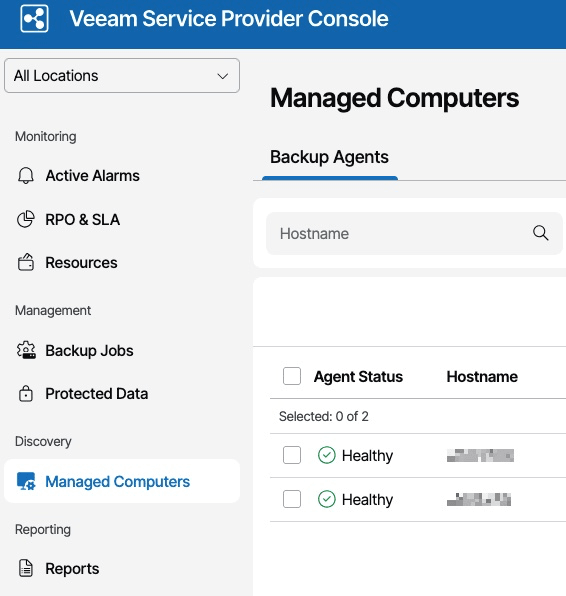
To see the list of your installed agents, go to Managed Computers.
View reports
At this time, Reports are not available in the VPSC console.
View latest alarms
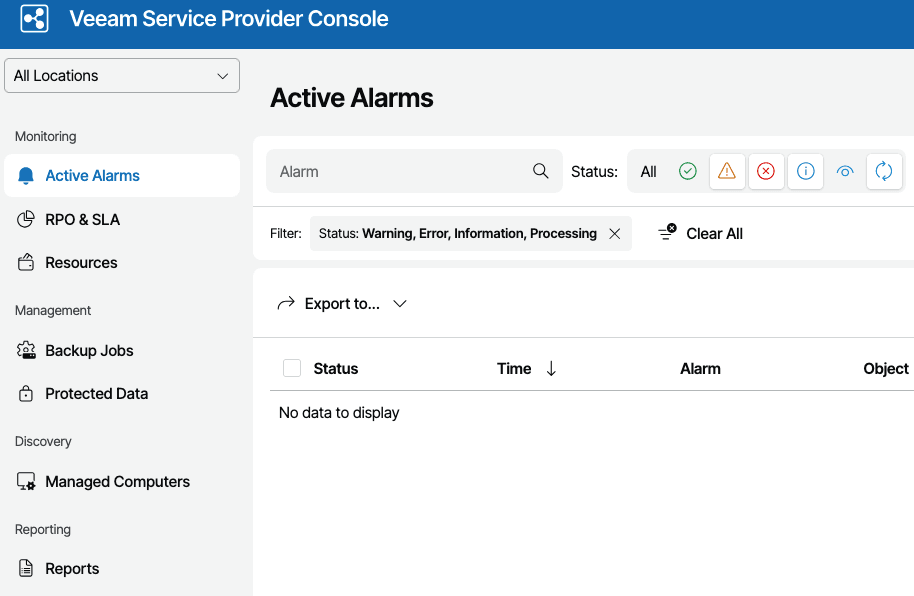
You can view the latest alarms on your agents and backups in the Active Alarms section.
Go further
Browse all the Dedicated Servers guides.
Browse the rest of the OVHcloud US documentation for guides on our other products and services.
Learn more about Dedicated Servers on the OVHcloud US website.