
How to configure Software RAID in the OVHcloud Control Panel
Learn how to configure Software RAID from the OVHcloud Control Panel to protect your data and optimize your storage.
NOTE: Software RAID can only be configured from the OVHcloud Control Panel before installation.
Requirements
- If you are unfamiliar with RAID, you can read this Understanding RAID excerpt
- Access to the OVHcloud Control Panel
- A dedicated server in your account
Instructions
Configuring Software RAID in the OVHcloud Control Panel
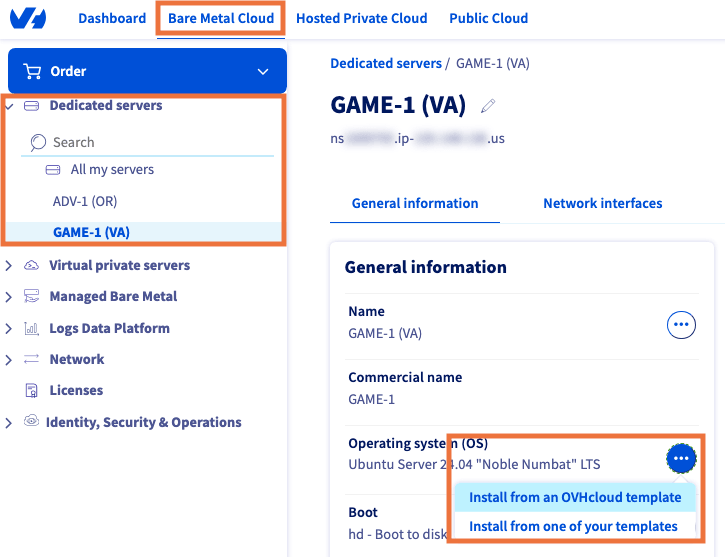
From the OVHcloud Control Panel:
- Select
Bare Metal Cloudfrom the top navigation bar. - In the left-hand menu, select
Dedicated serversand choose your server. - In the General information panel, click the more options
...button next to Operating system (OS). - Choose to
Install from an OVHcloud templateorInstall from one of your templates.
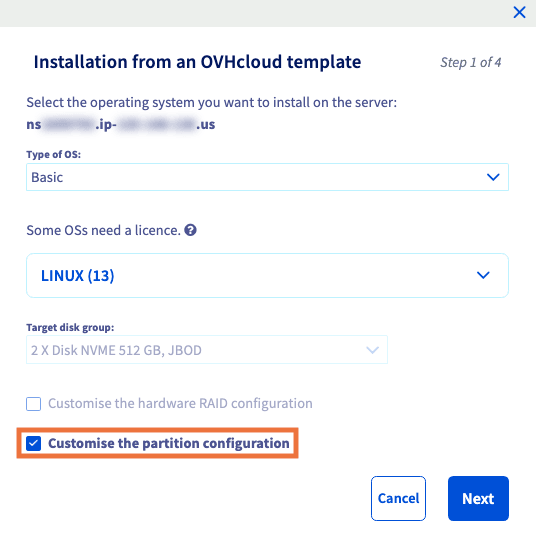
Select your operating system and then check ☑ the Customize the partition configuration box.
Click Next.
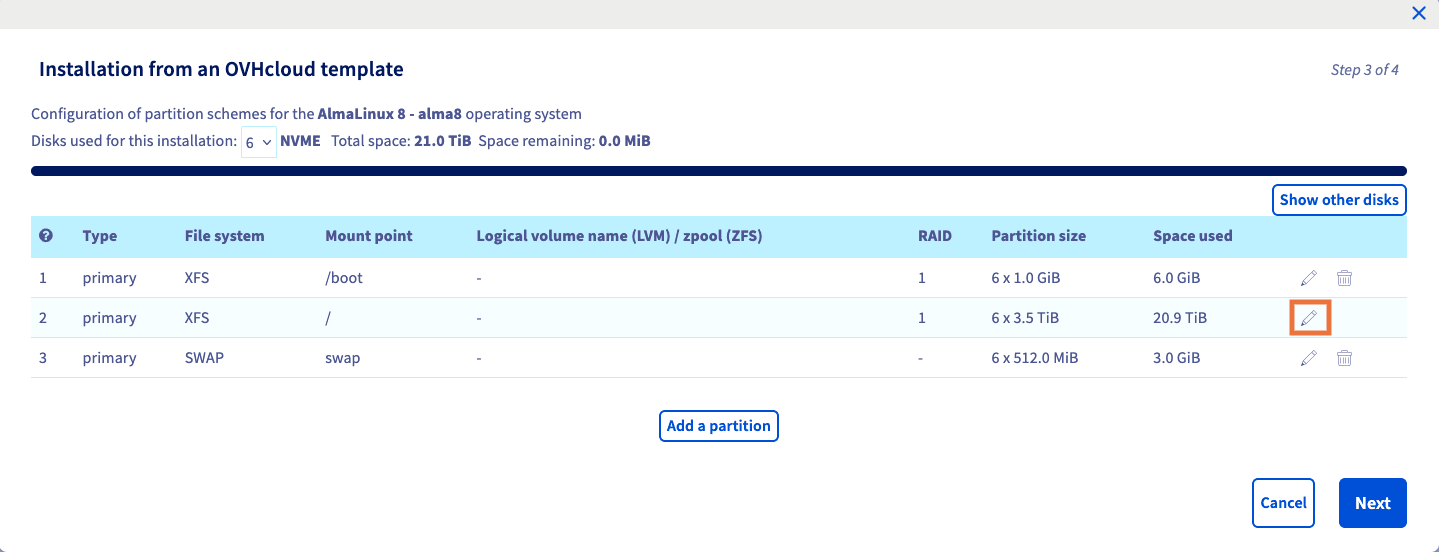
Now click the pencil icon ✏️ next to the partition you wish to edit.
You can change the RAID level in the drop-down menu.
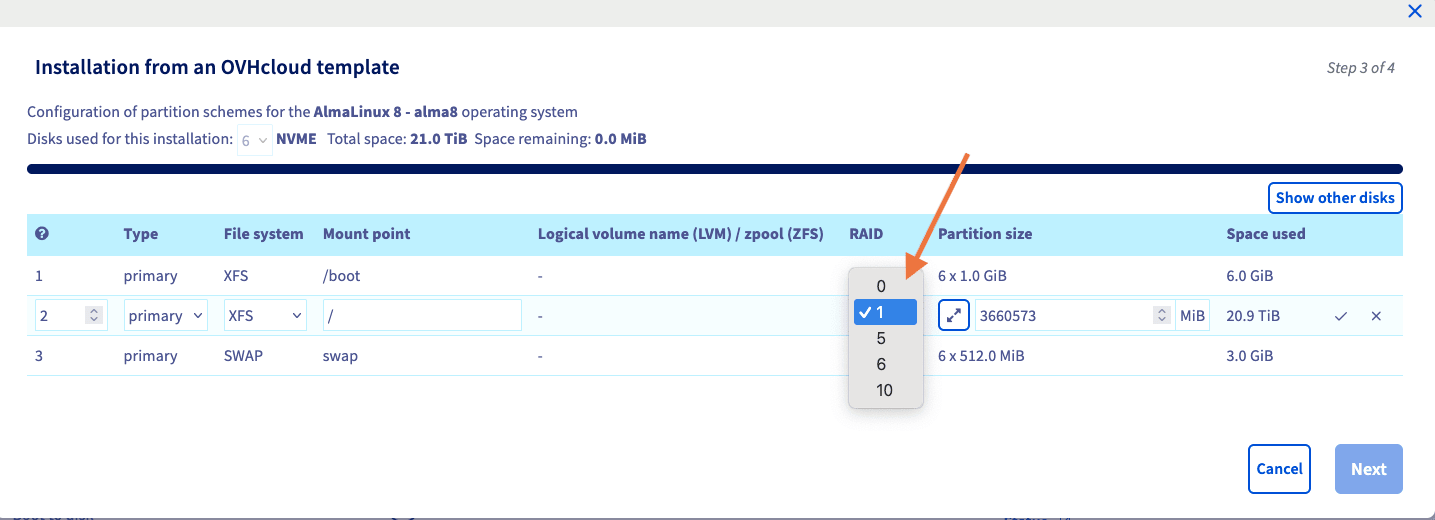
NOTE: The root (/) partition must be configured in RAID 1. If you want to leverage other RAID levels, you can do so by creating other partitions. For example, if you are running a website in Linux, creating a partition for /var will allow your website to leverage the increased speed of RAID 10.
Once you have finished the installation, your OS will be ready to go with the RAID level you have chosen.
Go further
Browse all the Dedicated Servers guides.
Browse the rest of the OVHcloud US documentation for guides on our other products and services.
Learn more about Dedicated Servers on the OVHcloud US website.