
Tracking connections on the OVHcloud Load Balancer
The OVHcloud Load Balancer service offers several methods for tracking connections (also known as session persistence or stickiness) to your services.
Each session on the OVHcloud Load Balancer service is maintained by a persistent connection system. The system is configured on the application layer of the OVHcloud Load Balancer service to ensure persistent connections to the server.
Requirements
- An OVHcloud Load Balancer
- Access to the OVHcloud Control Panel or OVHcloud API
Instructions
The different types of connection tracking
Two main connection tracking methods can be configured on your services:
The following elements will affect traffic redirection:
- if the configured weight changes
- if a server in the cluster is re-enabled
- if a server in the cluster is no longer responding
NOTE: Once you have refreshed your configuration, the connections will be rebalanced, and your HTTP sessions will be lost as a result.
View details of a server cluster
From the OVHcloud Control Panel:
- Select
Bare Metal Cloudfrom the top navigation bar. - Expand the
Networksection in the left-hand menu. - Click
Load Balancerand choose your Load Balancer service. - Select the
Server clustertab.

Modify a server cluster's connection tracking method
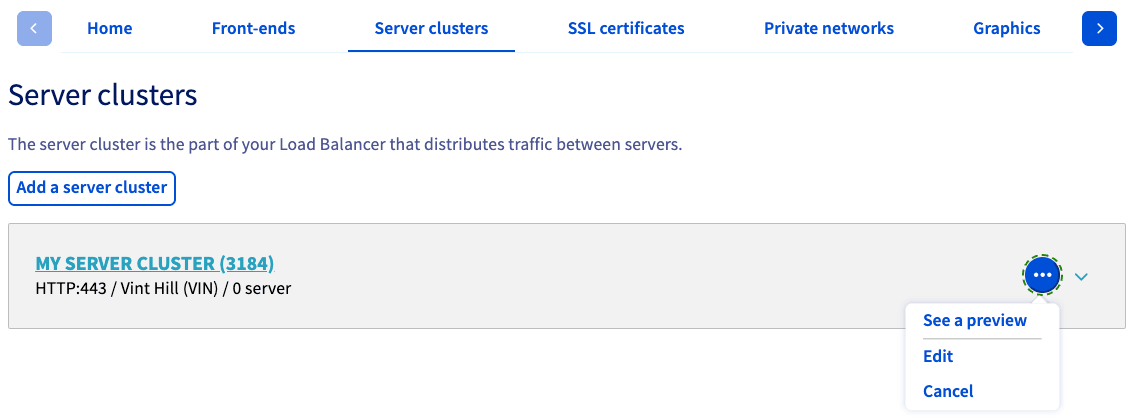
Click the more options ... button to the right of the server cluster you wish to modify and choose Edit from the menu.
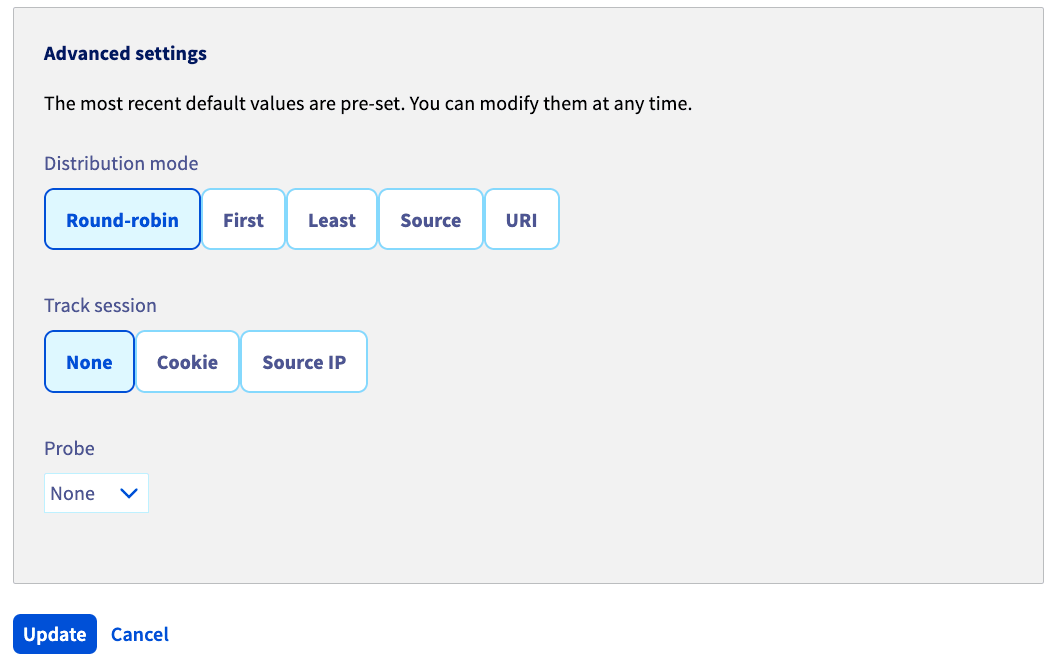
On the next screen, you can modify session tracking in the Advanced settings area. Once you have finished your configuration, click Update.
Apply the modifications
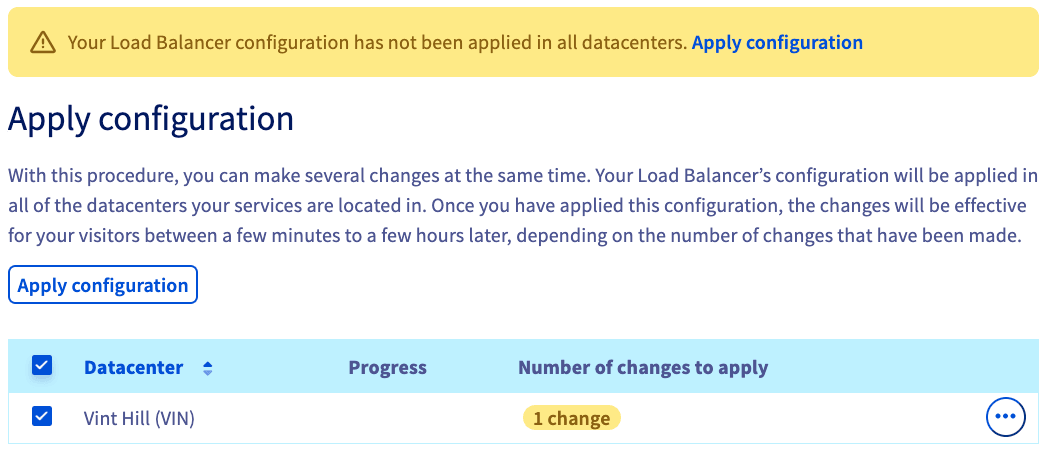
Finalize your changes by clicking Apply configuration in the yellow banner.
On the next screen, select ☑ your Datacenter and click Apply configuration.
Go further
Browse all the Load Balancer guides.
Browse the rest of the OVHcloud US documentation for guides on our other products and services.
Learn more about Load Balancer on the OVHcloud US website.