
Generating OVHcloud account logs with Logs Data Platform
Please refer to this documentation to learn more about Logs Data Platform before continuing with this guide.
Requirements
- An OVHcloud customer account
- A Logs Data Platform account within this OVHcloud account with at least one active stream configured (this guide will walk you through all the necessary steps)
Glossary
Logs Data Platform (LDP): Fully managed and secured log management platform proposed by OVHcloud. Find more information on the Logs Data Platform service page.
Data stream: A logical partition of logs that you create in an LDP account that you will use when ingesting, visualizing, or querying your logs. Multiple sources can be stored in the same data stream, and it is the unit for defining a logs pipeline (retention policy, archiving, live streaming, etc.), access rights, and alert policies.
Logs forwarding: Feature integrated into an OVHcloud product to ingest logs from its services to a data stream of an LDP account in the same OVHcloud account. The feature has to be enabled by the customer per service.
Logs forwarding subscription: When enabling the logs forwarding for a given OVHcloud service to a given LDP data stream, a subscription is created and attached to the data stream for further management by the customer.
Instructions
OVHcloud Account logs types
OVHcloud account offers three levels of logs:
- Audit Logs: Provide a security-relevant, chronological set of records documenting the sequence of actions in your OVHcloud account (i.e. logins, password change, etc.).
- Activity Logs: Provide all records of actions in your OVHcloud account from API calls and actions done in the Control Panel.
- Access policy logs: Provide all records of access evaluation in your OVHcloud account, including actions from third-party integration (i.e. actions authorized or unauthorized through IAM policies).
Enable logs forwarding
You can enable the forwarding of the OVHcloud account logs via API. You will have to target a stream of one of your LDP accounts. The logs will be forwarded to that stream. Enabling the forwarding will create a subscription for this stream ID.
Note that enabling the forwarding is free of charge, but you will be charged for the usage of your Logs Data Platform service as per the standard price plan. For LDP pricing refer to the Logs Data Platform product page.
Logs direct access
From the OVHcloud Control Panel, navigate to the Account Logs section via the Identity, Security & Operations menu.
Once there, select the tab for the type of logs you want to subscribe to: Audit logs, Activity logs, or Access policy logs.
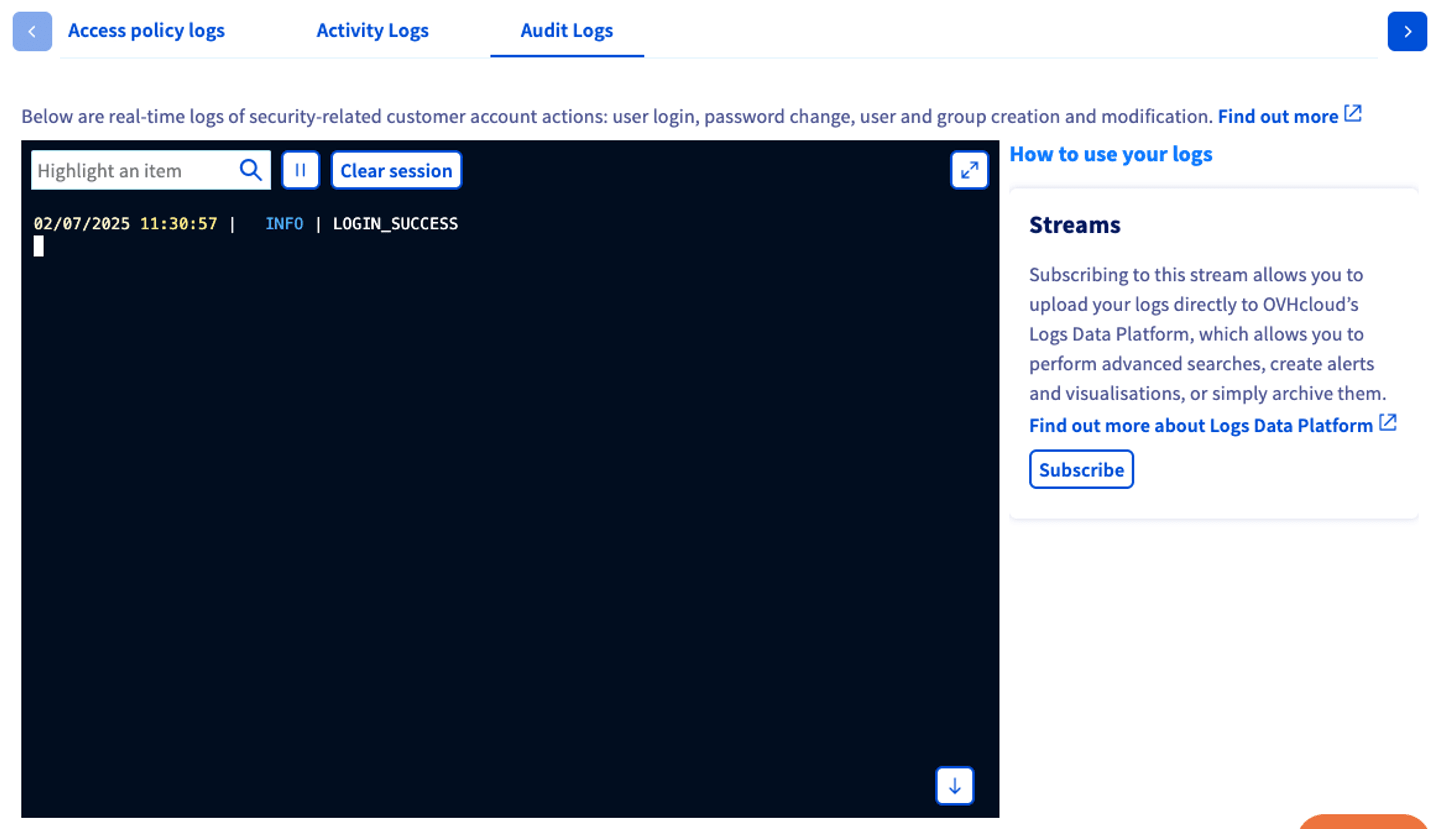
Logs access through LDP
From the Logs tab, you can Subscribe to an LDP data stream. Once the subscription is enabled, all the logs will be pushed to Logs Data Platform to archive generated logs and perform advanced searches, and create alerts or visualizations.
For more information, please refer to our Quick Start for Logs Data Platform guide.
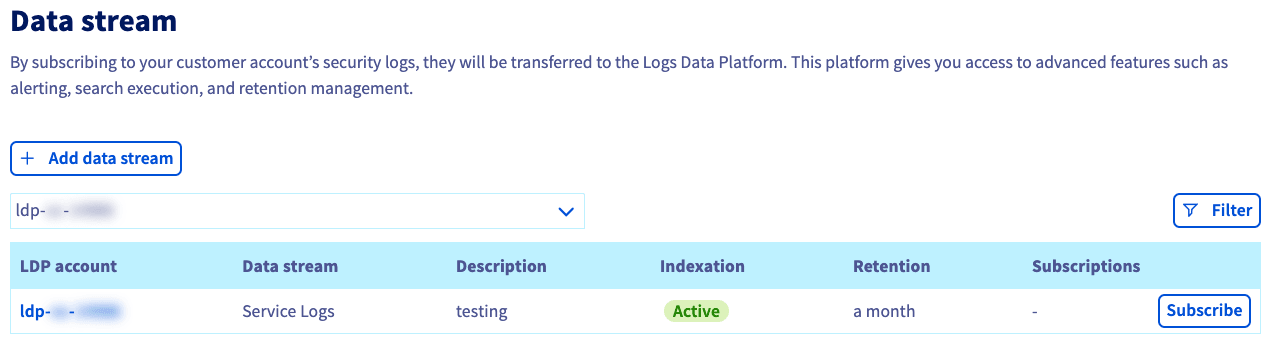
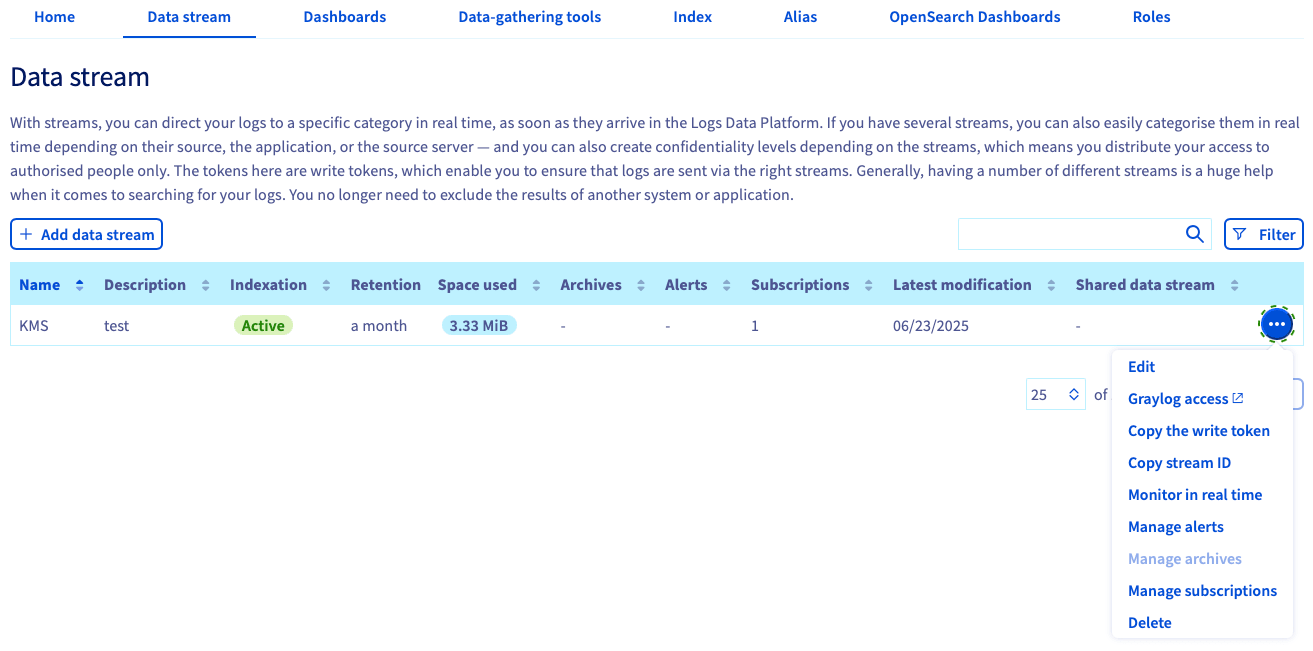
Access to OVHcloud account logs
Now that your OVHcloud account logs are ingested and stored in your Logs Data Platform data stream, you can query your logs and build dashboards to have a graphical representation using the web-based UI of Graylog.
-
Retrieve the admin user (the Logs Data Platform service name) and the password in your Logs Data Platform account
Hometab.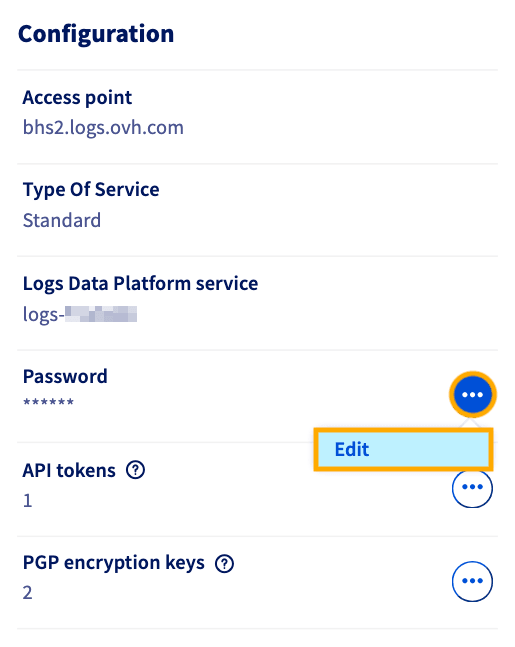
-
Open the Graylog
web-ui. You can retrieve the link from your account home page, or use your access point depending on your account region (for example, the Beauharnois region is https://bhs2.logs.ovh.com/). -
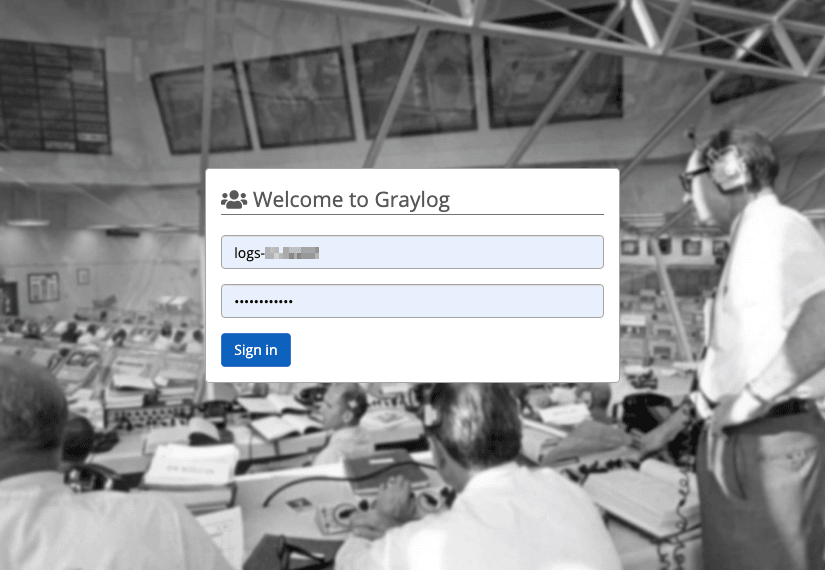
Log in to Graylog using your Logs Data Platform service name and password.
-
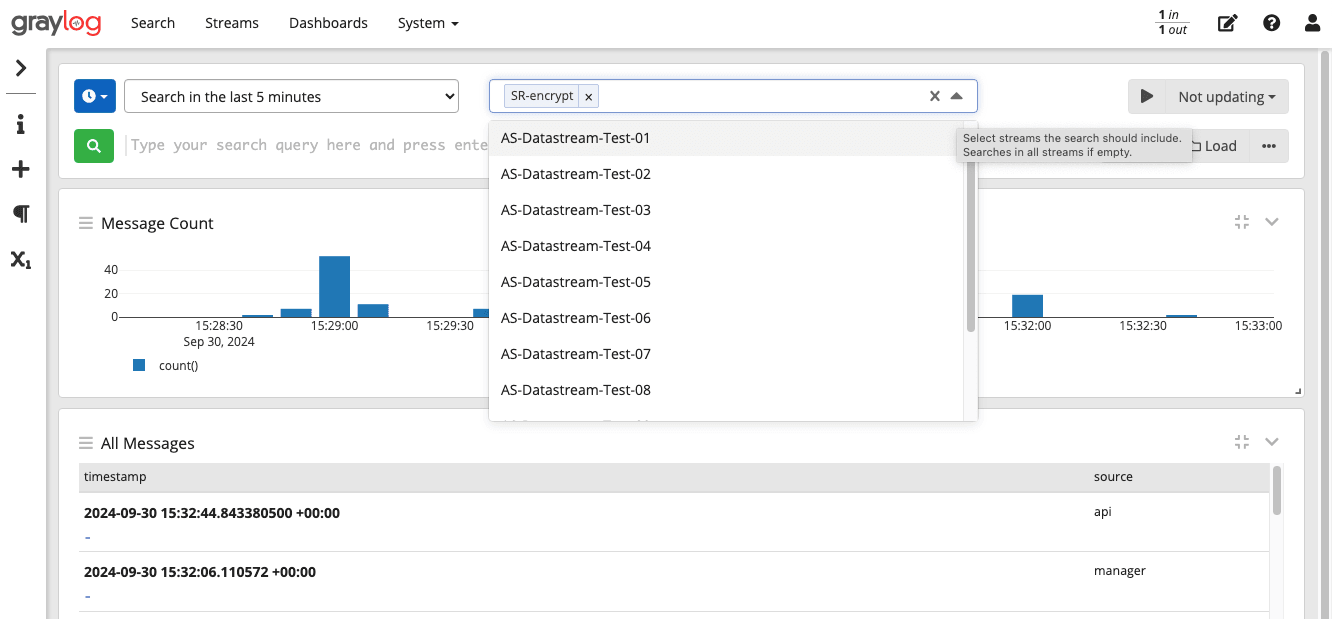
Search through your logs across the data stream of your Logs Data Platform account. You can refer to the Graylog writing search queries documentation for details on the search syntax.
For more details about how to use your logs with Logs Data Platform, refer to the documentation Logs Data Platform - Visualizing, querying, and exploiting your logs. This includes:
- How to set up alerts.
- How to view the logs in real time through a WebSocket.
- How to build visualization with OpenSearch Dashboards.
- How to integrate with OpenSearch API.
- How to to connect with Grafana.
Details of generated logs
Audit logs
For every action related to the security of the OVHcloud account, an entry is generated. The Logs generated are:
For login:
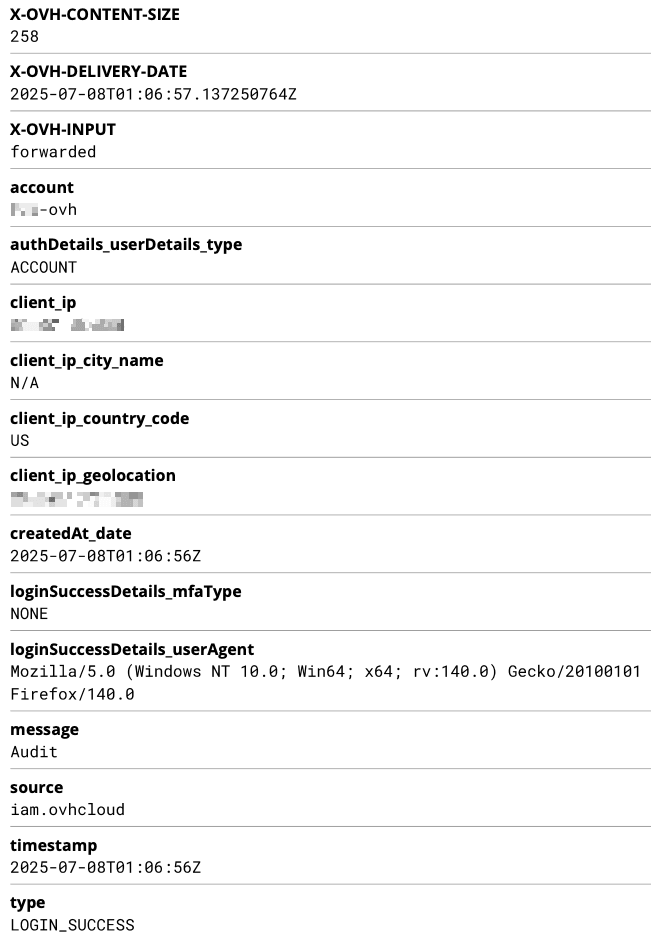
The fields displayed depend on the type of log; you may not see all fields for every log you generate.
For password change:
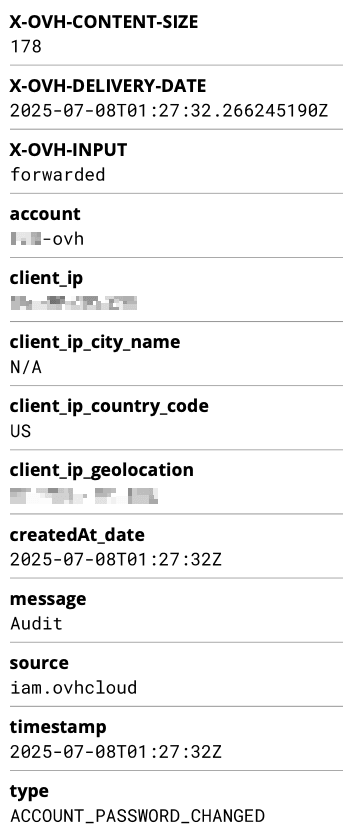
The fields displayed depend on the type of log; you may not see all fields for every log you generate.
Activity logs
For every action performed by users through the API or the Control Panel, an entry is generated with the following data:
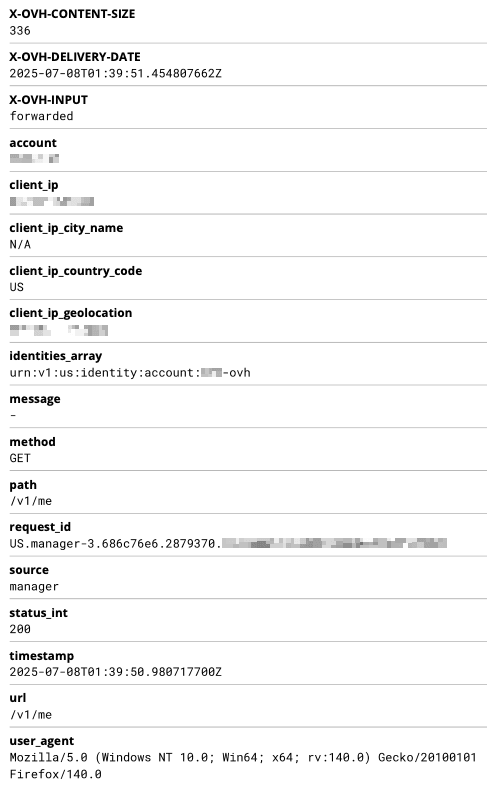
The fields displayed depend on the type of log; you may not see all fields for every log you generate.
Access Policies logs
For every action evaluated by the OVHcloud IAM, an entry is generated with the following data:
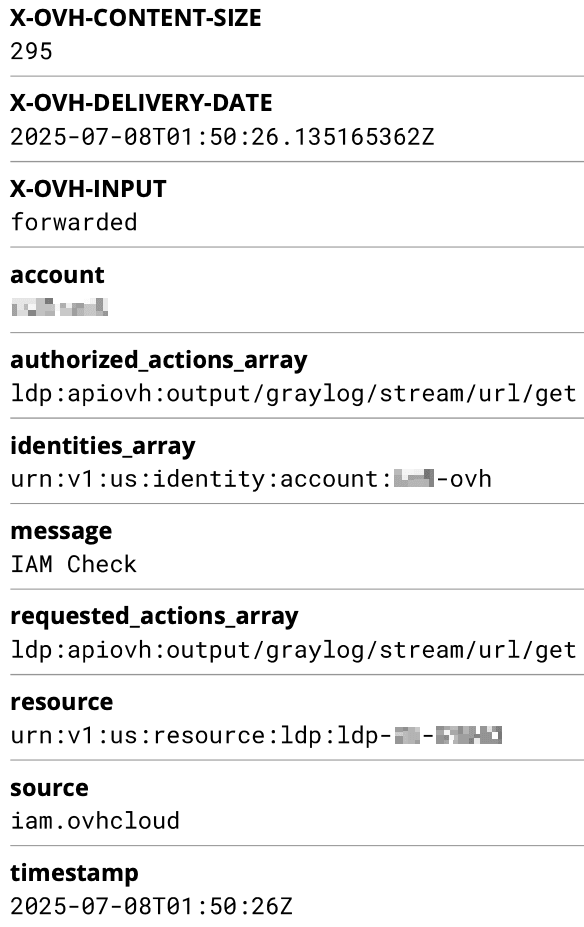
The fields displayed depend on the type of log; you may not see all fields for every log you generate.
Manage subscriptions
At any point, you can retrieve subscriptions attached to your Logs Data Platform data stream and choose to disable the forwarding by cancelling your subscription on your stream. So that your Logs Data Platform stream doesn't receive your audit logs anymore.
Note that this doesn't delete the logs that have been stored prior to the subscription cancellation, as data stored in a logs stream is immutable unless you delete the entire stream.
You can unsubscribe from your service logs in two ways:
-
From the OVHcloud Control Panel, navigate to the
Account Logssection via theIdentity, Security & Operationsmenu.Once there, select the tab for the type of logs you want to unsubscribe from:
Audit logs,Activity logs, orAccess policy logs.Click
Unsubscribe.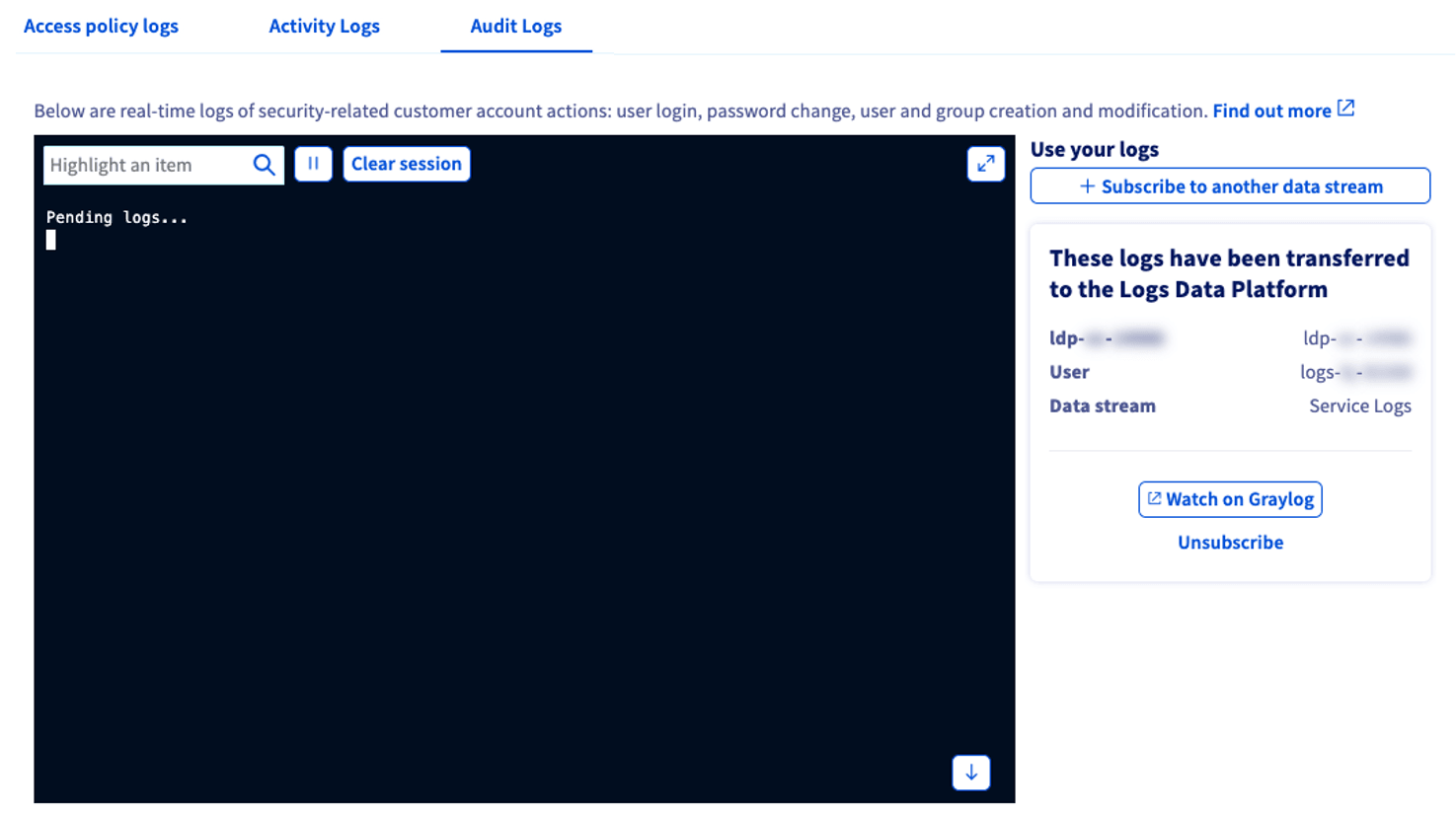
-
From the OVHcloud Control Panel, navigate to the
Logs Data Platformsection via theIdentity, Security & Operationsmenu.Once there, select your service and the
Data streamtab.Click the more options
...button to the right of your stream and chooseManage subscriptions.Click the trash
🗑️icon to the right of any subscription you wish to delete.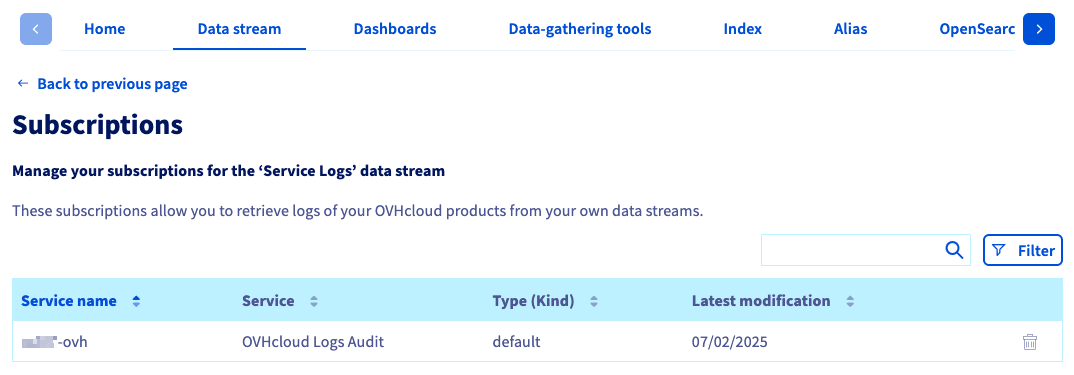
Go further
Browse all the Logs Data Platform guides.
Browse the rest of the OVHcloud US documentation for guides on our other products and services.
Learn more about Logs Data Platform on the OVHcloud US website.