
Traffic management with Istio on OVHcloud Managed Kubernetes
Istio is an open source service mesh and platform to reduce the complexity of deploying, securing, controlling, and observing distributed services. As the Istio site explains, Istio helps you to:
- Control the flow of traffic between services.
- Secure the services and manage the authentication, authorization, and encryption of inter-service communications.
- Apply and enforce policies on distributed services.
- Monitor the services gathering metrics, logs, and traces.
In this tutorial, we are showing some of the traffic management features of Istio and how you can use them on your OVHcloud Managed Kubernetes cluster.
Before you begin
This tutorial presupposes that you already have a working OVHcloud Managed Kubernetes cluster and some basic knowledge of how to operate it. If you want to know more about those topics, please look at the deploying a Hello World application documentation.
It also supposes you have a basic knowledge of Istio and that you have installed it in your Kubernetes cluster. If it isn’t the case, please follow Istio's tutorial. We are going to use the Bookinfo example application, as we did in that tutorial, so if you haven’t installed it, please do so now.
Instructions
Preparing the Bookinfo app
Before you can use Istio to control the Bookinfo version routing, you need to define the available versions, called subsets, in destination rules.
Go to your Istio install folder and apply the DestinationRules for Bookinfo:
Then wait a few moments for the destination rules to propagate and verify them:
In the case of my example cluster:
A/B Testing with Istio
A/B Testing is used when we want to try two different versions of an application and compare user interaction and engagement to choose the best one. It requires being able to push the two versions into production at the same time, split traffic between the two versions, and collect metrics to be able to make an informed choice.
A/B Testing used to be a difficult problem with traditional deployment methods, and it’s very hard to do it directly in Kubernetes since there is no notion of versions, but Istio makes it rather simple.
Let’s use the Bookinfo application to show how easily you can do A/B Testing on Kubernetes with Istio. The Bookinfo application is composed of four separate microservices:
productpage: it calls thereviewsanddetailsservice and builds the pagereviews: it contains book reviews, and it calls theratingservicedetails: it contains the book informationratings: it contains the book rating information
To set up A/B Testing on Bookinfo, we are using the reviews microservice, as it has three versions:
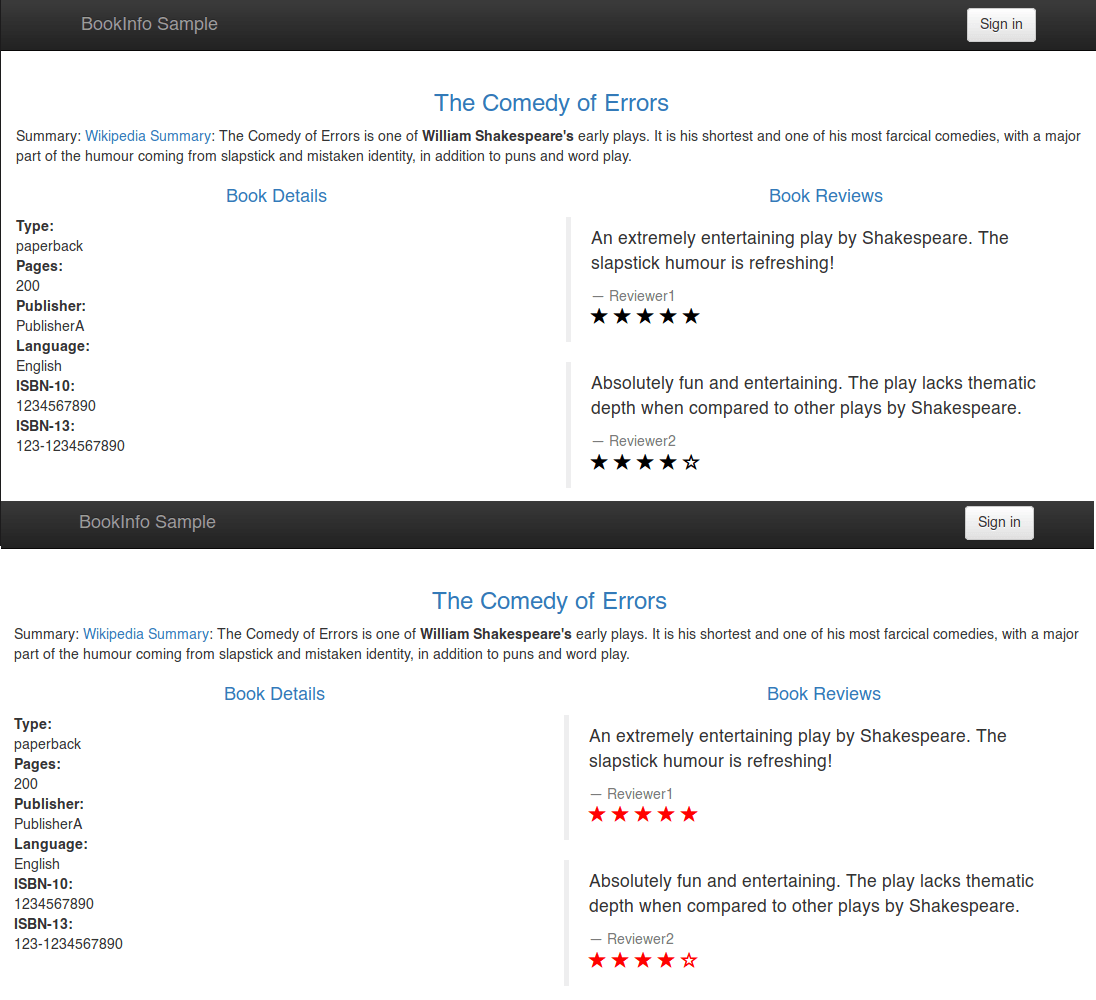
v1: it doesn’t call theratingsservicev2: it calls theratingsservice and displays the rating as black starsv3: it calls theratingsservice and displays the rating as red stars
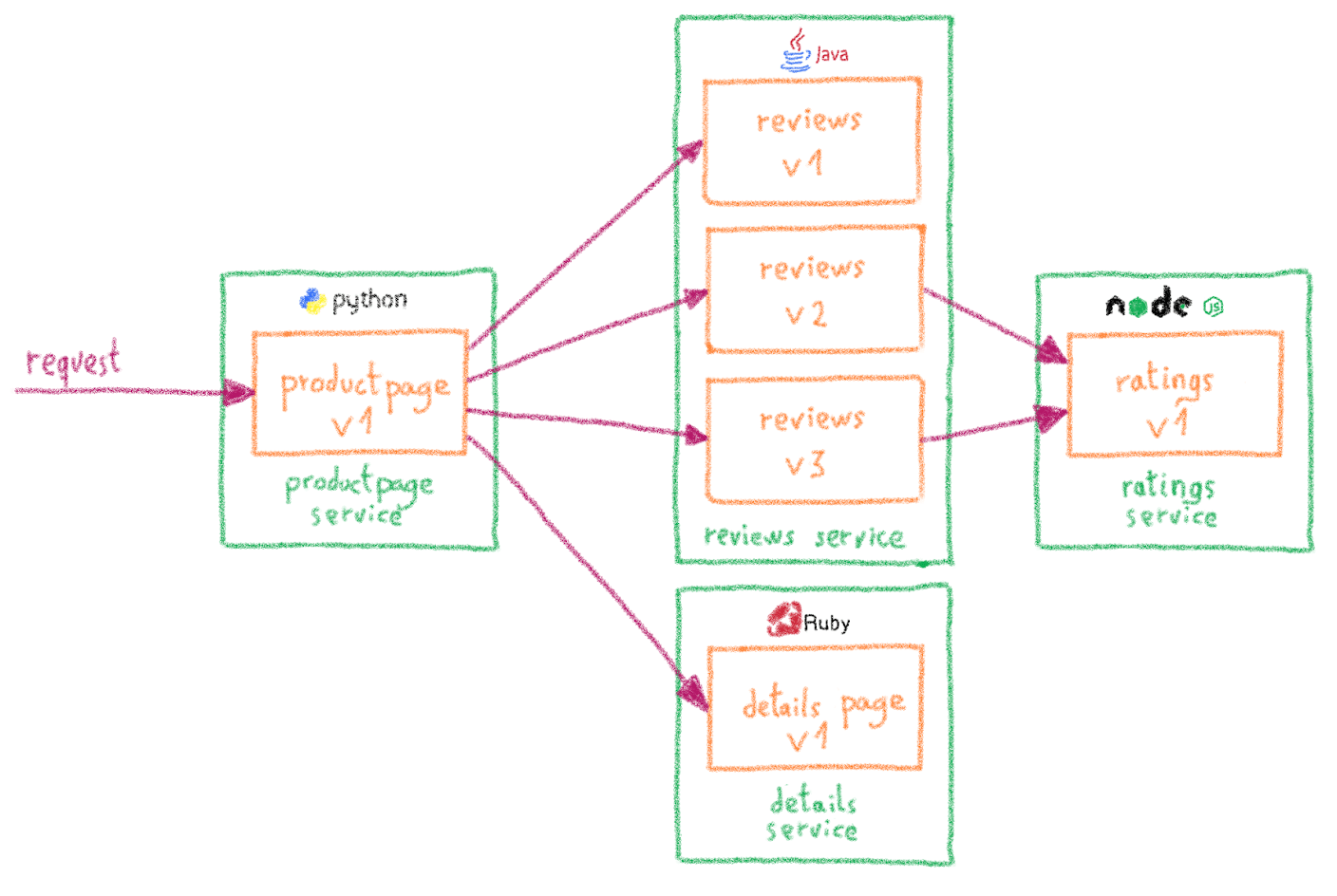
By default, the Bookinfo install deploys the three versions without explicit routing definitions. Istio then routes the requests to all available versions of reviews in a round robin fashion, so sometimes the book review output contains star ratings, and other times it does not.
Let’s say we want to send 50% of traffic to v2 and get the black stars, and the other 50% to v3 and its red stars. We can create a VirtualService to define this behavior:
Write down the VirtualService into a reviews-50-v2-50-v3.yaml file and apply it:
and confirm that the rule is created:
In the case of my example cluster:
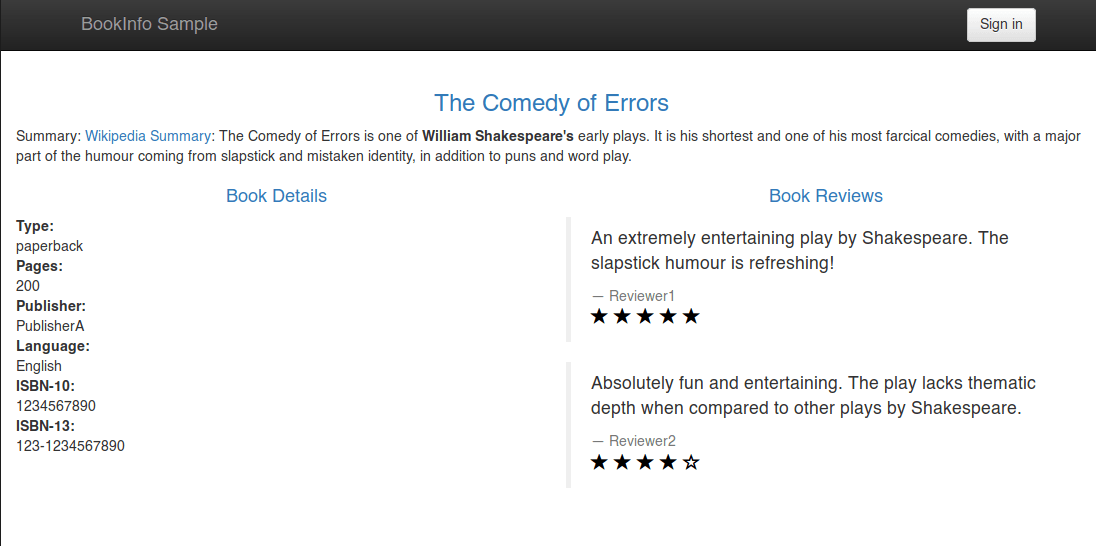
Now, on the /productpage of the Bookinfo app (accessing through the http://$GATEWAY_URL/productpage URL, at every refresh, you will see that stars change alternatively between back (v2) and red (v3).
Canary Testing with Istio
Similar to A/B Testing, Canary Testing is pushing a new version of a service to a small group of users. The idea is to test the new release in a reduced number of real-world users, to quickly discover potential bugs while minimizing the number of users impacted.
The strategy is called Canary Testing because canaries were once used in coal mining to alert miners when toxic gases reached dangerous levels. Like the canary in a coal mine, the end user who is selected to receive the new release is unaware he is being used to provide an early warning.
Doing Canary Testing on Kubernetes with Istio is similar to A/B Testing.
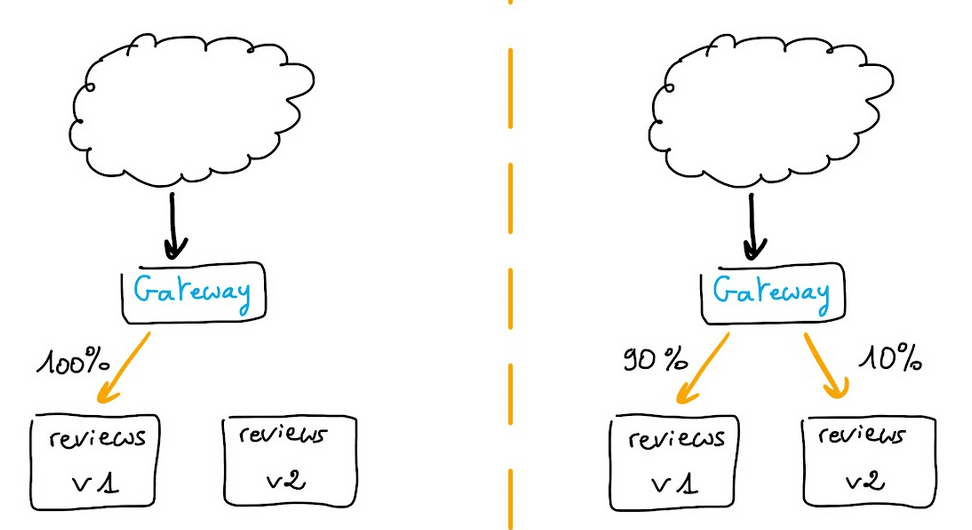
Let’s begin by redirecting all the reviews traffic to v1, it will be our stable release:
Write down the VirtualService into a review-all-v1.yaml file and apply it:
and confirm that the rule is created:
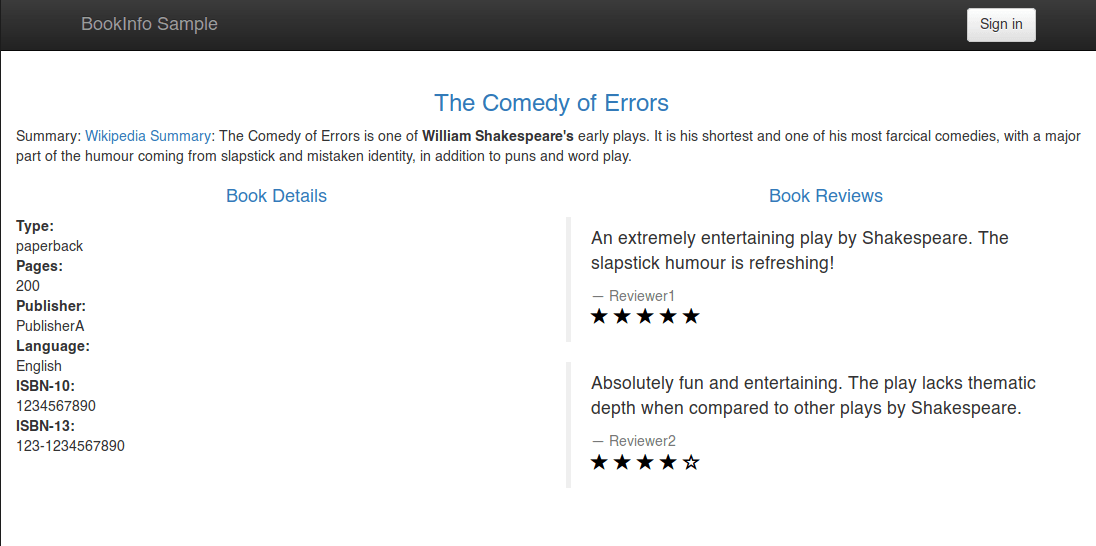
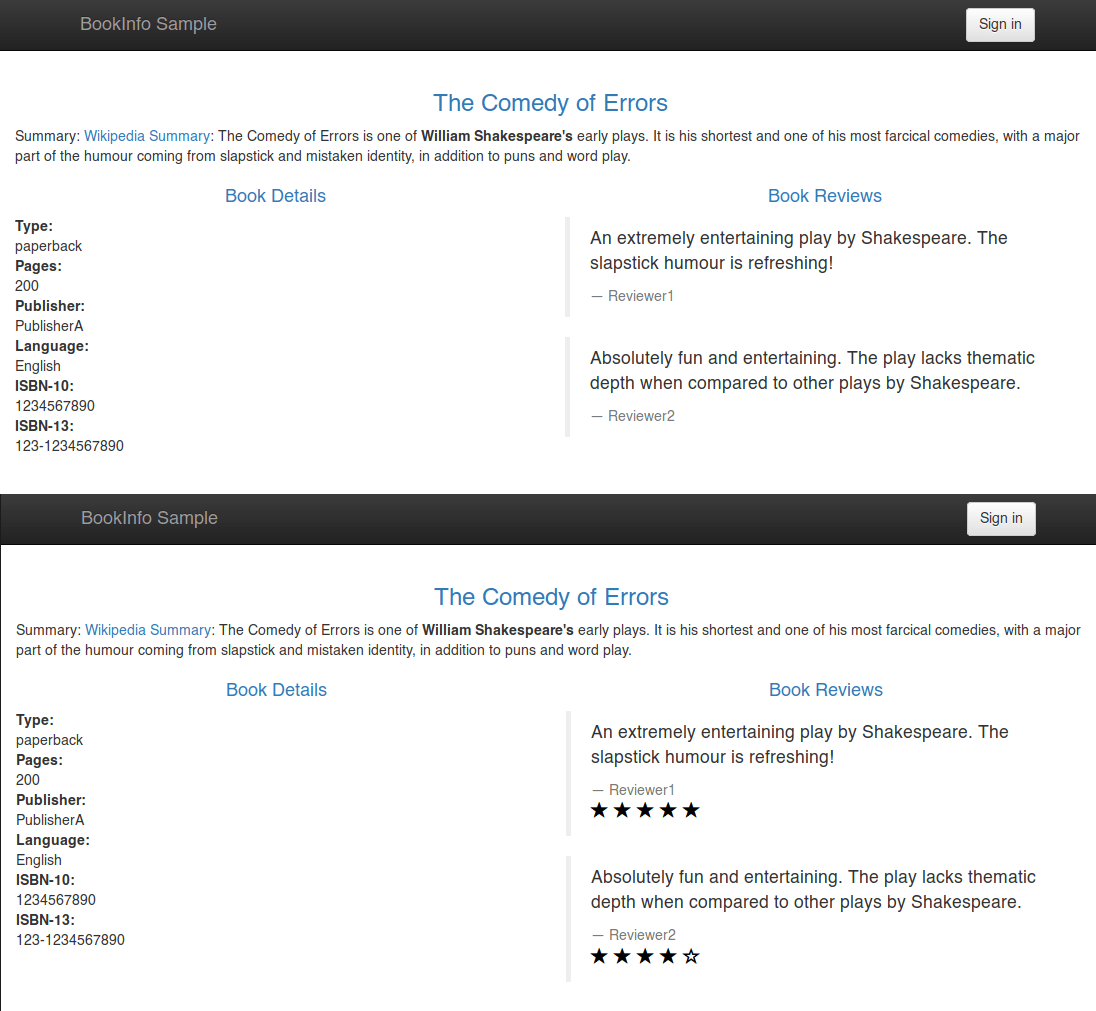
At this moment, all the traffic goes to the v1 version of reviews, without ratings:

Now, let’s say we want to send the v2 to 5% of the traffic. We simply define the new behavior in a YAML file:
Write down the VirtualService into a reviews-90-v1-10-v2.yaml file and apply it:
and confirm that the rule is created:
Now, on the /productpage of the Bookinfo app, 9 times out of 10, you will get the v1, without ratings, and 1 out of 10 times you will get the v2, with black stars.
Rolling Deployments and Blue/Green Deployments
Both Rolling Deployments and Blue/Green Deployments are deployment strategies to ensure that new releases can be shipped without any downtime.
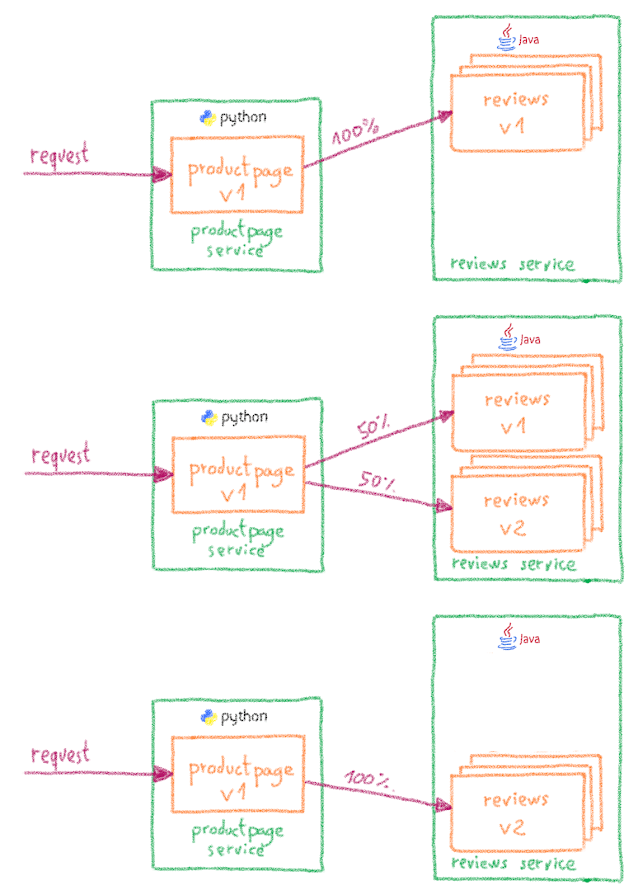
Doing a Rolling Deployment on Istio is rather simple; you can take as a base the examples of Canary Testing and A/B Testing.
Let’s apply the reviews-all-v1.yaml file again to redirect all the reviews traffic to the v1:
The v1 is then our initial release. Let’s say we want to ship v2 as a new release, but using Rolling Deployment to be sure there is no downtime. The easiest way would be pass by an intermediate state where traffic is split 50%-50% between v1 and v2:
Write down the VirtualService into a reviews-50-v1-50-v2.yaml file and apply it:
At this moment, traffic will be equally split between the two releases of reviews.
If everything is correct, we can safely route all the traffic to v2:
Write down the VirtualService into a reviews-all-v2.yaml file and apply it:
And now the v2 of reviews receives all the traffic, and our Rolling Deployment is completed.
What’s next?
Now that you have seen some of the traffic management capabilities of Istio, you can explore other examples of Istio traffic management: fault injection, circuit breaking, mirroring…
Go further
Browse all the Managed Kubernetes Service (MKS) guides.
Browse the rest of the OVHcloud US documentation for guides on our other products and services.
Learn more about Managed Kubernetes on the OVHcloud US website.
If you need training or technical assistance to implement our solutions, contact your sales representative or click on this link to get a quote and ask our Professional Services experts for a custom analysis of your project.