
Public Cloud Instances - Switching from hourly to monthly billing
Learn how to switch from hourly to monthly billing for your OVHcloud Public Cloud B2/C2/R2 instances.
When you create a Public Cloud instance, you can choose to be billed at either an hourly or monthly rate. Hourly-rate instances are billed on a pay-as-you-go basis; i.e., at the end of each month, users are billed per hour with per-second granularity.
For Gen 2 Public Cloud instances, monthly billing is up to 50% less expensive compared to an hourly rate for the same duration. Each month commenced will be billed at the end of the month.
If you initially selected hourly billing, you can switch to monthly billing at any time.
NOTE: You cannot switch from monthly to hourly billing. If you would like to be billed at the hourly rate, you will need to delete your monthly rate billing instance, create a new one, and select hourly billing. In this case, we suggest that you follow the procedure:
- Create a snapshot of your current instance.
- Create a new instance based on this snapshot.
- Delete the monthly instance.
Requirements
- A Public Cloud instance in your OVHcloud account
OVHcloud Control Panel Access
- Direct link: Public Cloud Projects
- Navigation path:
Public Cloud> Select your project
Instructions
From the OVHcloud Control Panel
NOTE: The following procedure does not work for third-generation instances (e.g., B3-32). To be billed for this type of instance, you must create a Savings Plan for this instance model.
Choose the instance whose billing rate you would like to change, and click the more options ... button to the right of the Instance.
Select the Switch to monthly subscription button.
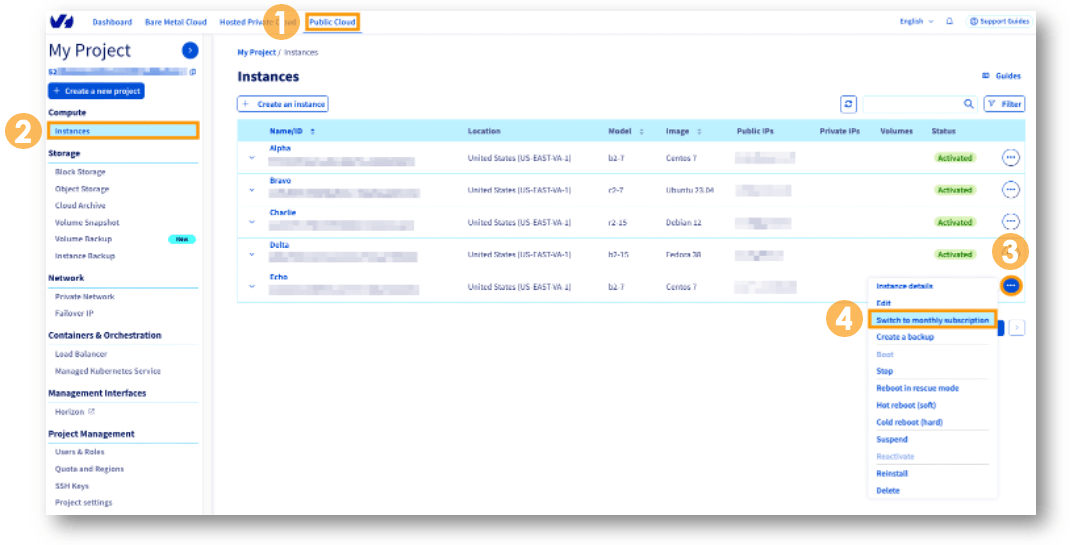
In the pop-up window, click Confirm to change the billing rate:
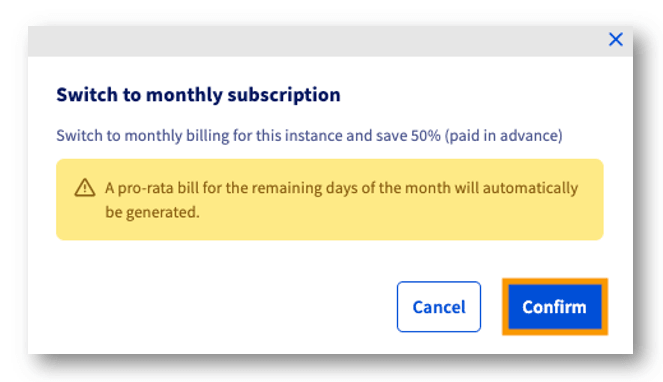
The next bill will include the hourly rate part of the month (from the 1st of the month until the change) and the new monthly fee.
From the OVHcloud API
Log in to the OVHcloud API interface according to the relevant guide and follow the steps below.
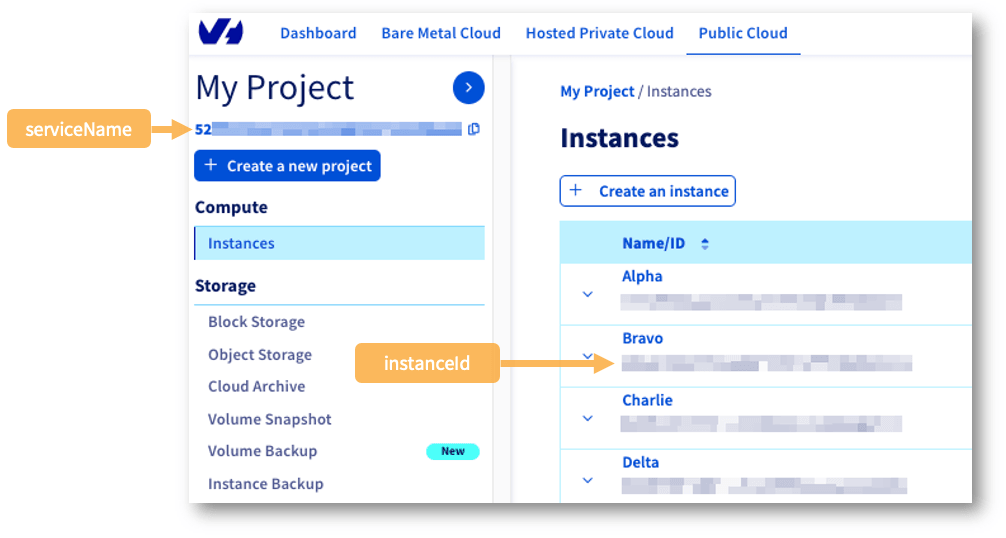
Use the following call:
For the API call:
Go further
Browse all the Compute guides.
Browse the rest of the OVHcloud US documentation for guides on our other products and services.
Learn more about Public Cloud Compute on the OVHcloud US website.