
Backup Agent - Trigger restores
We recommend using the File-level restore (FLR) wizard. This is the primary and most common method. It lets you restore one or more files or folders from a backup, without restarting the server.
WARNING: Full server restore from a recovery ISO (Bare Metal Recovery) is not supported and, therefore, is outside the scope of this guide; our customer support teams cannot assist with it.
For more information about the Backup Agent product, see our Backup Agent - Product Overview guide.
Requirements
- A Bare Metal server with the Backup Agent installed and configured on it (see this guide for more information)
- At least one backup has been performed (see this guide for more information)
Instructions
File-level restore (FLR wizard)
This is the primary method to recover one or more files or folders from a backup.
To restore files and folders, click on the tab corresponding to your Operating System:
Open the "Veeam Agent" application on your Bare Metal server:

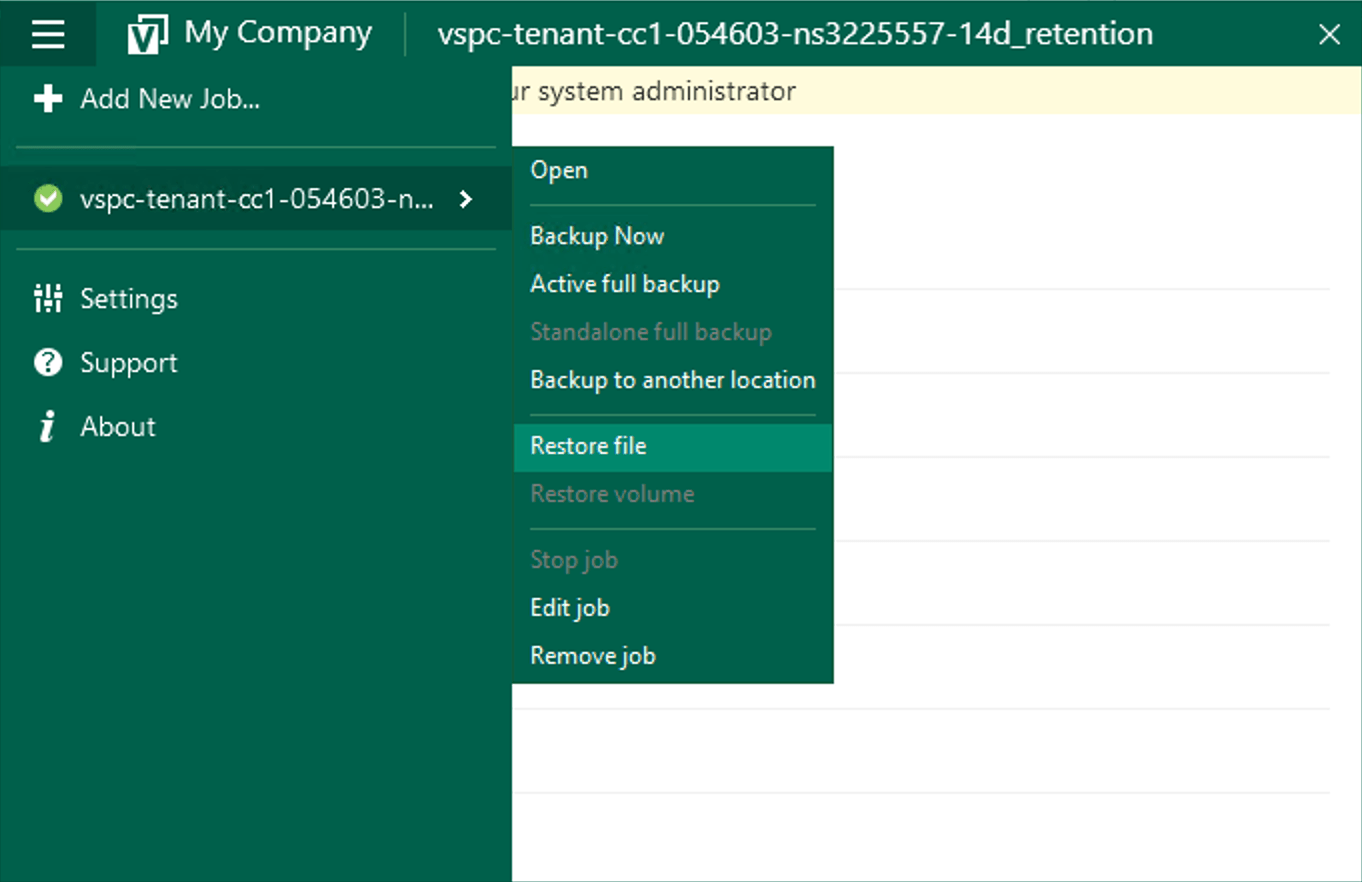
Go to the menu and select Restore File:
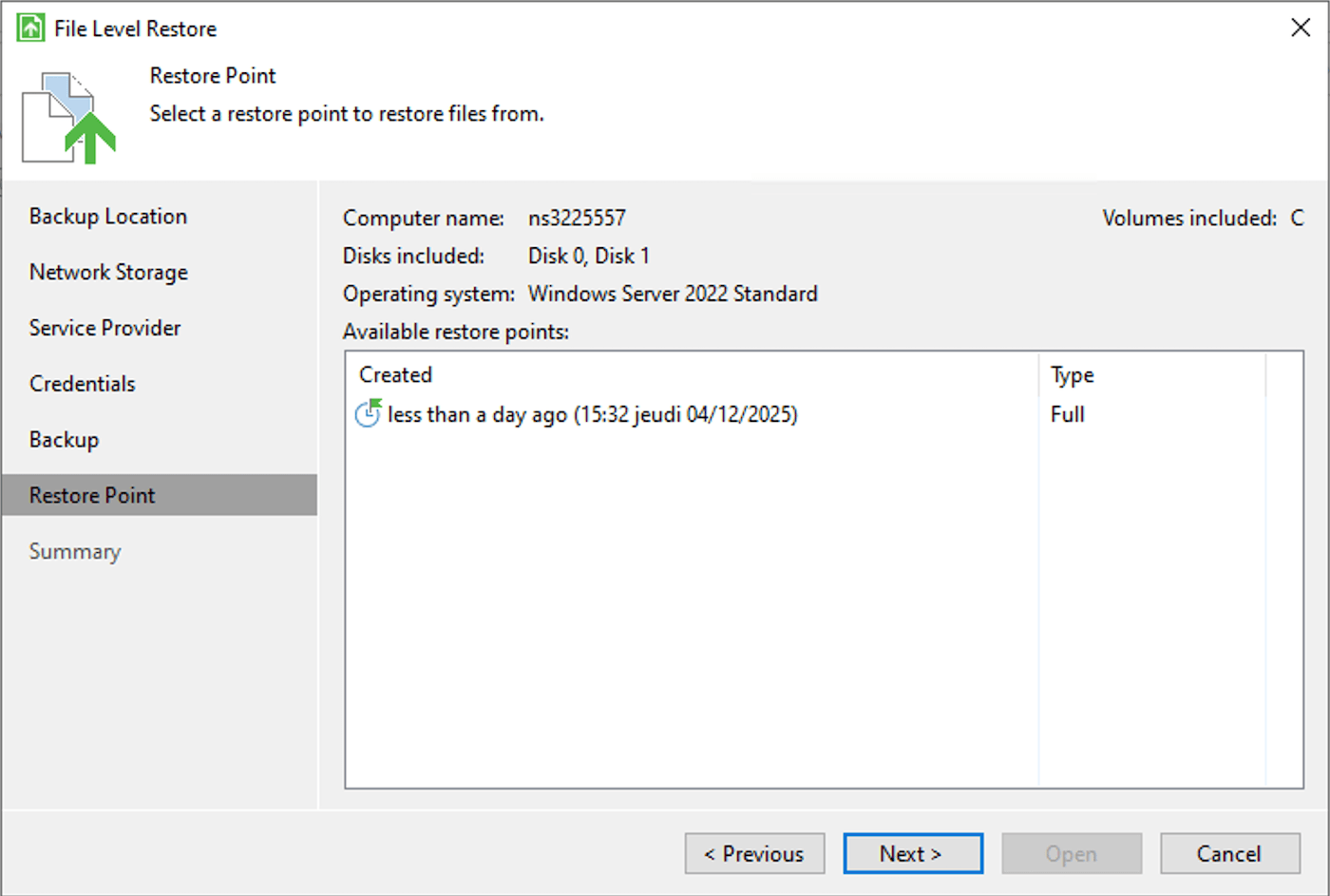
Select the desired restore point in the wizard:
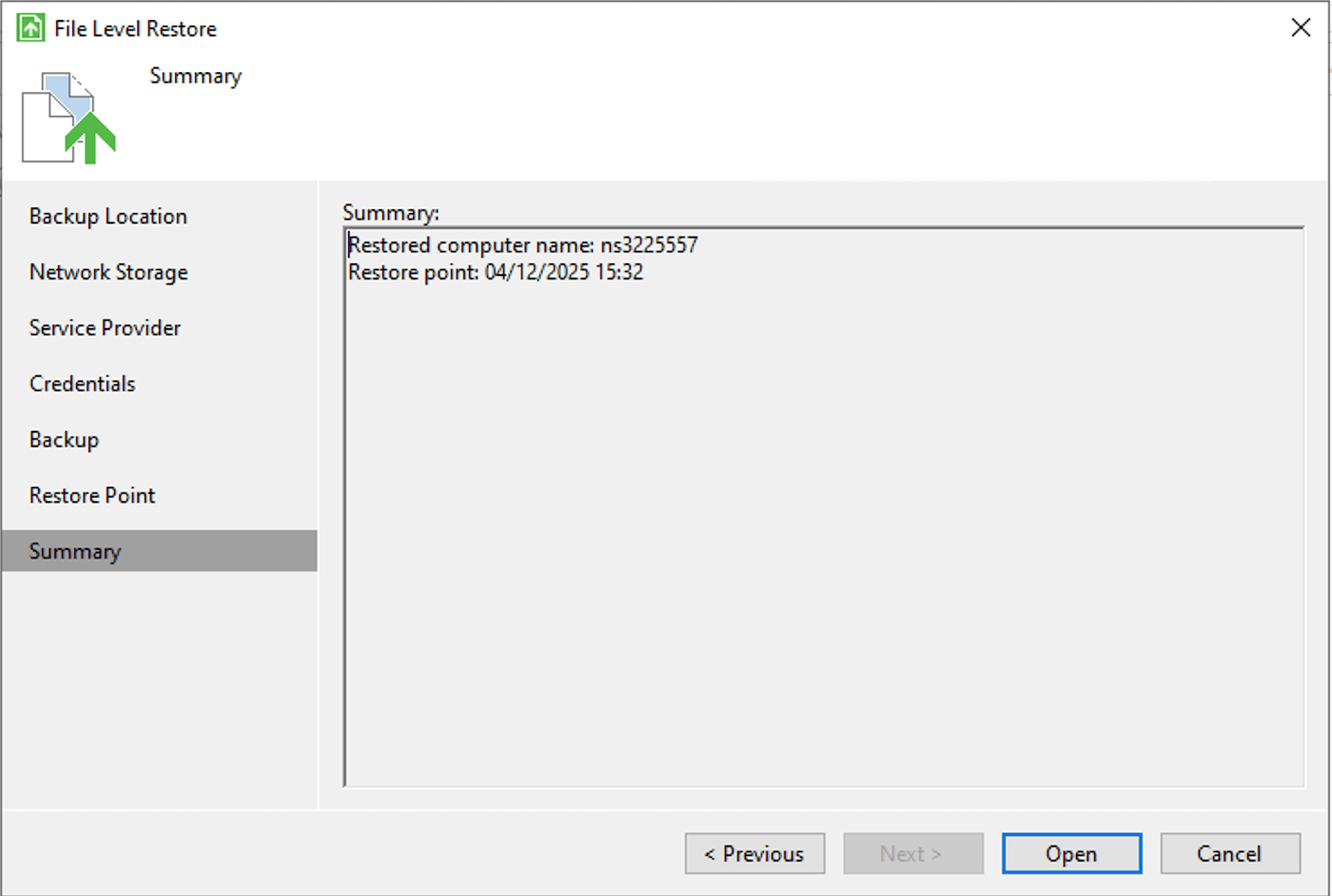
Then confirm:
Finally, search for your file and select an option:
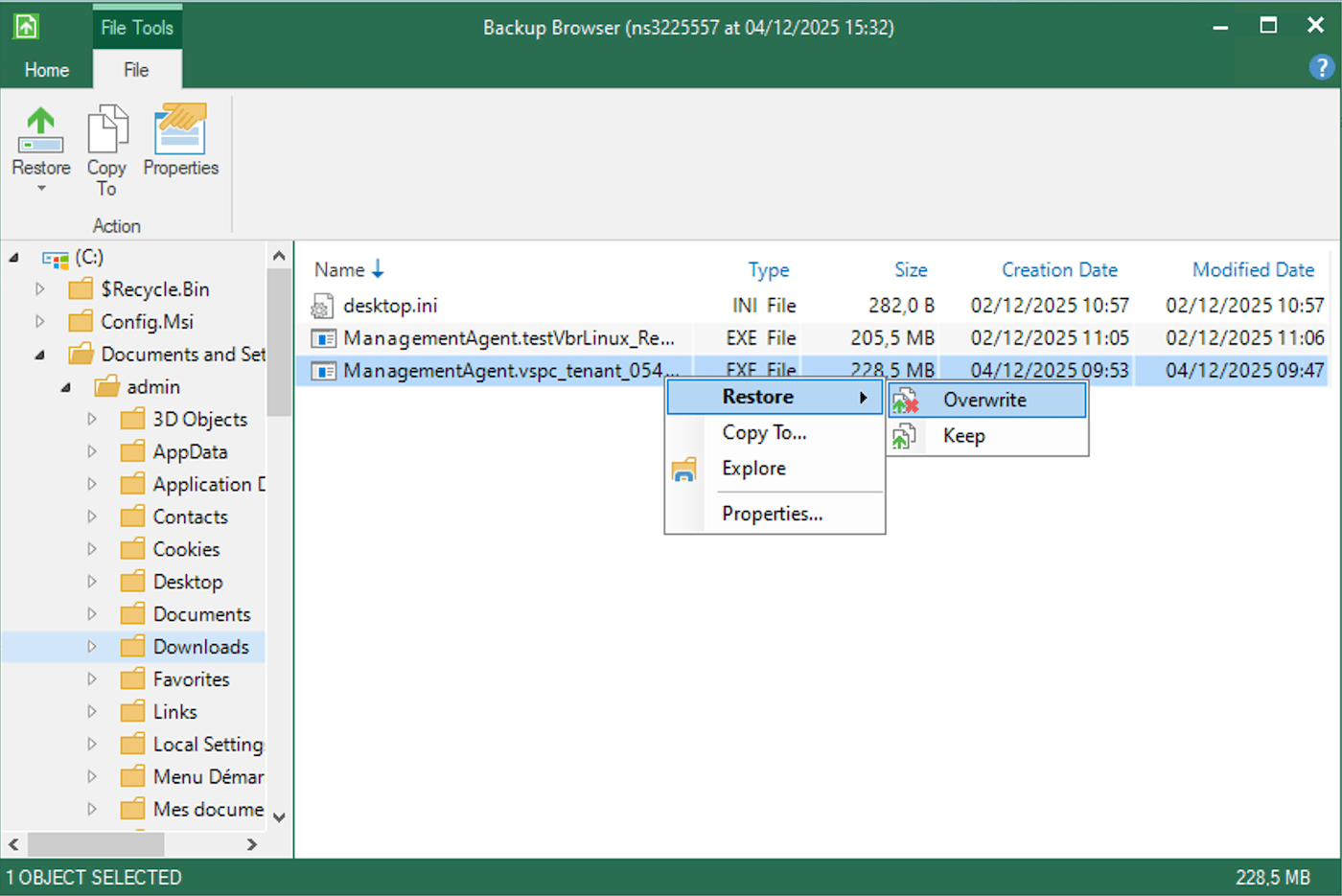
- Restore > Overwrite: restores the file while overwriting the one currently on the server.
- Restore > Keep: restores the file while keeping the one currently on the server.
- Copy To: copies the file to a location on your server.
- Explore: explores the backup.
- Properties: displays the file properties.
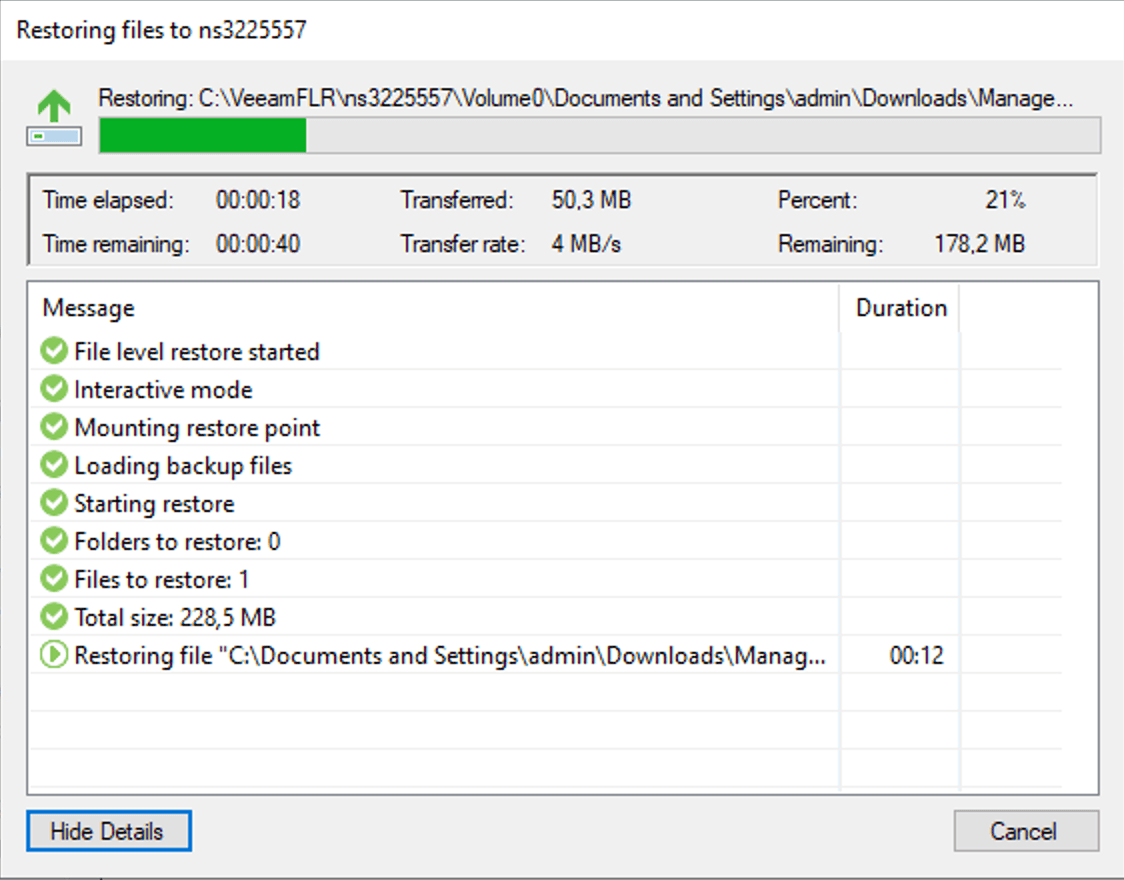
Launching a restore will give you a final window that will show the transfer:
Go further
Browse all the Dedicated Servers guides.
Browse the rest of the OVHcloud US documentation for guides on our other products and services.
Learn more about Dedicated Servers on the OVHcloud US website.