
Configuring NAT for Port Redirections with NSX
Learn how to configure NAT to create port redirections with NSX.
Requirements
- Being an administrative contact of your Hosted Private Cloud infrastructure to receive login credentials.
- A user account with access to the OVHcloud Control Panel.
- Having NSX deployed with two segments configured in your NSX configuration, you can use our guide on segment management in NSX for more information.
Instructions
When you deploy your NSX solution, a SNAT rule is automatically created by OVHcloud, so you can go online from your segments.
We will add a redirection rule (DNAT) from the public virtual IP address on port 2222 in TCP to a virtual machine on LINUX on port 22 in TCP. In our example, we will use fictitious IP addresses.
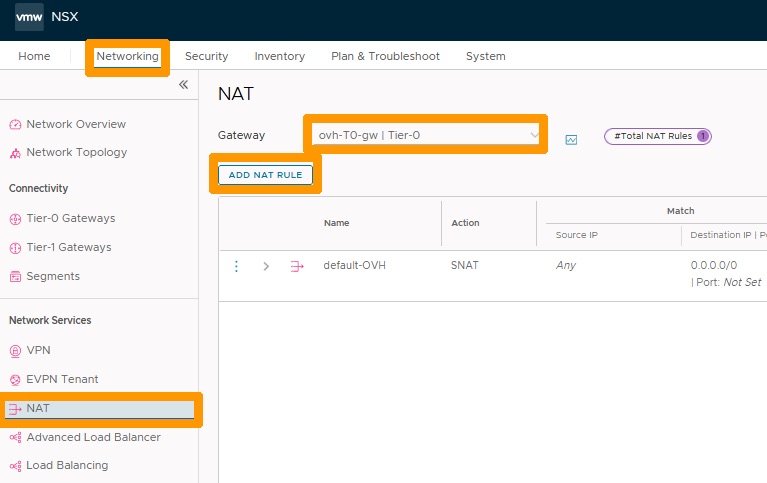
In the NSX interface, go to the Networking tab.
- Select
NATin the Network Services section. - Select
ovh-T0-gw | Tier-0to the right of Gateway. - Click
ADD NAT RULE.
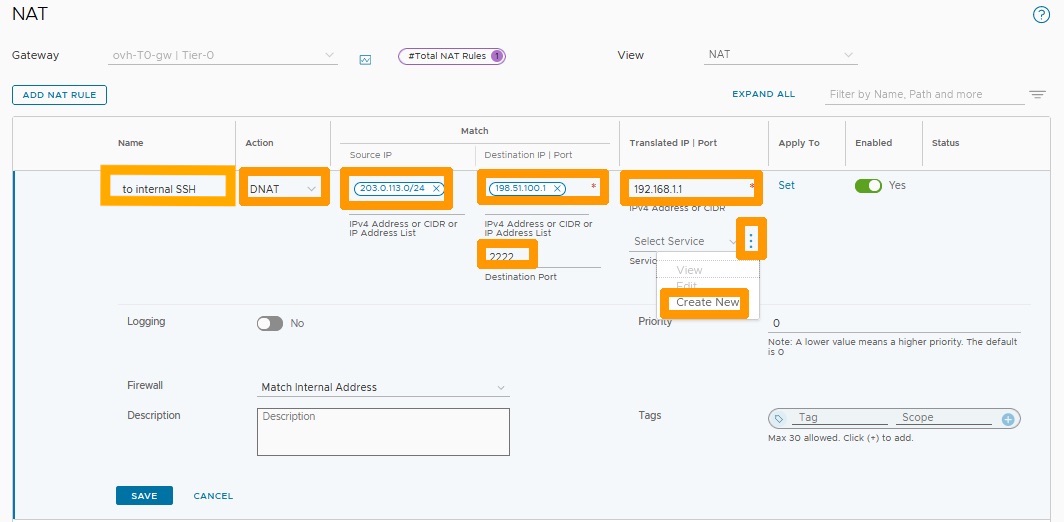
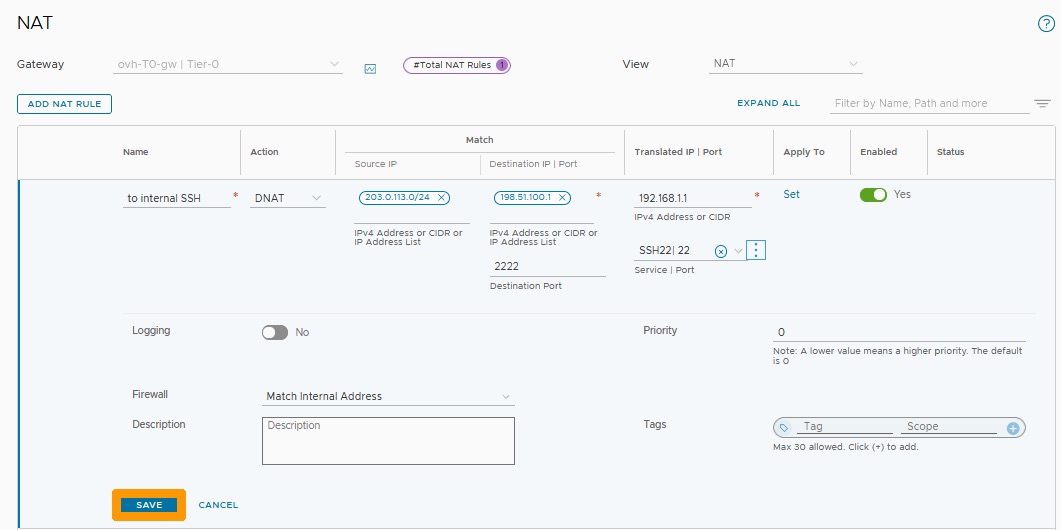
Fill in this information :
- Name: enter to internal SSH
- Action: Select
DNAT. - Source IP: Enter the IP address or range of addresses that can use this redirection.
- Destination IP: Public virtual IP address of NSX.
- Destination PORT: Listening port on public address such as
2222. - Translated IP: IP address of the virtual machine being redirected to.
Then click on the three vertical dots to the right of Select Services. Select Create New.
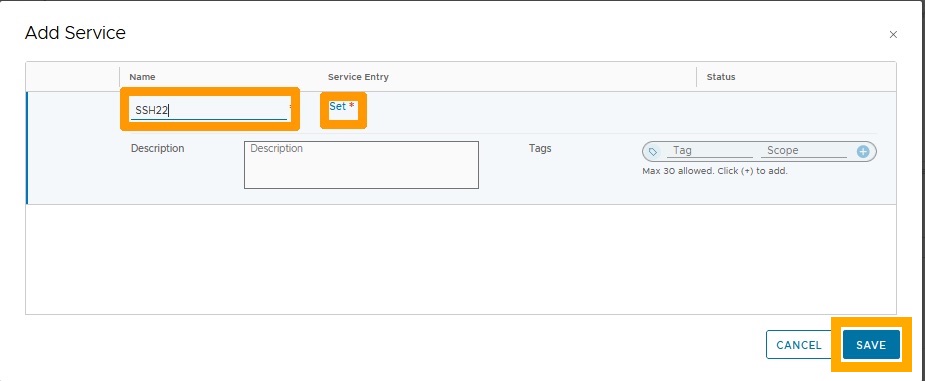
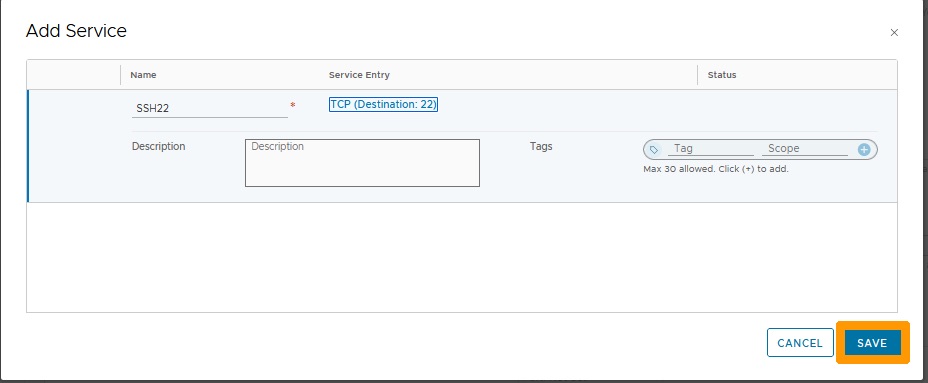
Enter SSH22 under the Name column and click Set under the Service Entry column. Then click SAVE.
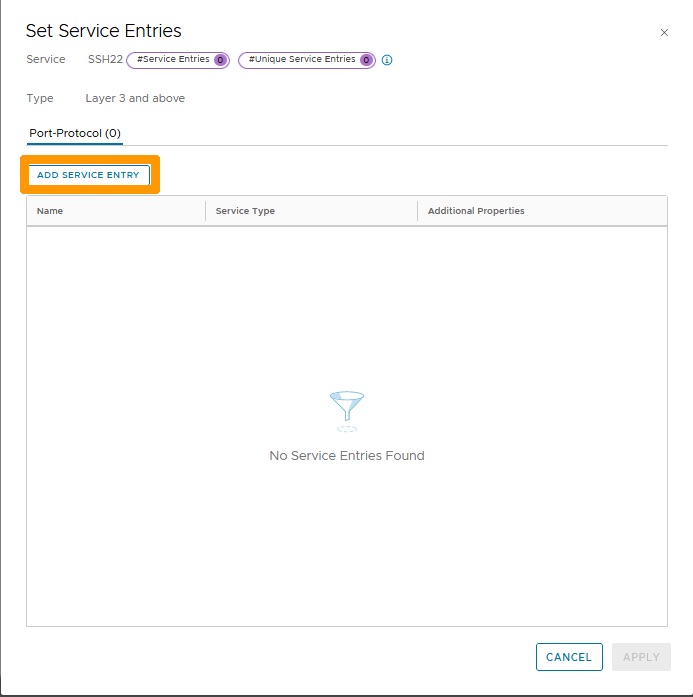
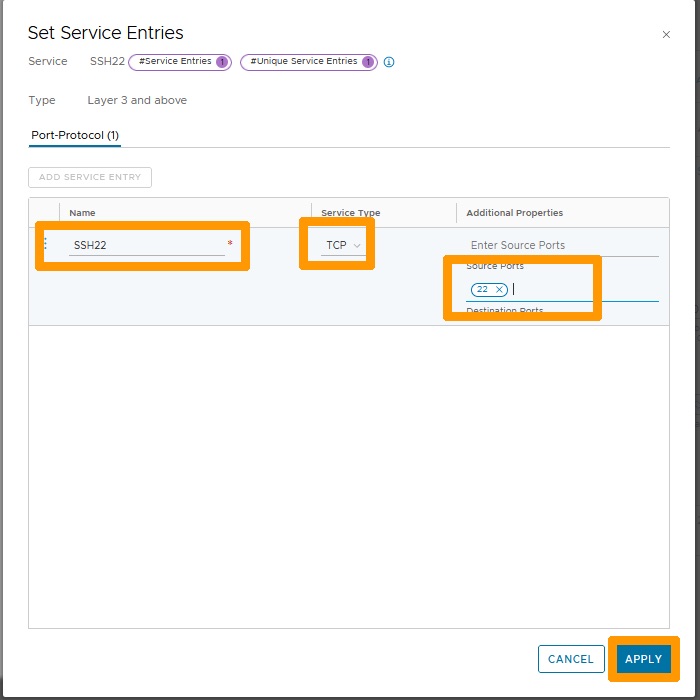
Click ADD SERVICE ENTRY.
Fill in these values :
- Name : Enter
SSH22. - Service Type : Select
TCP. - Source Ports : Write the number
22.
Then click APPLY.
Click SAVE.
Click SAVE to confirm the creation of the redirection rule.
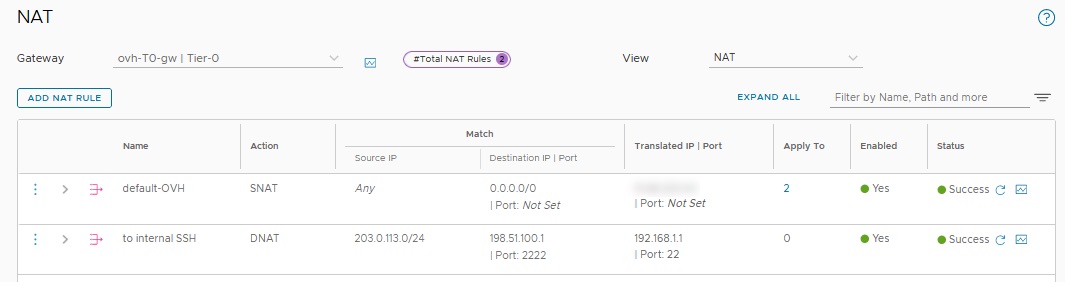
The rule is created and active.
Conclusion
Having read this guide, you should be able to configure NAT to create port redirections with NSX by adding a redirection rule.