
Overview of Storage Management in a Nutanix Cluster
Learn how to create a storage container and a volume group.
NOTE: OVHcloud provides services for which you are responsible for their configuration and management. You are therefore responsible for their proper functioning.
This tutorial is designed to help you as much as possible with common tasks. If you are having difficulty performing these actions, please contact a specialized service provider. OVHcloud cannot provide you with technical support in this regard.
Some options, such as the use of compression or deduplication, require specific licenses provided by Nutanix through OVHcloud. Please contact OVHcloud Sales for more information.
Requirements
- A Nutanix cluster in your OVHcloud account
- Access to the OVHcloud Control Panel
- Being connected to the cluster via the Prism Element web interface
Overview of storage operations in a Nutanix cluster
When a Nutanix cluster is created, the system connects all the nodes' disks in a Storage Pool. It is not recommended to have multiple Storage Pools.
By default, the replication factor is set to 2, and it can be changed to 3 if you have at least five nodes.
The data is not stored directly in the Storage Pool, it is stored in Storage Containers where it is possible to enable options for compression, deduplication, etc. to optimize storage utilization.
There are also Volume Groups that provide the ability to access via ISCSI or directly in SCSI simulation for:
- A third-party computer outside the cluster or a cluster VM
- Multiple third-party computers or VMs in the cluster for applications that require shared storage, such as Microsoft SQL databases in Cluster mode
Instructions
Modifying replication factor
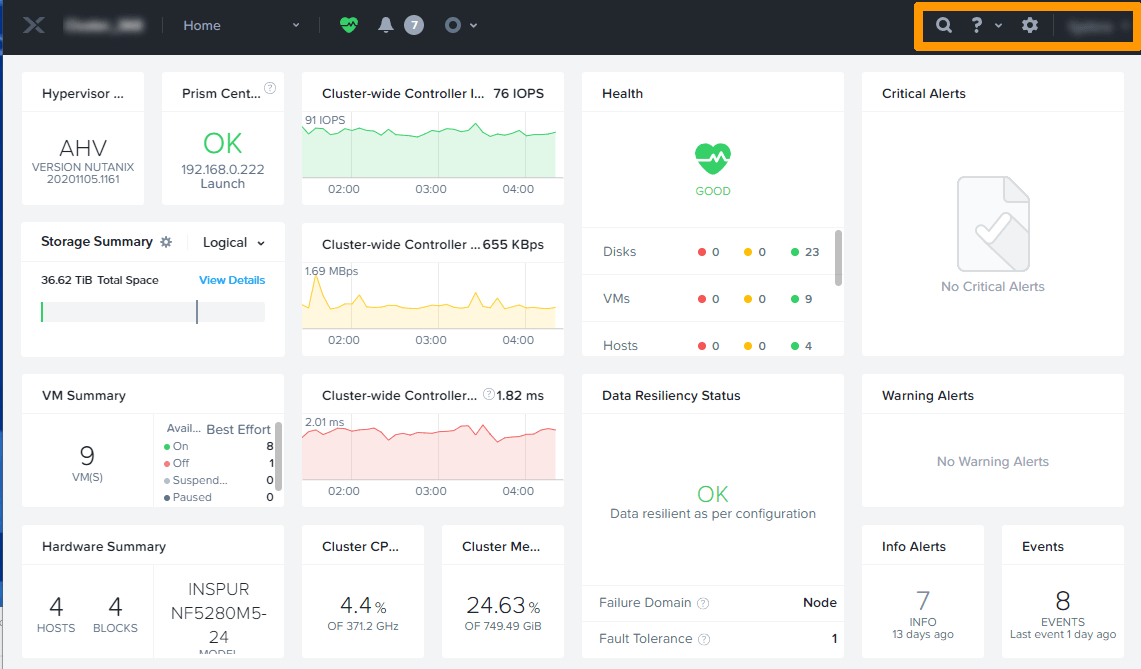
Click the gear in the top right of the Prism Element interface.
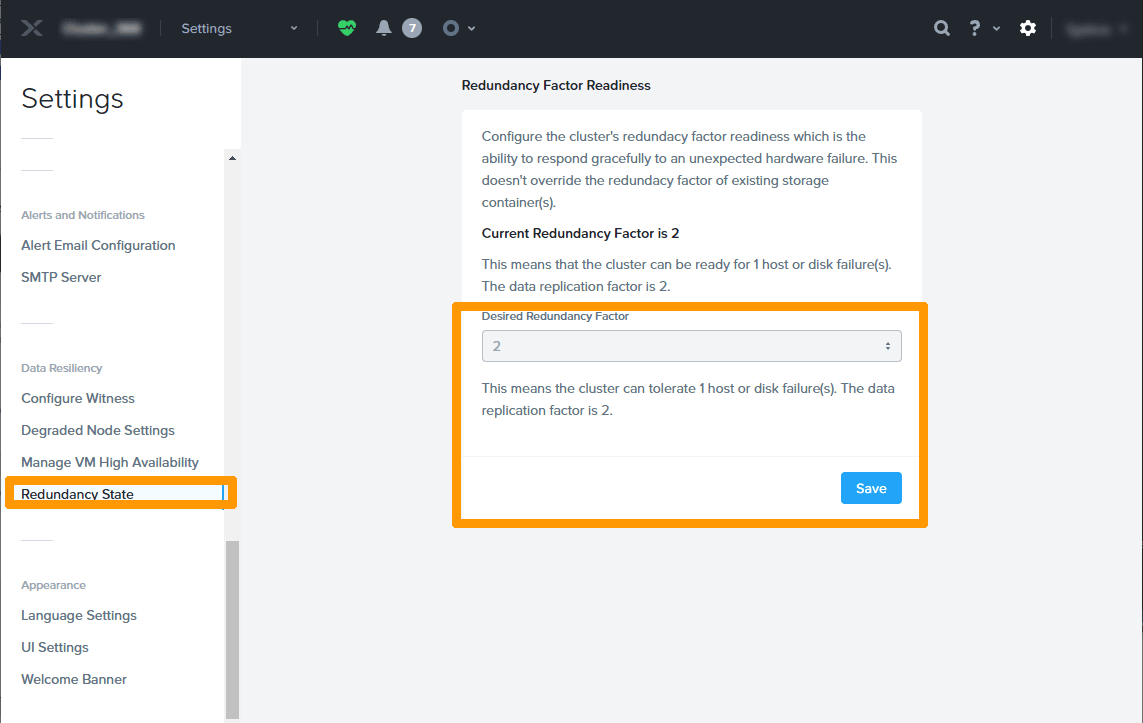
Scroll through the settings and click Redundancy state.
If you have five nodes, you can change the Desired Redundancy factor setting from 2 to 3. It will take some time for the data to be on three nodes.
Creating a Storage Container
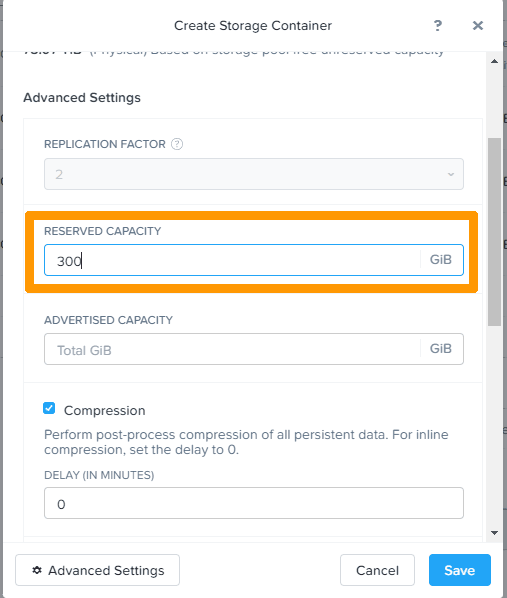
We will create a Storage Container, with a minimum of 300 GB reserved for this storage. The other settings are default ones.
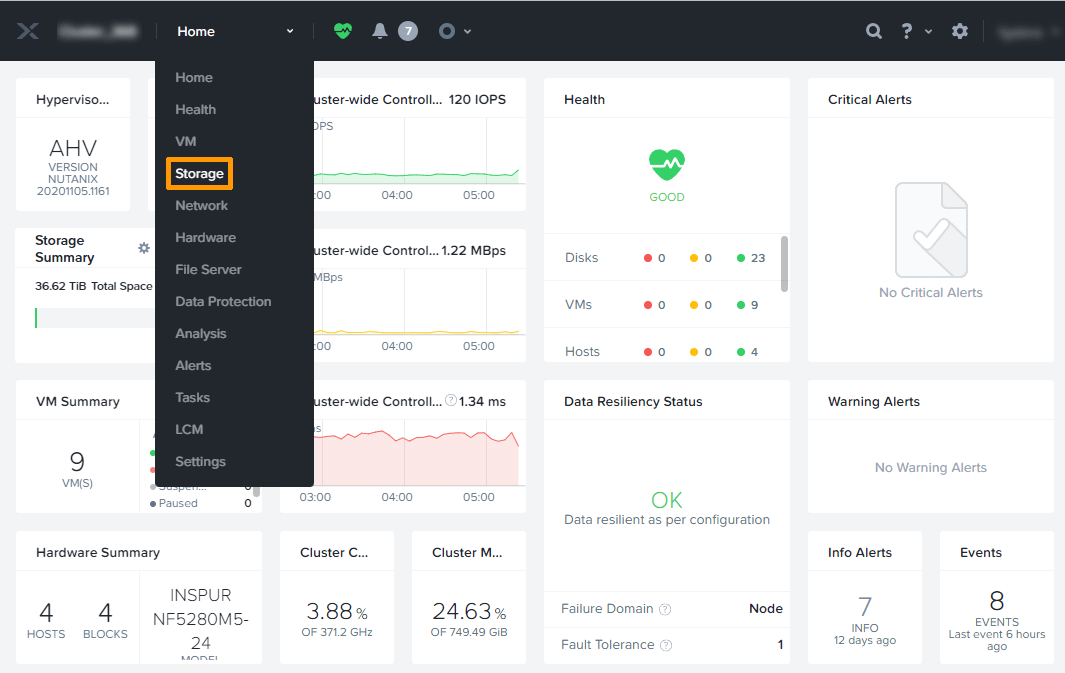
From the menu, select Storage.
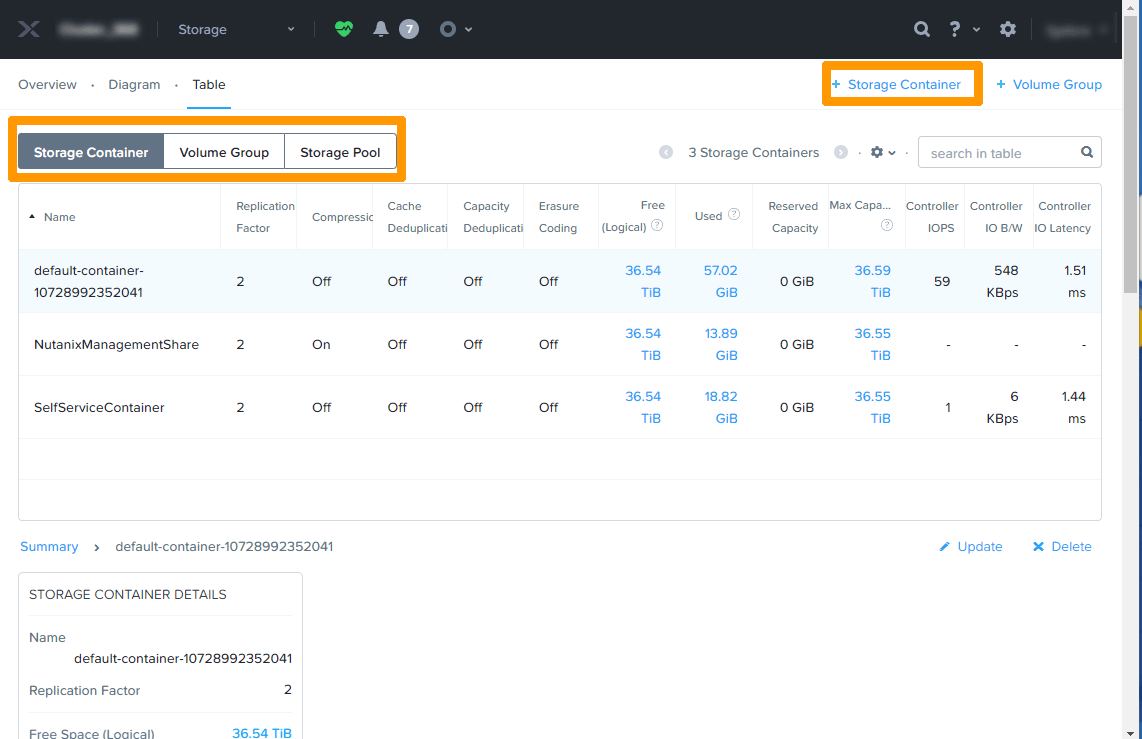
Select the Storage Container tab and click + Storage Container on the right.
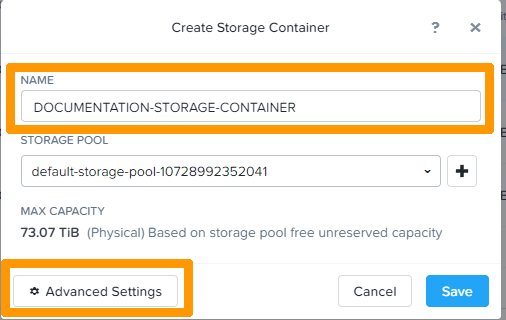
Enter a name for the storage container in the NAME entry box.
Then click Advanced Settings.
In the RESERVED CAPACITY field, enter the size of your container. Other options are also available.
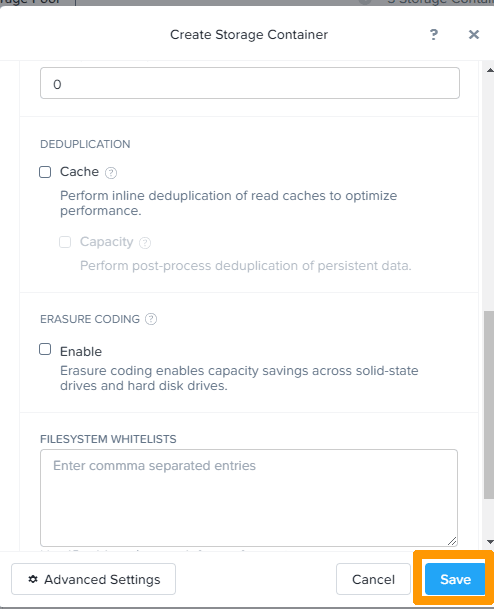
Then click Save to finish creating the Storage Container.
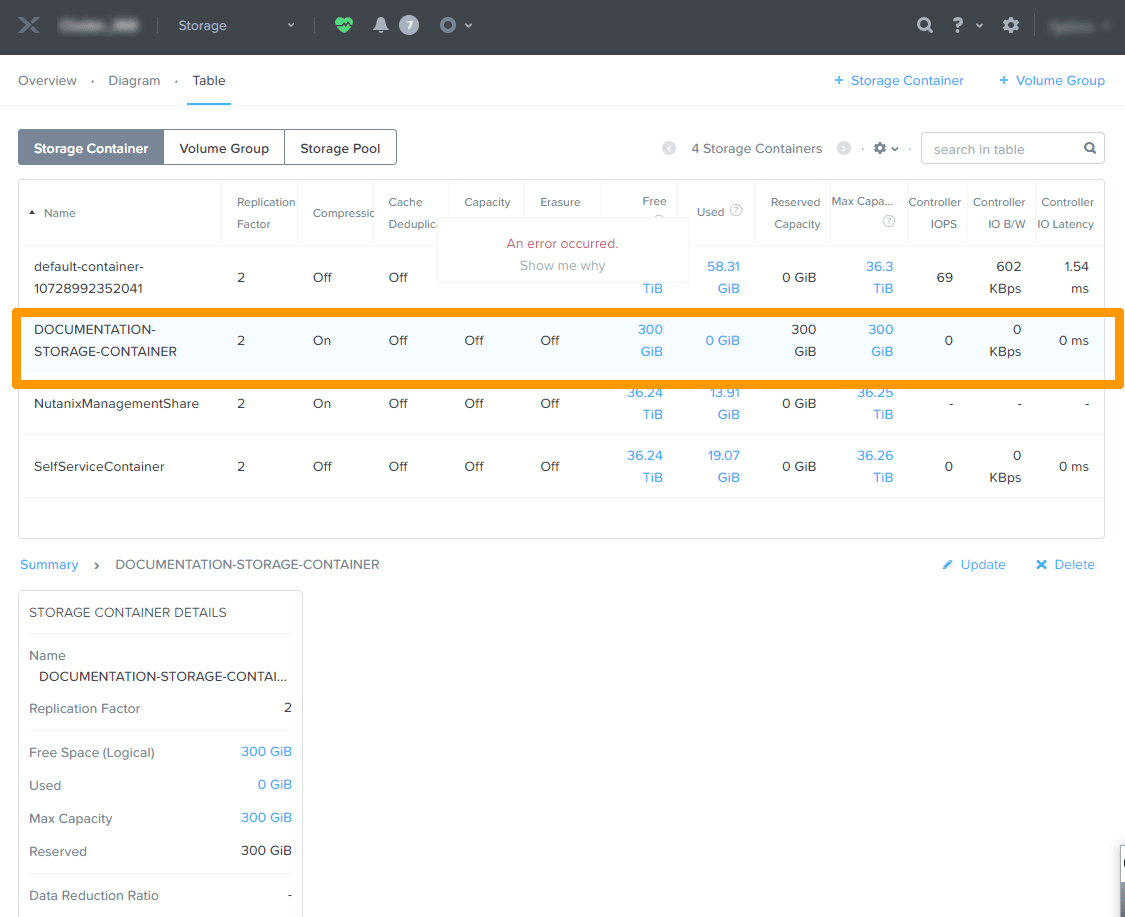
The new Storage Container is then visible in the dashboard.
Create a Volume Group
Select the Volume Group tab and click + Volume Group on the right.
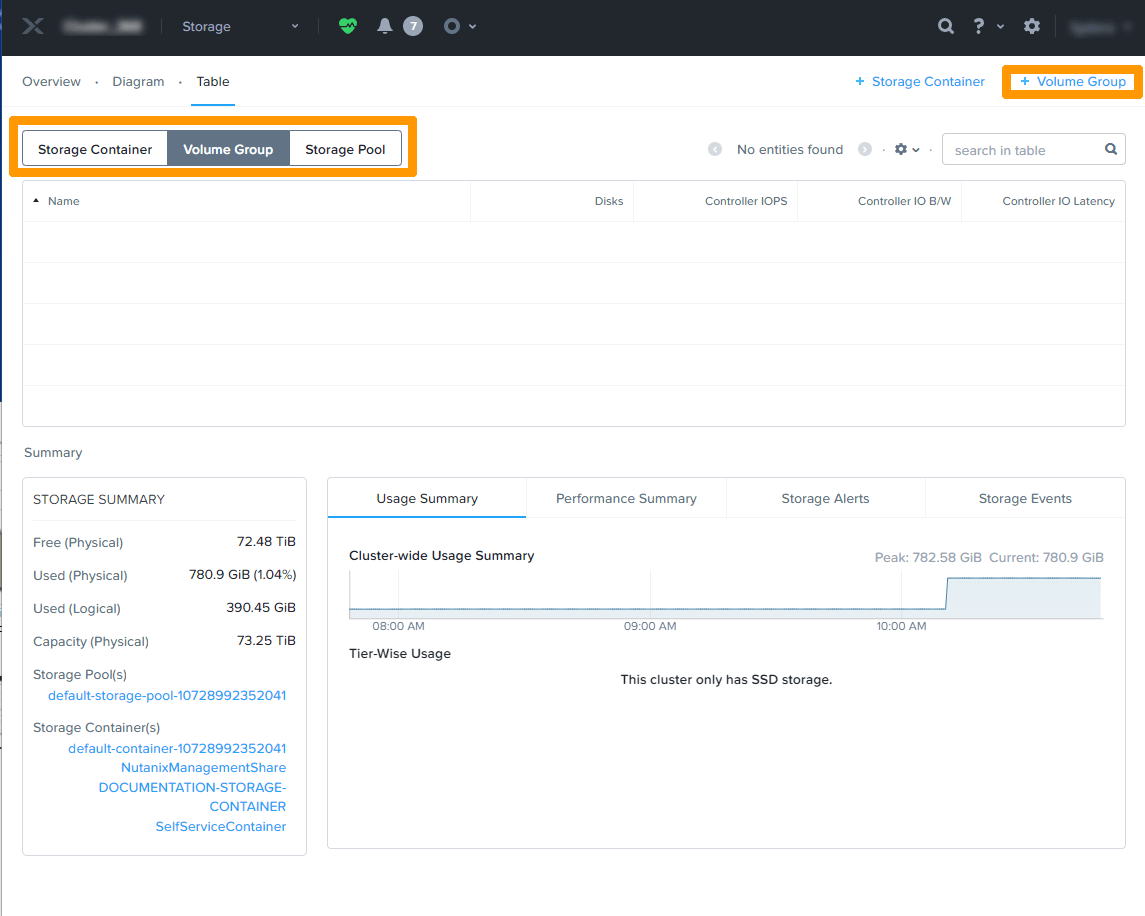
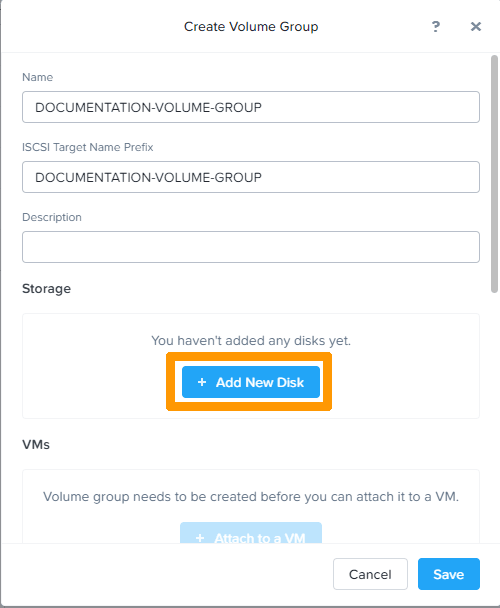
Click + Add New Disk.
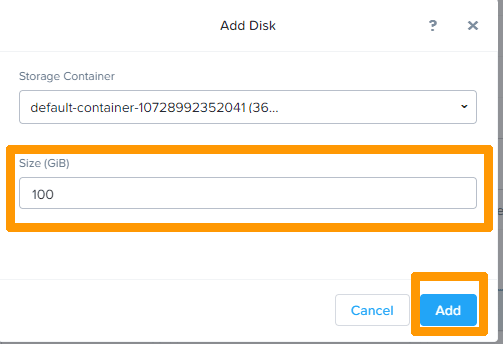
Enter a size in the dedicated field and click Add.
The disk appears in the Volume Group. You can then add several other disks.
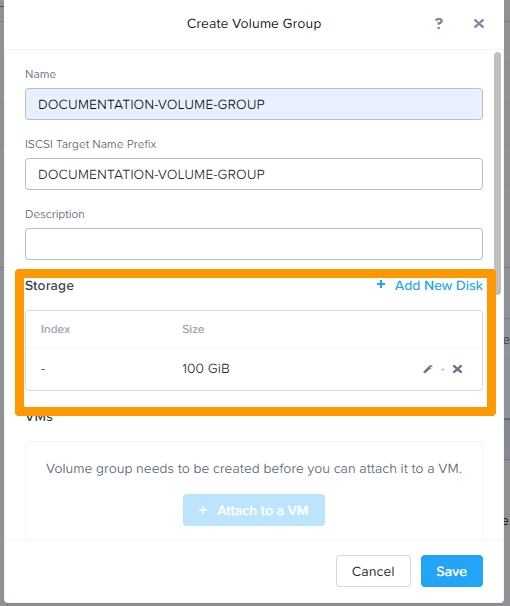
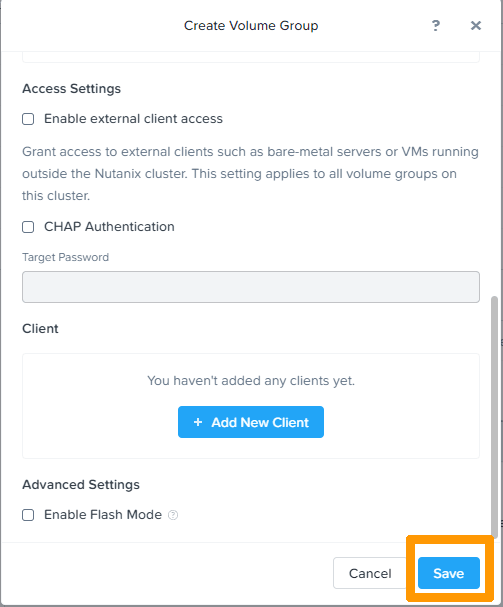
Once you have created your disk(s), browse the available options and confirm that you want to create the Volume Group by clicking Save.
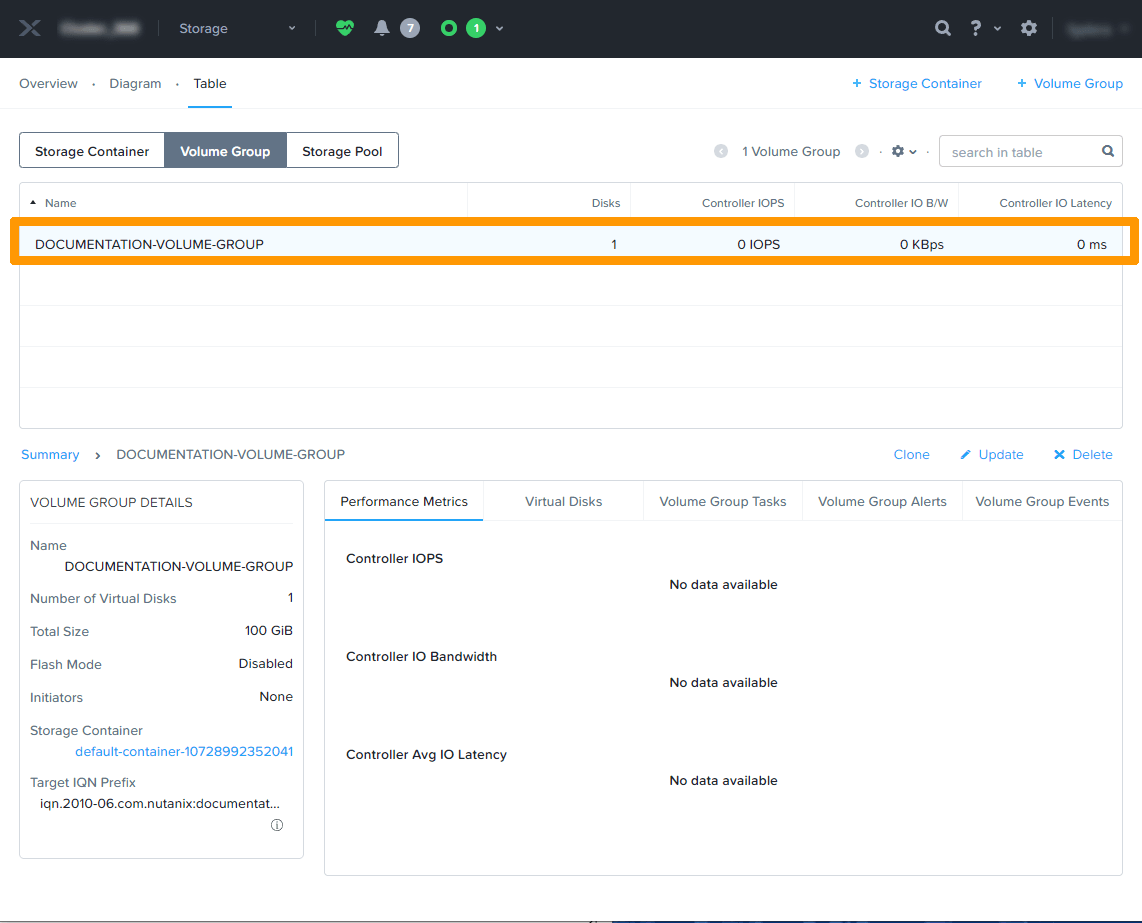
The Volume Group will then appear in the list.
Go further
Browse all the Nutanix guides.
Browse the rest of the OVHcloud US documentation for guides on our other products and services.
Learn more about Nutanix on OVHcloud on the OVHcloud US website.