
How to store public authentication keys in the OVHcloud Control Panel
Learn how to store your public authentication keys in the OVHcloud Control Panel.
Key pairs are used to authenticate SSH connections between hosts, for example a desktop client and a remote server. When reinstalling a dedicated server or a VPS from the OVHcloud Control Panel, you have the option to add a public key to the operating system. Storing public keys in your Control Panel makes this process more convenient.
Requirements
- A dedicated server or a VPS in your OVHcloud account
- Access to the OVHcloud Control Panel
For information about using authentication keys with Public Cloud services, refer to our dedicated guide:
How to create SSH keys with OpenSSH for Public Cloud instances
Instructions
If you have not created a key pair yet, consult our How to create and use keys for SSH authentication guide.
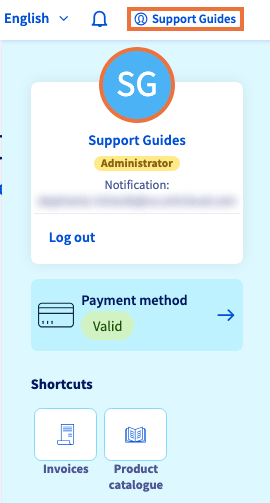
Log in to the OVHcloud Control Panel, click on the account name at the top right and then click on your initials.
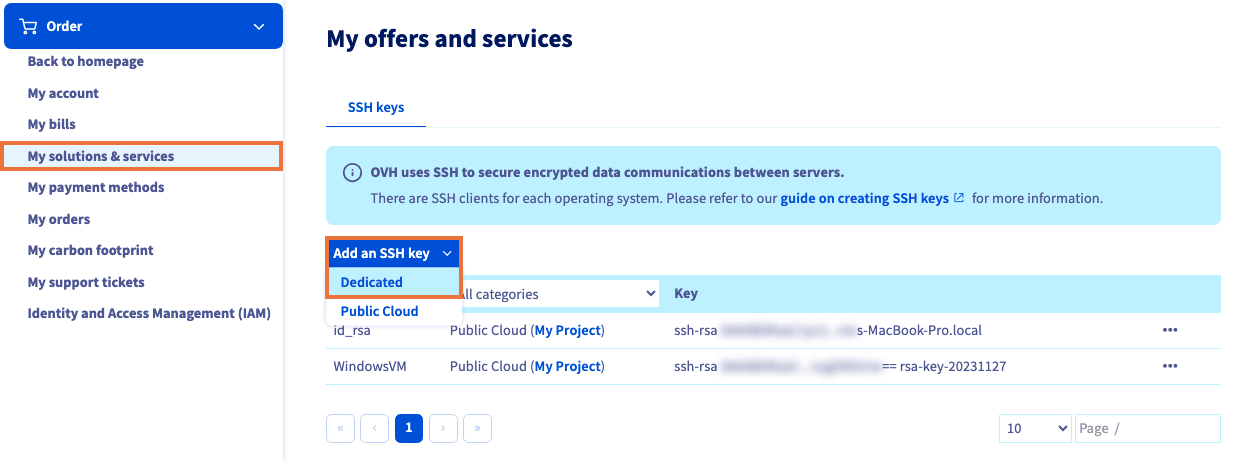
In the left-hand menu, select My solutions & services.
Click the Add an SSH key button and select Dedicated from the menu.
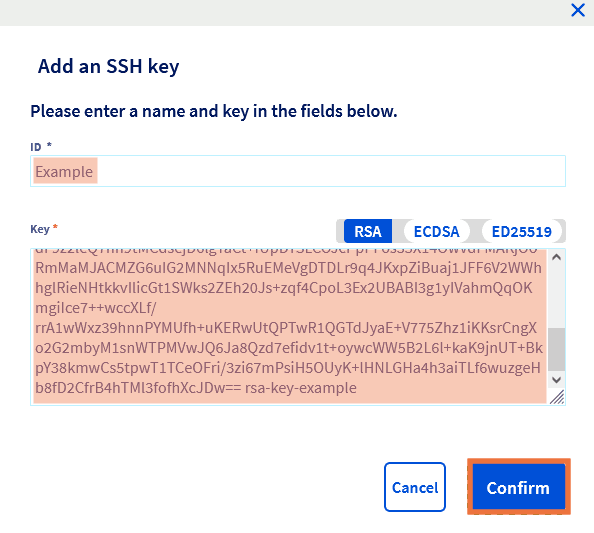
In the pop-up window, enter a name for the key in the first field.
Copy the entire public key string and paste it into the second field.
Click Confirm.
The key will now be available when you reinstall a dedicated server or a VPS in the OVHcloud Control Panel.
Consult our "Getting started" guides for further details on this topic:
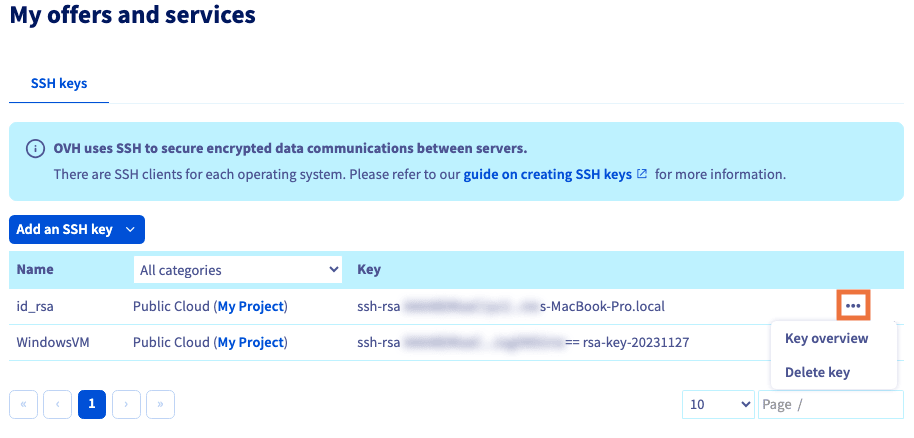
You can manage your keys from this area by clicking the more options ... button to the right of the key.
Go further
Browse all the Dedicated Servers guides.
Browse the rest of the OVHcloud US documentation for guides on our other products and services.
Learn more about Dedicated Servers on the OVHcloud US website.