
Using VMware Hyperconvergence with vSAN
Requirements
- Being an administrative contact of your Hosted Private Cloud infrastructure to receive login credentials
- A user account with access to vSphere as well as the specific rights for NSX (created in the OVHcloud Control Panel)
- At least three vSAN hosts
NOTE: The vSAN Data-At-Rest Encryption and vSAN Data-In-Transit Encryption options are not supported by default on vSAN clusters. If you would like to implement these solutions, please contact your Technical Account Manager.
Encryption is still possible at the VM and its data level, as described in the guide Enabling VM Encryption with vSphere Native Key Provider.
Instructions
What is vSAN?
vSAN is an object storage solution offered by VMware. It gathers a set of disks situated directly on your VMware hosts, and presents them as a single datastore. This is known as Software-Defined Storage or SDS. One of the advantages of vSAN is that it is fully integrated into vSphere and can be managed directly from vCenter.
For full concept review and technical specifications, check out the Official VMware VSAN page.
Setting up vSAN
Turn off vSphere HA
vSAN relies on the cluster’s high-availability features. Before you start any operation, you have to ensure that you have turned it off.
In the vSphere interface, navigate to your cluster.
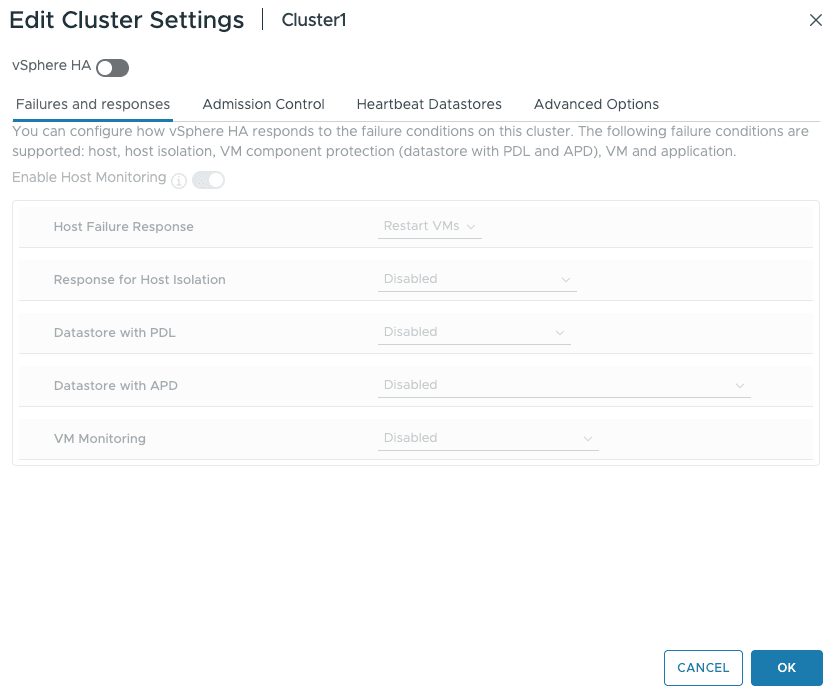
After selecting your cluster, choose the Configure tab, select vSphere Availability, and click the Edit button.

Turn off vSphere HA and click OK.
Turn on vSAN Service
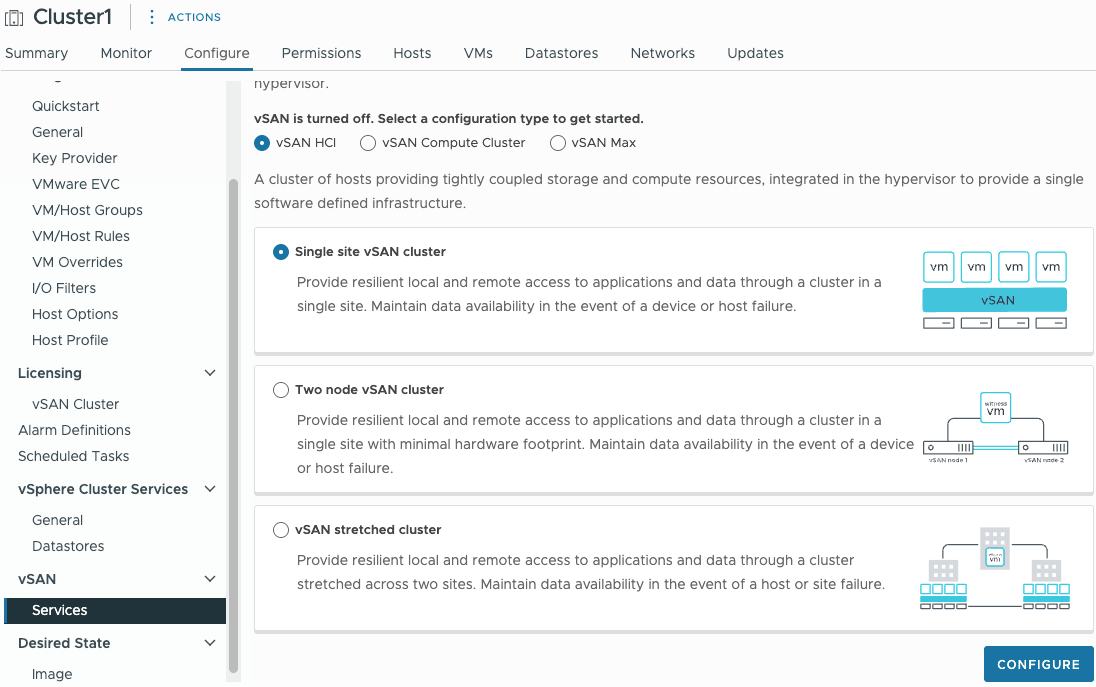
In the Cluster configuration menu, go down to vSAN / Services.
This guide is based on vSAN’s essential features, so we will use the default options.
All of our hosts are on the same site. We'll select Single site vSAN cluster and click Configure.
Continue the configuration on the next screen.
-
vSAN ESA: Choose whether or not to enable vSAN ESA.
InfoFor this guide, we did NOT enable vSAN ESA. The remaining steps may differ if you choose to enable it.
-
Services: Choose the services you want to enable, e.g., space efficiency, encryption, and disk format options. You can enable
Deduplication and compressionto optimize storage space, but in some cases (particularly when using databases) you may observe lower performance and increased latency. -
Claim disks: Available disks are assigned to cache or capacity (see the Official VMware VSAN page for explanation), depending on types and sizes. You can customize it to your needs.
-
Create fault domains: With three hosts, a fault domain is set up automatically, and a single failure will be tolerated.
-
Ready to complete: Verify the settings in the summary window, then click
Finish.
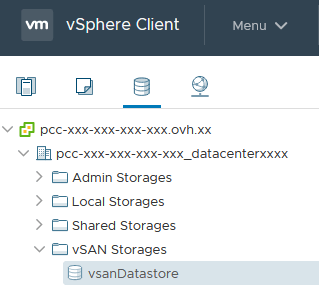
Go back to the cluster configuration and turn vSphere HA back on. Your datastore is visible in the storage section and available to use.
NOTE: For performance and resilience reasons, VMware recommends not using more than 70% of the volume of a vSAN datastore.
Turn off vSAN
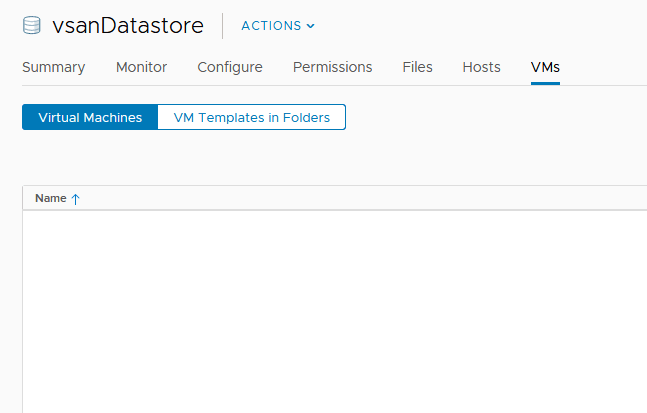
Before turning off vSAN, make sure to evacuate all of the virtual machines hosted on the datastore, or delete the machines you are no longer using. Click on the VMs tab, and check that there are no virtual machines set up on the vSAN datastore.
Delete disk groups
To delete all of the vSAN configuration details for your disks, you need to delete the group of disks created by vSAN when you turned it on.
In the Cluster configuration menu, go down to vSAN / Disk Management.
For each disk group, click on the more options ... button and choose Remove.
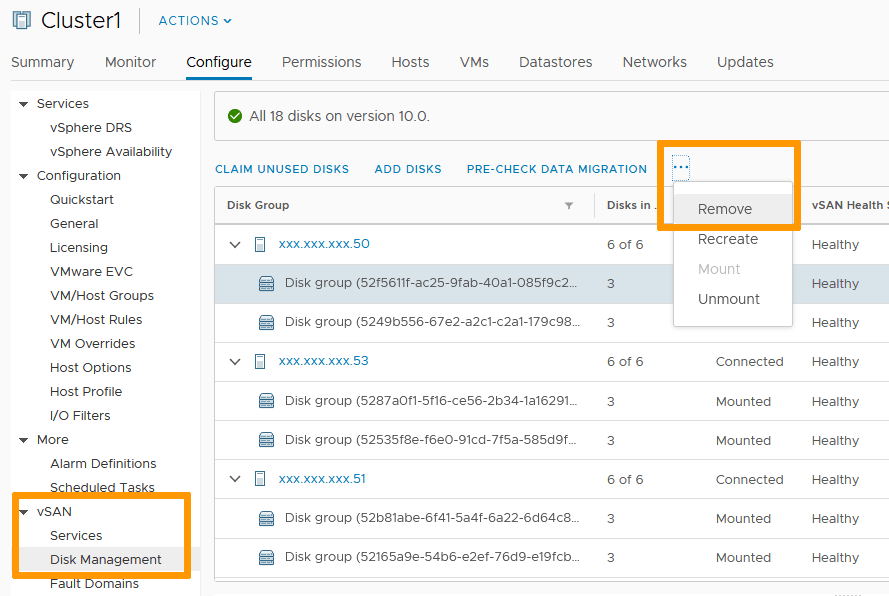
You are given the option to migrate data. With an empty datastore, there is no data migration necessary.
Click on Remove.
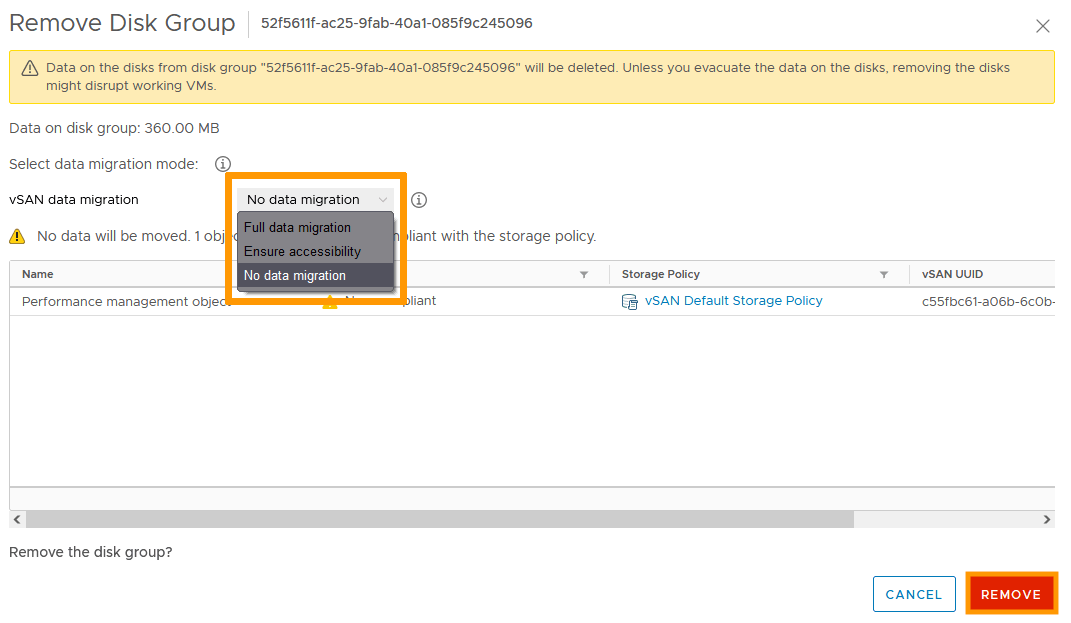
Repeat for each of the nodes in the cluster, until the entire disk group has been cleared.
You can safely ignore error messages regarding the health of the disk group.
Turn off Services
In the same way you turned off the high-availability feature to set up vSAN, you will need to turn it off before you stop vSAN.
Once high-availability has been turned off, you can stop the vSAN service in the cluster properties by clicking Turn Off vSAN.
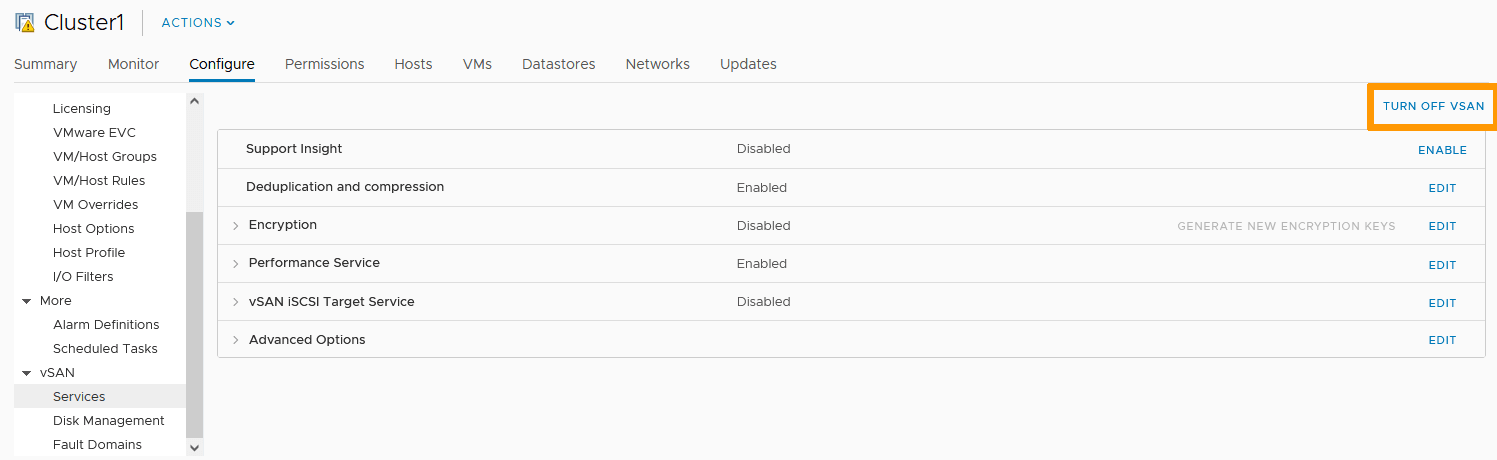
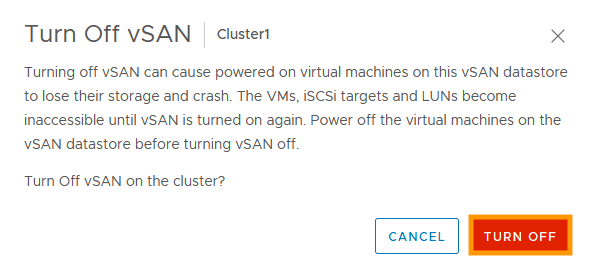
Confirm by clicking TURN OFF in the next window.
Go further
Browse all the VMware on OVHcloud guides.
Browse the rest of the OVHcloud US documentation for guides on our other products and services.
Learn more about VMware on OVHcloud on the OVHcloud US website.