
Configuring kubectl on an OVHcloud Managed Kubernetes cluster
The OVHcloud Managed Kubernetes service provides you with access to Kubernetes clusters, without the hassle of installing or operating them.
Requirements
- You must have an OVHcloud Managed Kubernetes cluster.
- You must have the kubectl command-line tool installed.
You can find the detailed installation instructions for kubectl in Kubernetes’ official documentation.
Instructions
Step 1 - Configure the default settings for kubectl
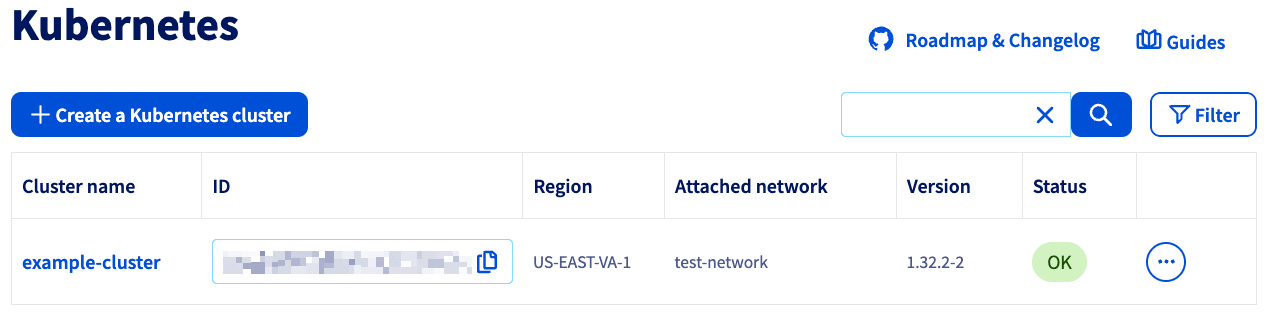
Log in to the OVHcloud Control Panel, go to the Public Cloud section, and select the Public Cloud project concerned.
Click Managed Kubernetes Service in the left-hand menu. Then, click on your Cluster's name.
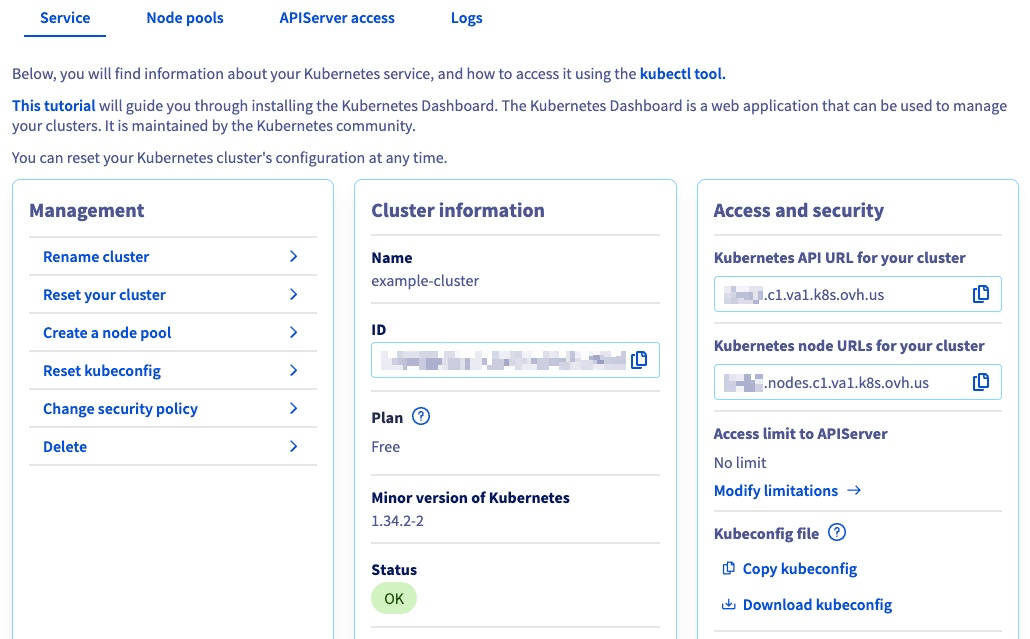
Then, click on Download kubeconfig to download the kubectl configuration file:
How are kubeconfig files loaded?
- From the
--kubeconfigflag, is specified - From the
KUBECONFIGenvironment variable, if set - From the
$HOME/.kube/configfile, by default
If you want to use this configuration file by default in kubectl, you can save it with the filename config in the $HOME/.kube/ directory. Alternatively, you can place it in your working directory, with either the KUBECONFIG environment variable or the --kubeconfig flag.
In this example, we are using the KUBECONFIG environment variable method.
For MacOS or Linux:
Type the following command into your terminal:
For Windows 7, 10, and 11:
- From the Windows menu or Cortana search bar, search for "Modify system environment variables".
- In the System Properties window, click on the Advanced tab, then click the Environment Variables button near the bottom.
- In the window that opens (pictured below), add a new variable,
KUBECONFIG, with the path to thekube-configfile as its value.
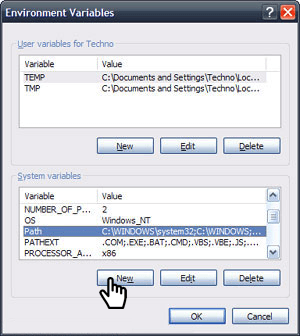
You can also add the variable for the current shell process with this command :
Step 2 - Verify that kubectl can connect to the cluster
You can verify that kubectl can interact with the cluster by using it to send a cluster-info command:
The cluster should return a response with some key information about itself:
Define the access for several Kubernetes clusters
You can also specify several kubeconfig files in your KUBECONFIG environment variable, separated by a colon (:).
Switch to a different cluster
You can switch between different clusters by using the kubectl config command.
Or you can install and use kubectx.
Go further
To deploy your first application on your Kubernetes cluster, we suggest you refer to our guide on Deploying an application.
Browse all the Managed Kubernetes Service (MKS) guides.
Browse the rest of the OVHcloud US documentation for guides on our other products and services.
Learn more about Managed Kubernetes on the OVHcloud US website.