
Deploy an OVF Template through Content Libraries
Learn how to deploy OVF templates offered by OVHcloud.
OVHcloud offers OVF templates that you can deploy directly from your vSphere (version 7.0 or later) across content libraries.
Requirements
- web client access (HTML5)
Instructions
Step 1 - Deploying a template
Click each tab across the top to view all content.
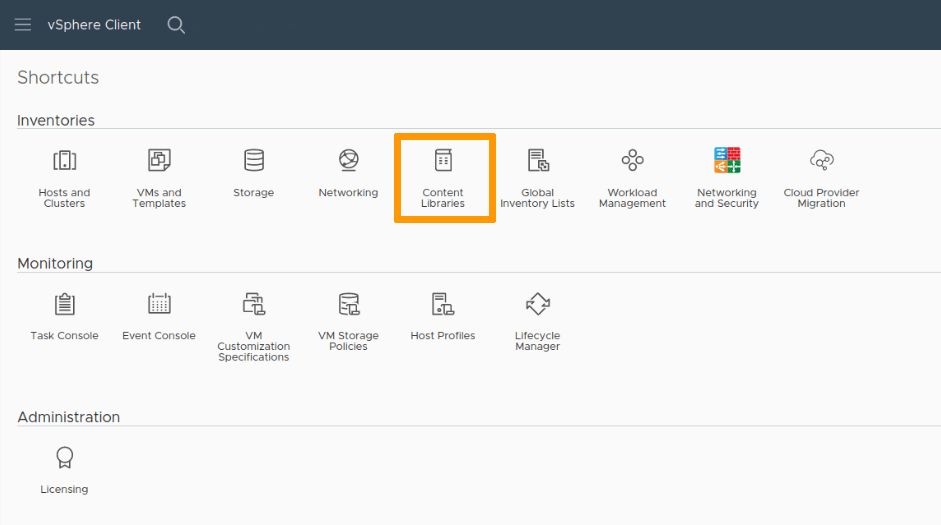
You can find the content libraries your vSphere has signed up to via your vSphere homepage, by clicking the Content Libraries icon.
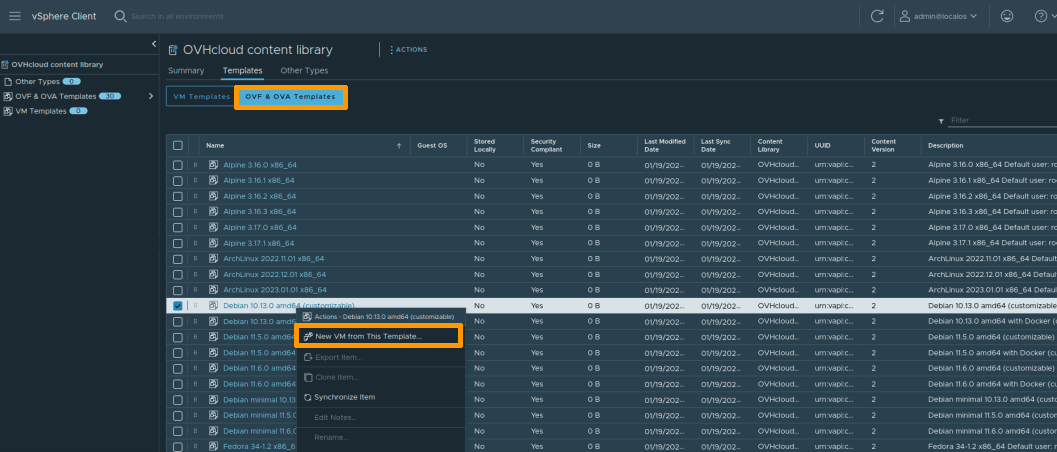
Then click on one of the libraries to view their contents and deploy a new virtual machine from the OVF & OVA Templates tab.
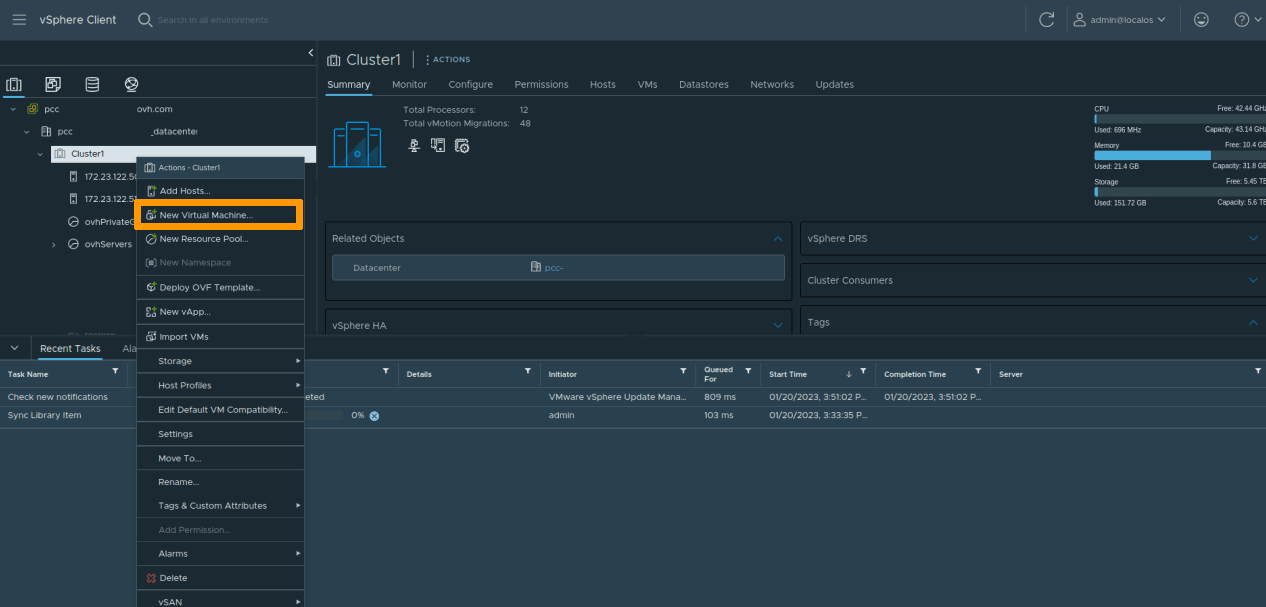
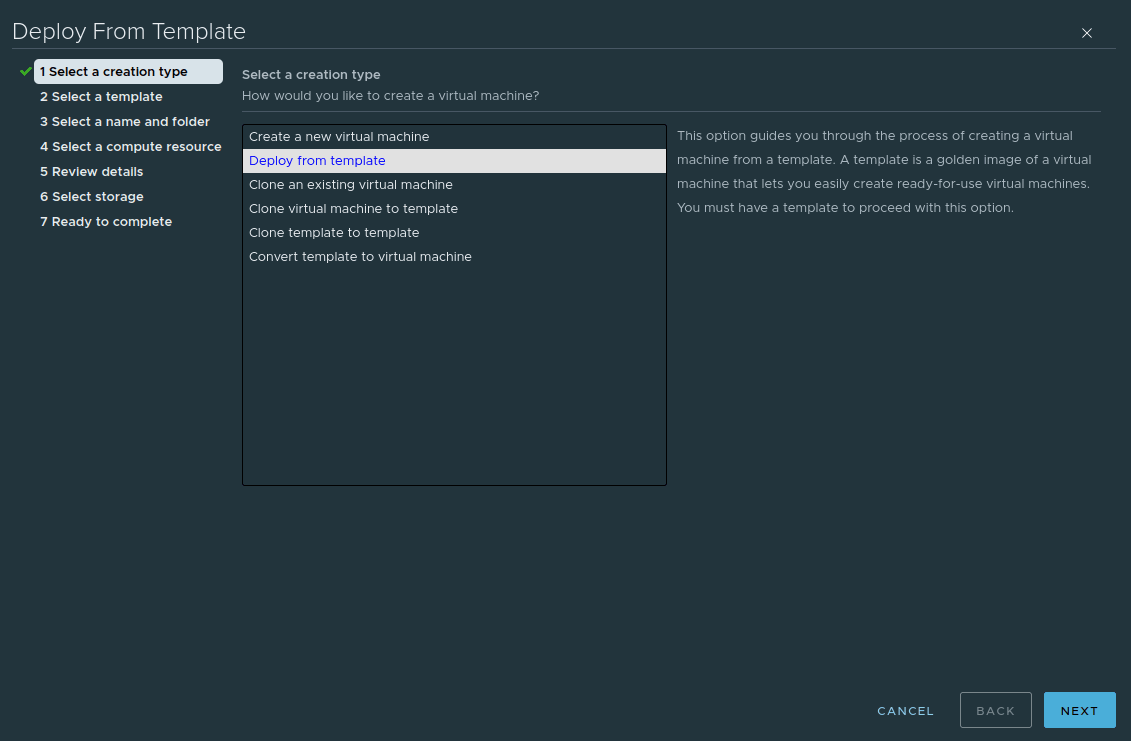
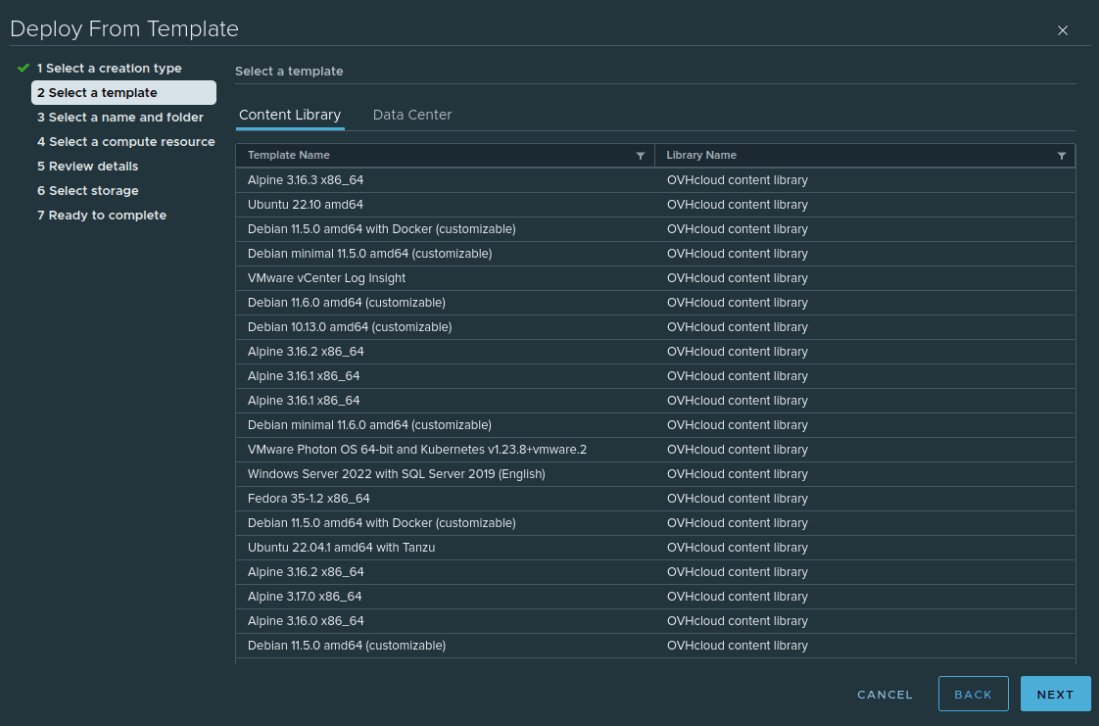
Step 2 - Configuring the template
The template deployment process will ask you to confirm the details and a destination for the new virtual machine (data center, cluster, datastore, etc.).
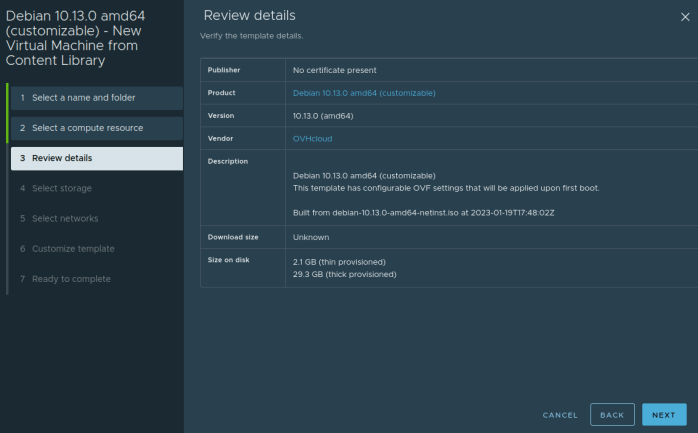
Some templates accept deployment properties that allow you to quickly configure the new virtual machine by creating, for example, a privileged user or configuring the main network interface.
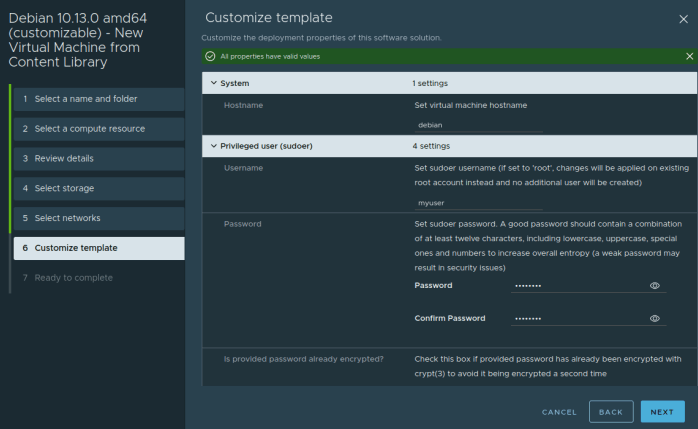
Templates that do not offer customization will have the default credentials specified in the virtual machine notes.
Go further
Browse all the VMware on OVHcloud guides.
Browse the rest of the OVHcloud US documentation for guides on our other products and services.
Learn more about VMware on OVHcloud on the OVHcloud US website.
If you need training or technical assistance to implement our solutions, contact your sales representative or click on this link to get a quote and ask our Professional Services experts for a custom analysis of your project.