
Authorizing IP addresses for vCenter access
Access to your vCenter environment can be restricted by allowing only certain IP addresses or ranges to connect to it.
Requirements
- Access to the OVHcloud Control Panel
- A VMware on OVHcloud service in your account
- An active vSphere user (see this guide)
Navigation
- Access your Managed VMware vSphere services list directly, or
- Click
Hosted Private Cloud>Managed VMware vSphere>your PCC>Securitytab
Instructions
Authorizing IP addresses for vCenter access
From the Security tab, click the Add a new IP address range button in the right-hand menu.
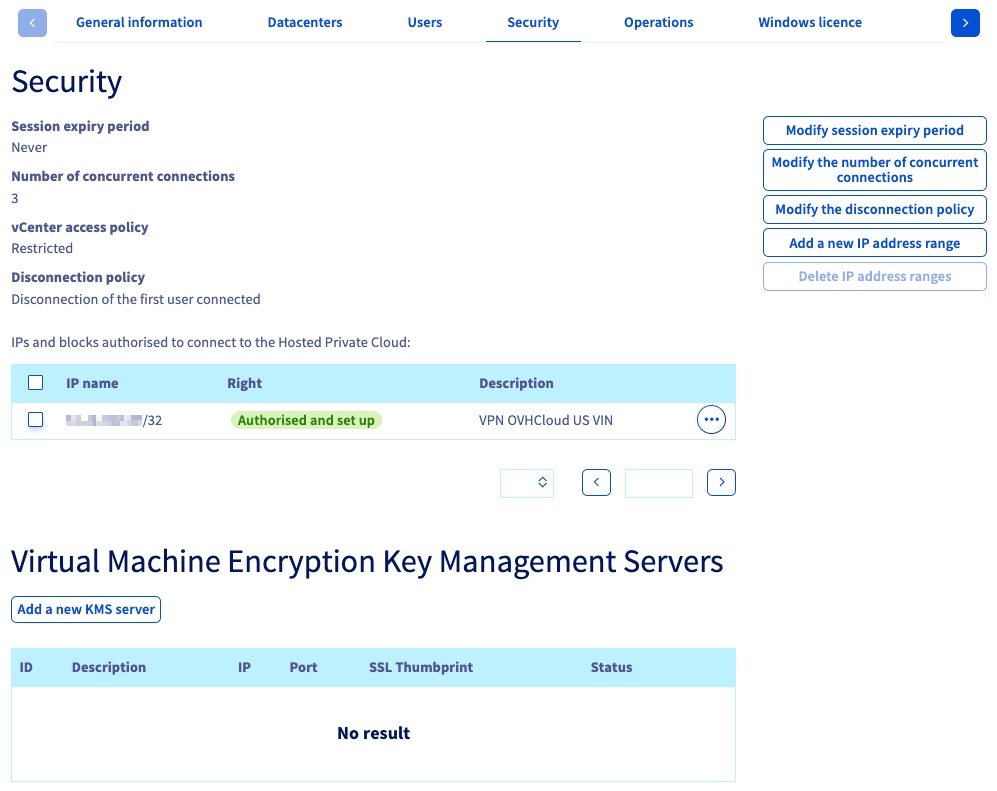
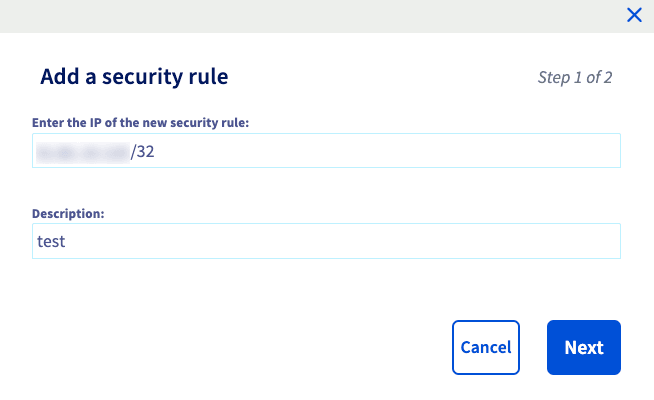
In the new window, enter an IP address range that should be allowed access to vCenter.
You can also add a description to make the organization of the whitelist easier.
Click Next.
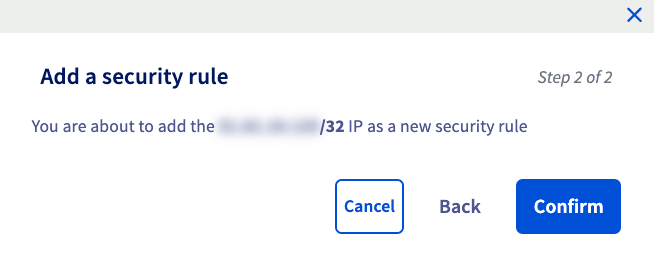
Once you have confirmed the information is correct, click Confirm to apply your changes. Connections from this IP address (range) will now be possible.
Please note that for security reasons, you will only be able to allow a maximum of 2048 IP addresses to connect to your vCenter.
Go further
Browse all the VMware on OVHcloud guides.
Browse the rest of the OVHcloud US documentation for guides on our other products and services.
Learn more about VMware on OVHcloud on the OVHcloud US website.