
Overview of vRack Compatibility with Hosted Private Cloud
This guide explains Hosted Private Cloud compatibility with the OVHcloud vRack.
With our vRack solution, you can connect multiple OVHcloud products, and connect them via one or more VLANs. Some configurations however are not compatible with the Hosted Private Cloud solution.
Requirements
- being an administrative contact of your Hosted Private Cloud infrastructure to receive login credentials
- a user account with access to vSphere (created in the OVHcloud Control Panel)
Technical background
In the Hosted Private Cloud product, there are two types of vRack:
-
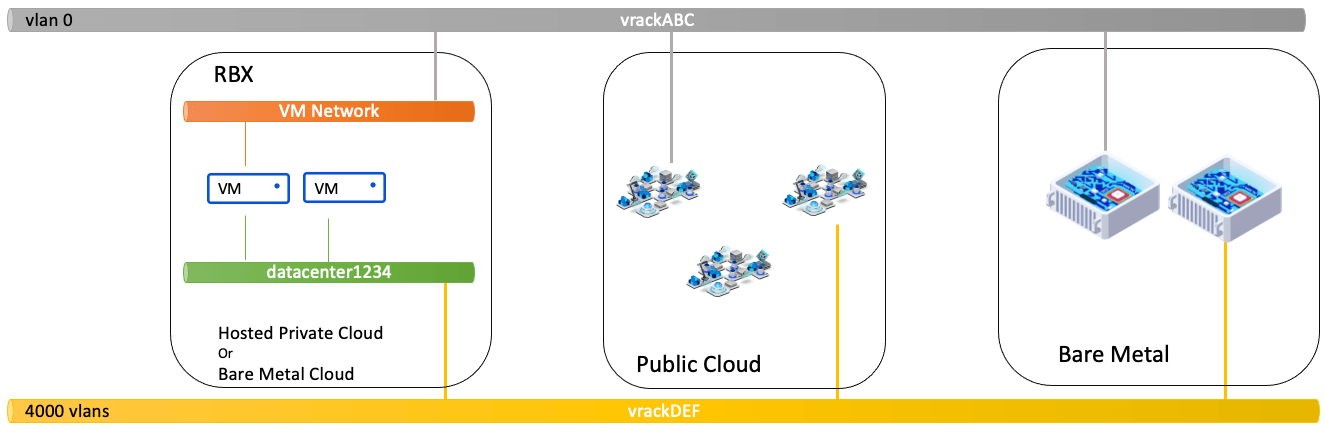
"VM Network" is a vRack on a single VLAN, which is the native VLAN of the Hosted Private Cloud public VLAN. This VLAN is used in Hosted Private Cloud to route Public IPs. It is listed in the vSphere inventory as a PortGroup, in the "Network" category, called "VM Network". This vRack is then attached to the virtual switch, which is fully managed by OVHcloud.
-
"Datacenter vRack", "vRack vDC", or "dvs-vrack", is the vRack that allows you to have 4000 VLANs. This vRack is attached to the virtual switch managed by the customer, with its own dedicated network cards.
It is important to note that some commercial ranges, such as AMD host-based ranges, do not have a virtual switch managed by the customer. Only the vRack type "VM Network" is available.
Here is the context:
Instructions
Possible configurations
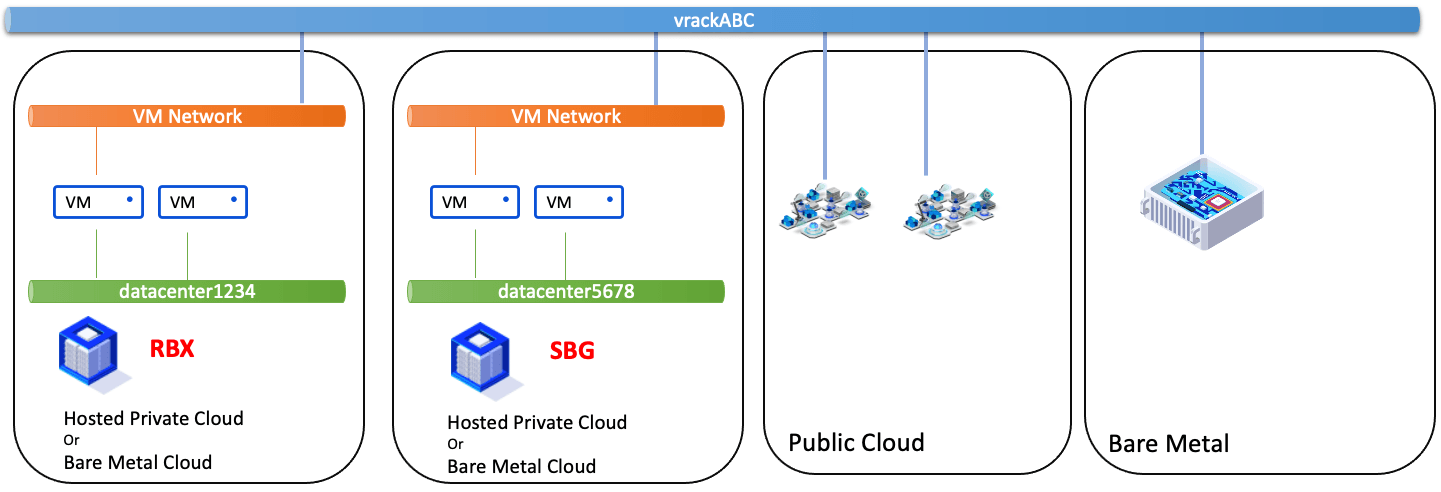
Interlinking 2 VM Network vRacks, in different geographical zones, in different Hosted Private Cloud services.
Connecting 1 VM Network vRack and 1 vRack vDC, in different geographical zones, in different Hosted Private Cloud services.
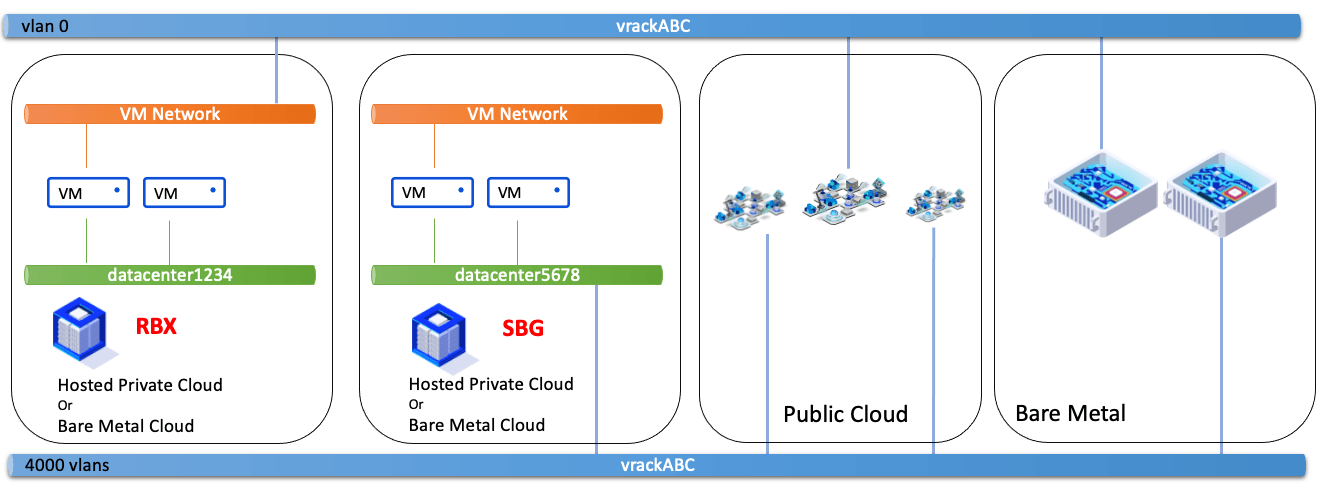
For the VM Network vRack VMs and vRack vDC VMs to communicate with each other, the vRack VMs must be on the native VLAN.
Connecting 1 vRack vDC and 1 vRack vDC, in different geographical zones, in different Hosted Private Cloud services.
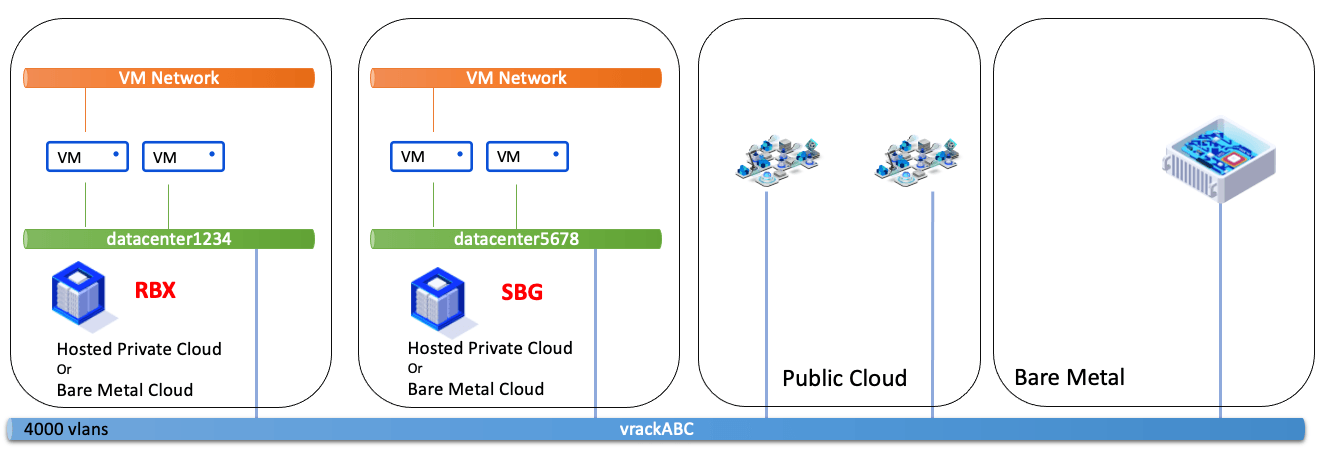
Connecting 1 vRack vDC and 1 vRack vDC, in the same Hosted Private Cloud service.
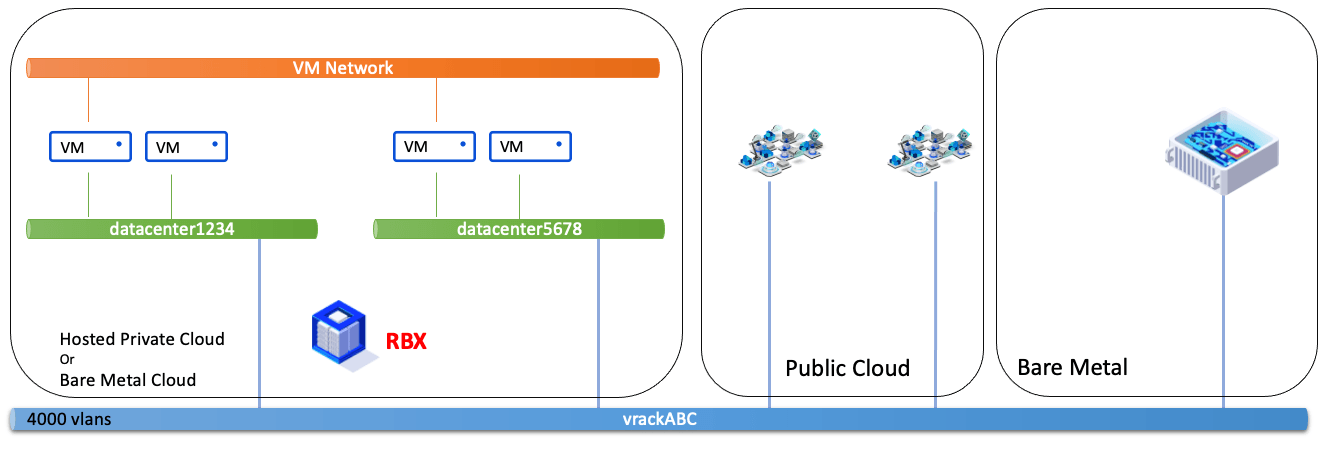
All vDCs in the same Hosted Private Cloud service sharing the same VM Network vRack.
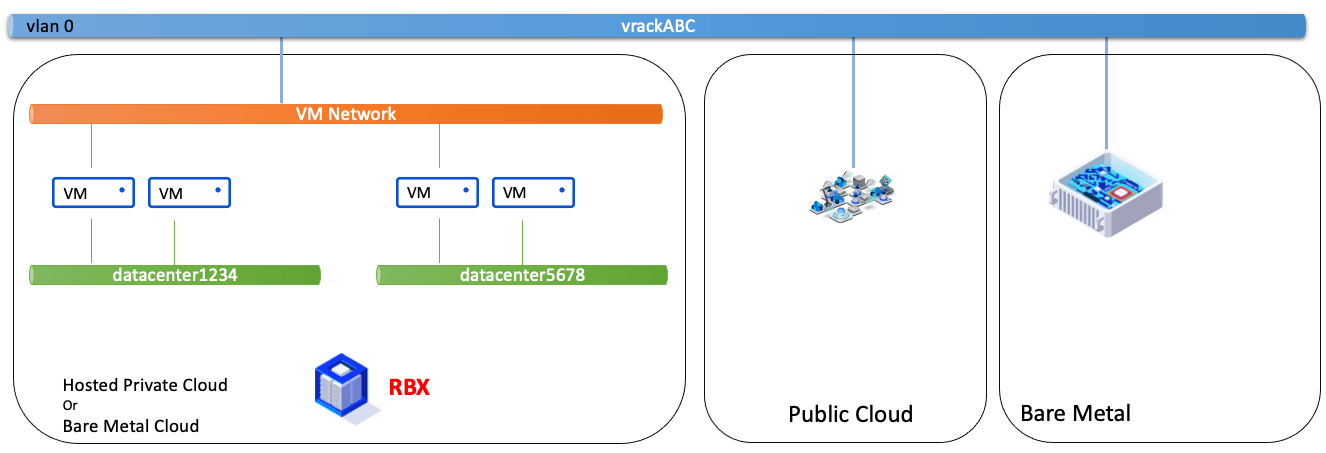
Connecting 1 vRack vDC and 1 vRack vDC, in the same geographical zone, in different Hosted Private Cloud services.
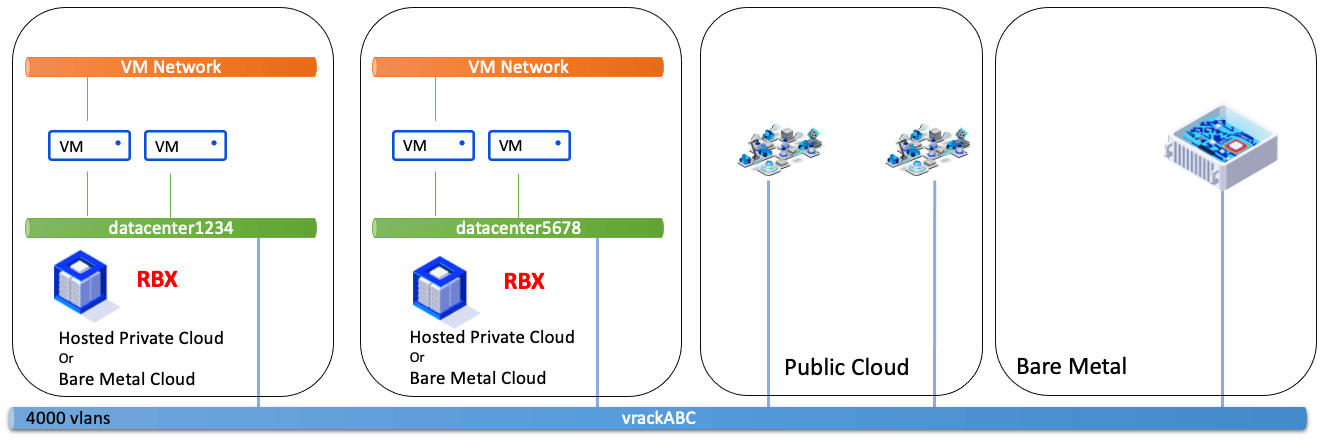
Configurations that are not possible
Connecting 1 VM Network vRack and 1 VM Network vRack, in the same geographical zone, in different Hosted Private Cloud services.
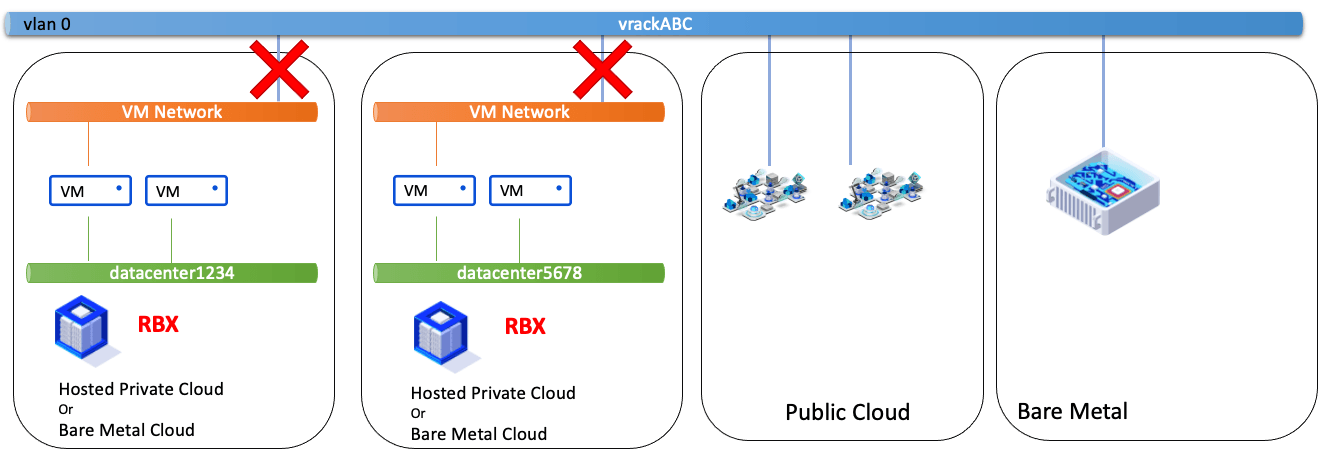
Connecting 1 VM Network vRack and 1 vRack vDC, in the same geographical zone, in different Hosted Private Cloud services.
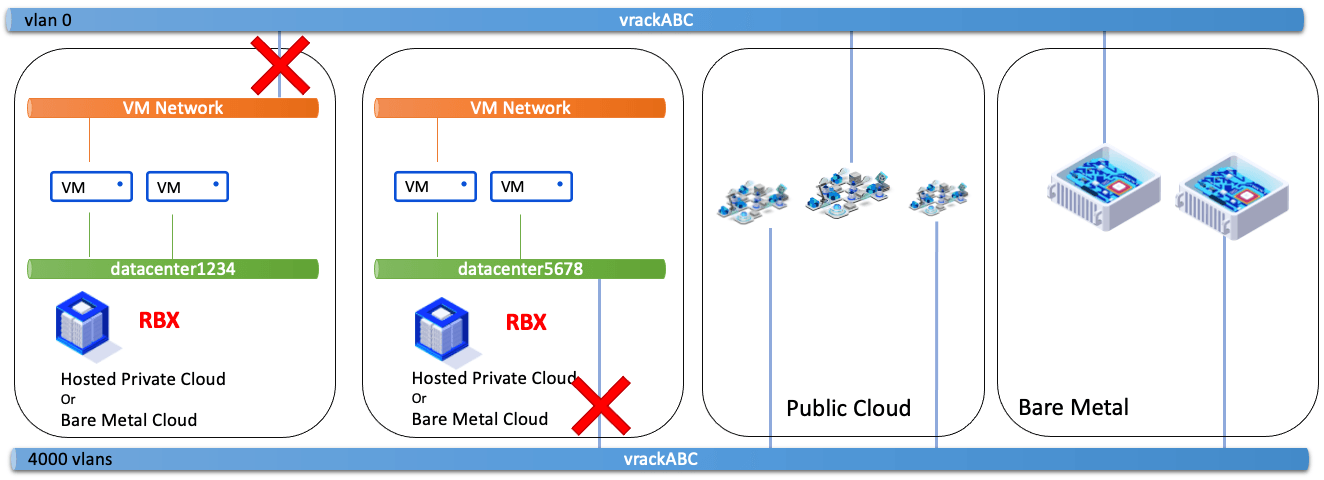
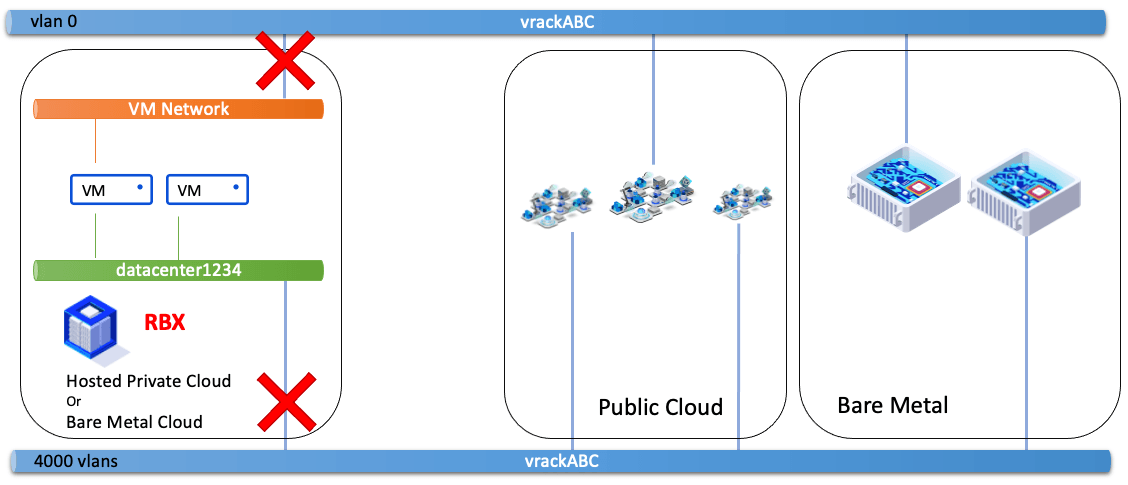
Connecting 1 VM Network vRack and 1 vRack vDC, in the same geographical zone, in the same Hosted Private Cloud service.
Go further
Browse all the VMware on OVHcloud guides.
Browse the rest of the OVHcloud US documentation for guides on our other products and services.
Learn more about VMware on OVHcloud on the OVHcloud US website.