
Best practices for managing your OVHcloud services and account
This guide contains the essential elements for managing your account and the billing of your OVHcloud services.
Requirements
- Access to your OVHcloud Control Panel
- Active OVHcloud services in your OVHcloud account
Instructions
Account settings
Account security
Create a strong password that will ensure your OVHcloud account's privacy.
Enable two-factor authentication to prevent any fraudulent access.
For the security measures to be efficient, make sure your email addresses (main and backup) and your mobile number are up-to-date and accessible.
Personal information
Your personal information (postal address, email address, etc.) must be up-to-date in your customer account to guarantee the security and proper functioning of your services.
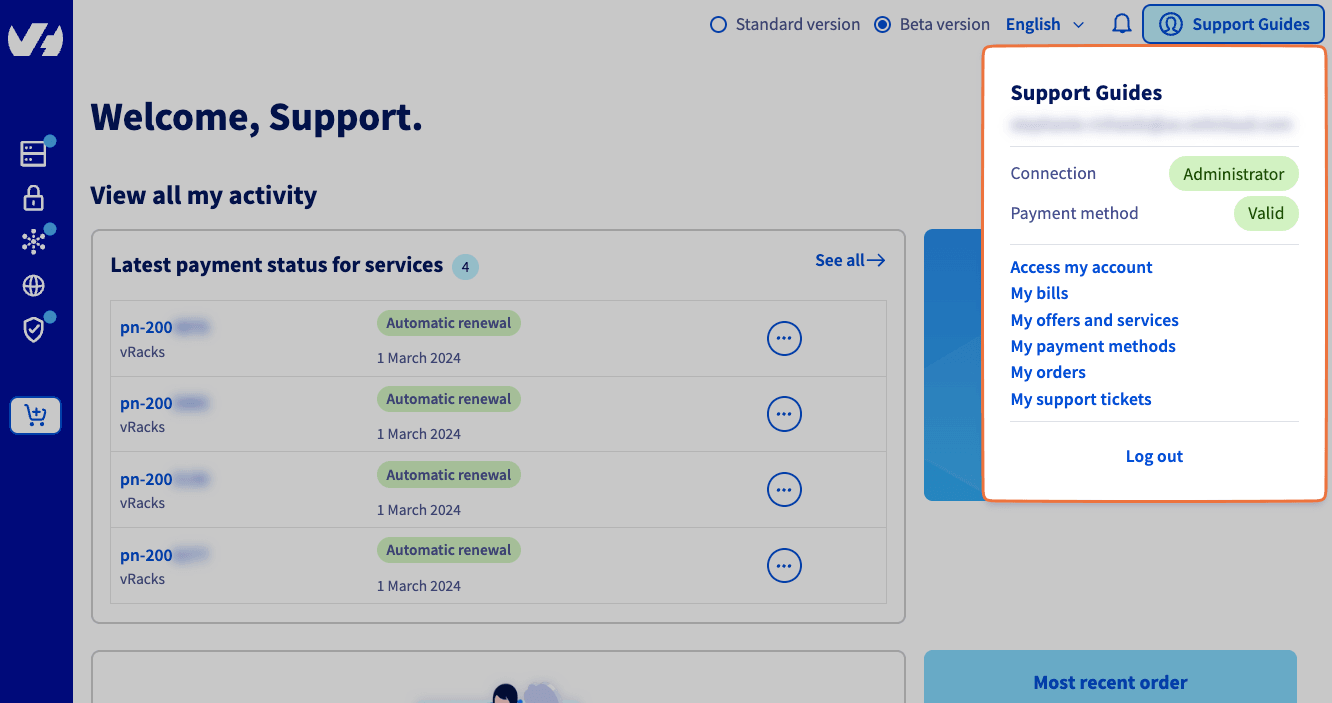
You can check your personal information in the OVHcloud Control Panel by clicking on your name in the top right-hand corner and then your Access my account.
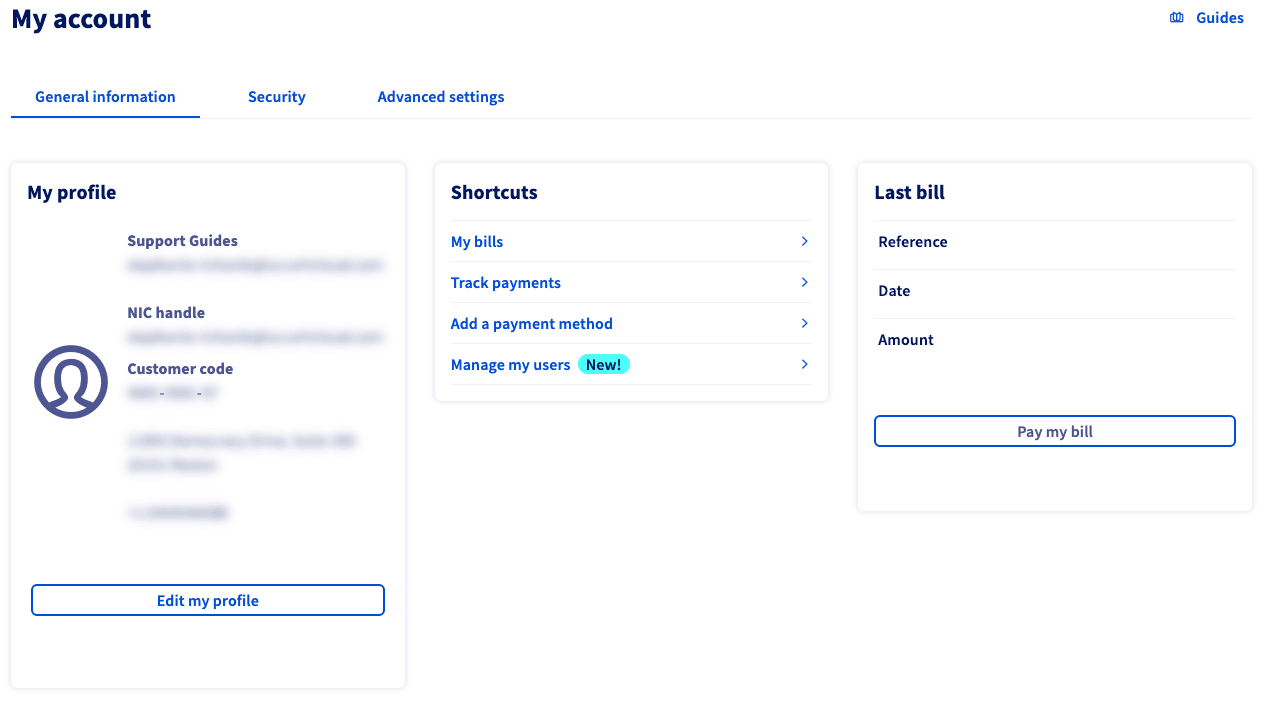
In the My profile panel, select Edit my profile.
For more information, read our Securing my OVHcloud account and managing my personal information guide.
Ensure your email address is always up to date, accessible, and secured. Email messages from our services will be sent to this address, including the ones meant to reset your Control Panel's password.
NOTE: Add a backup email to your personal information to prevent any loss of access to your OVHcloud Control Panel.
Automatic renewal
To prevent any service interruption and for the good functioning of the auto-renewal, register a payment method in your OVHcloud Control Panel.
Check regularly that your payment method is valid.
For more information, please follow the instructions of these guides:
If you decide not to activate the auto-renewal on your services, you will receive notifications prompting you to make a manual payment to either renew your service in advance or pay your pending bill.
Order follow-up
Did you know that you can track your orders in your OVHcloud Control Panel?
Just click the OVHcloud logo at the top-left corner of your screen, then click on View my orders →.
You will find out the steps of delivery and you will know if actions are required from your side.
For more information on the ordering process, see this guide.
Service cancellation
If you want to stop using one of your services, you can either cancel it or delete it immediately through your OVHcloud Control Panel.
For instructions to cancel services, consult the How to cancel your OVHcloud services guide.
Account closure
If you want to close your OVHcloud personal account, first check that it does not contain any active services, pending invoices, or ongoing orders.
Then, submit a request to our support teams to ask for the permanent deletion of your account.
Go further
Browse all the Managing billing, payments, and services guides.
Browse the rest of the OVHcloud US documentation for guides on our other products and services.