
Buying an Additional IP (Public Cloud)
Learn how to obtain an Additional IP for an OVHcloud Public Cloud project.
You may need to configure an Additional IP address on your instances for different reasons. For example, you may be:
- Hosting several websites on your instance.
- Hosting international projects.
To meet these needs, you can order an Additional IP address for your Public Cloud instances.
These Additional IP addresses can only be migrated to instances in the same project.
Requirements
- access to the OVHcloud Control Panel
- a Public Cloud instance in your Public Cloud project
Instructions
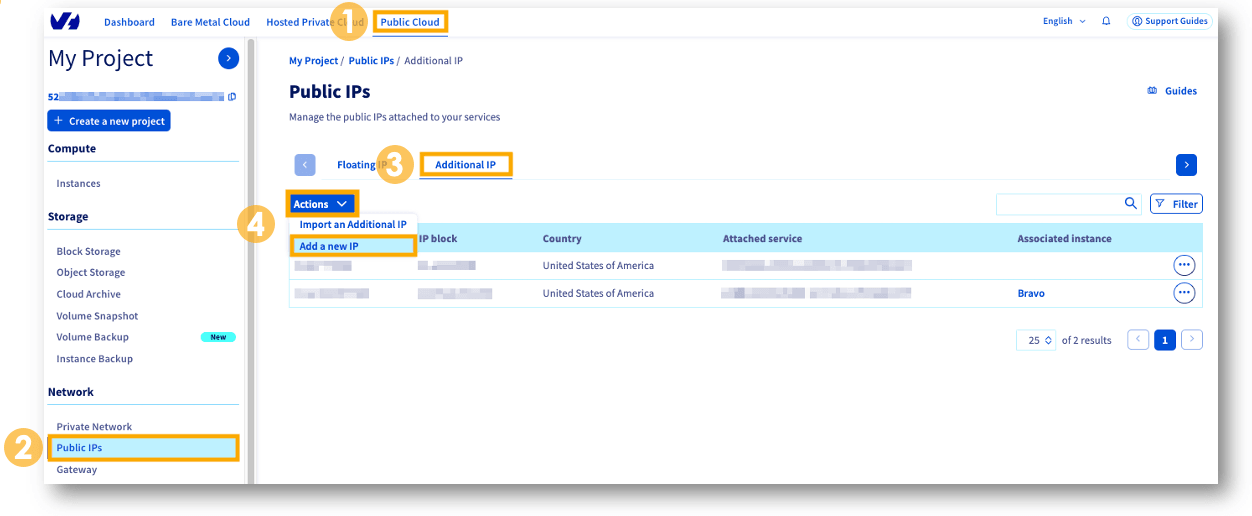
From the OVHcloud Control Panel:
- Open your
Public Cloudproject. - In the left-hand menu, open
Public IPsunder the Network heading. - Open the
Additional IPtab. - Click on the
Actionsbutton and selectAdd a new IP.
There are three steps to the ordering process:
- Select
Additional IPand clickNext. - Select
United States of Americaand clickNext. - Select
your instancefrom the drop-down menu, then click onGenerate purchase order.
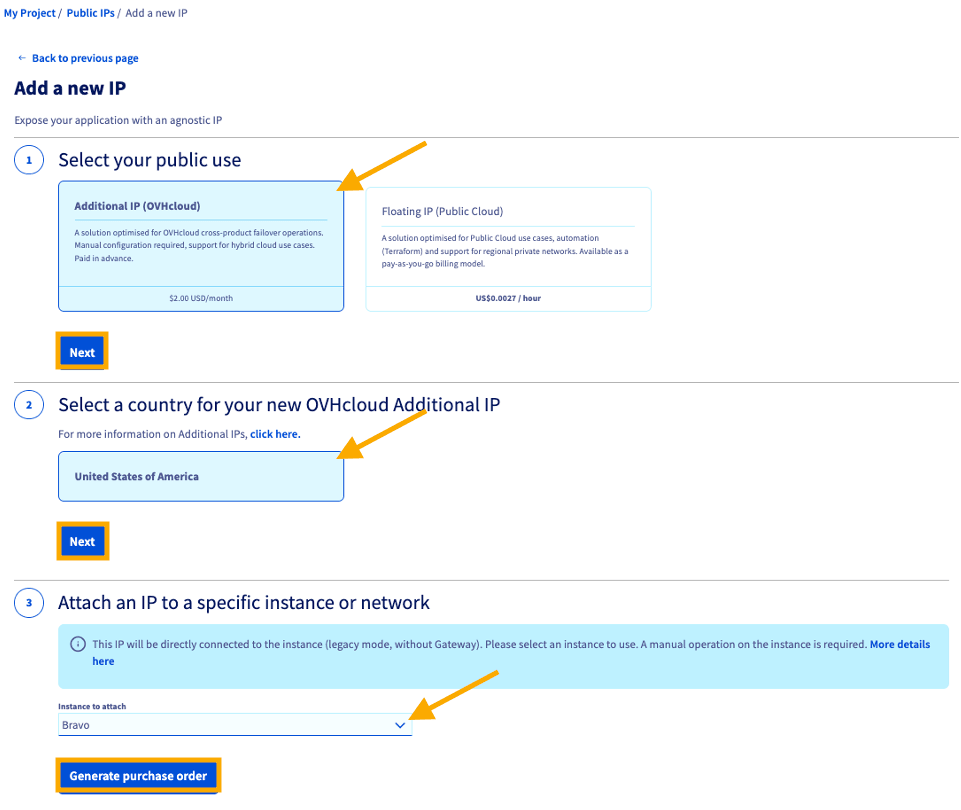
The purchase order will open automatically for you to complete your purchase.
See our guide on managing OVHcloud orders for more details.
You can also find the purchase order in your Control Panel, by going to the My account section and clicking on My orders.
The next step will be the IP configuration in your OS; please refer to our guide.
Go further
Browse all the Networking guides.
Browse the rest of the OVHcloud US documentation for guides on our other products and services.
Learn more about Public Cloud Network on the OVHcloud US website.