
Dashboards - Tutorial: How to use the Grafana® API
Learn how to configure Grafana® to use the API and how to make calls to the exposed API.
Requirements
- A Public Cloud project in your OVHcloud account
- Access to the OVHcloud Control Panel
- A Dashboards service running on your OVHcloud Public Cloud project (see this guide)1
Instructions
Create a Grafana® service account
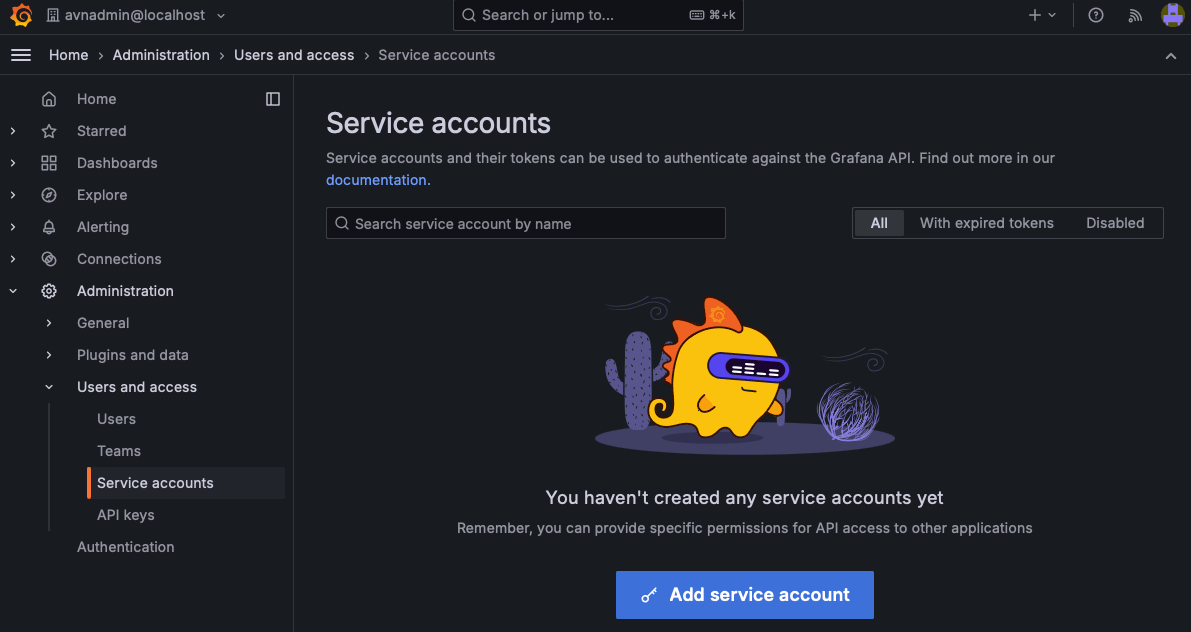
From the Grafana® home screen, select Administration, Users and access, then Service Accounts.
Click Add Service Account.
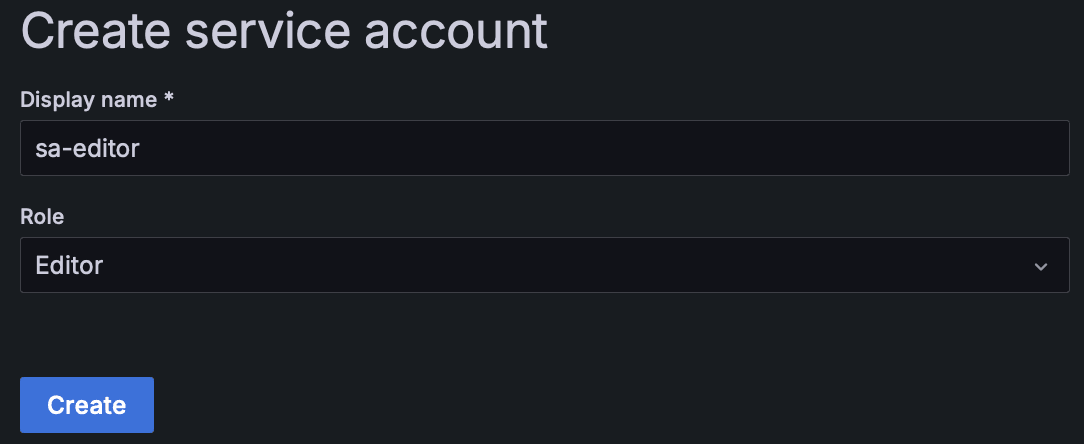
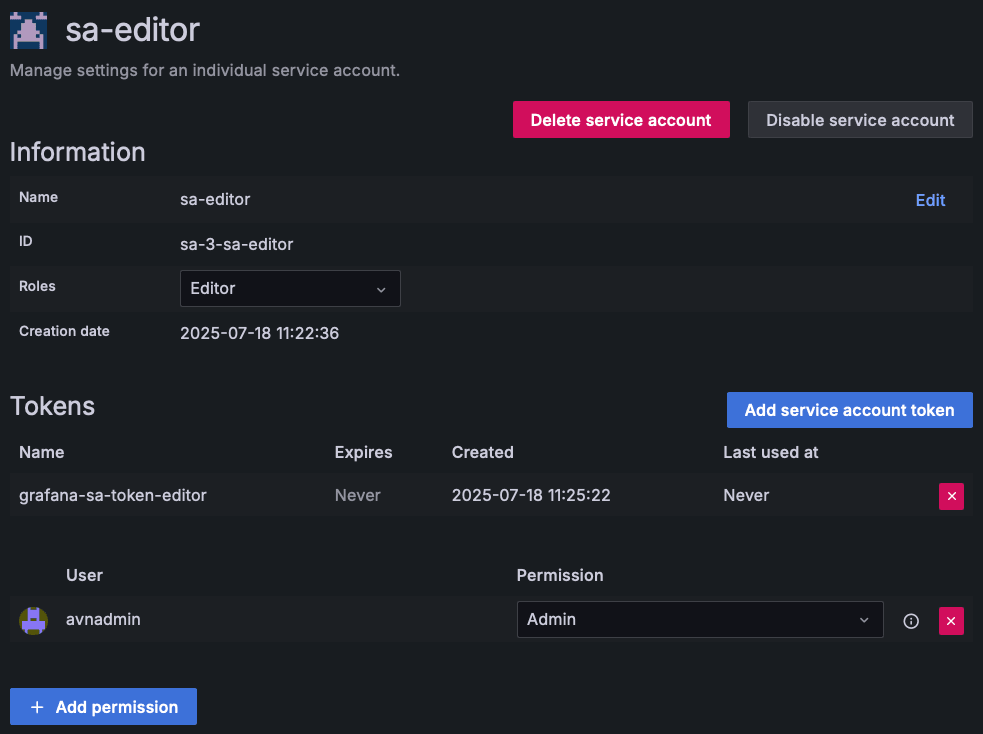
Create a new service account sa-editor with the role Editor.
Click Create.
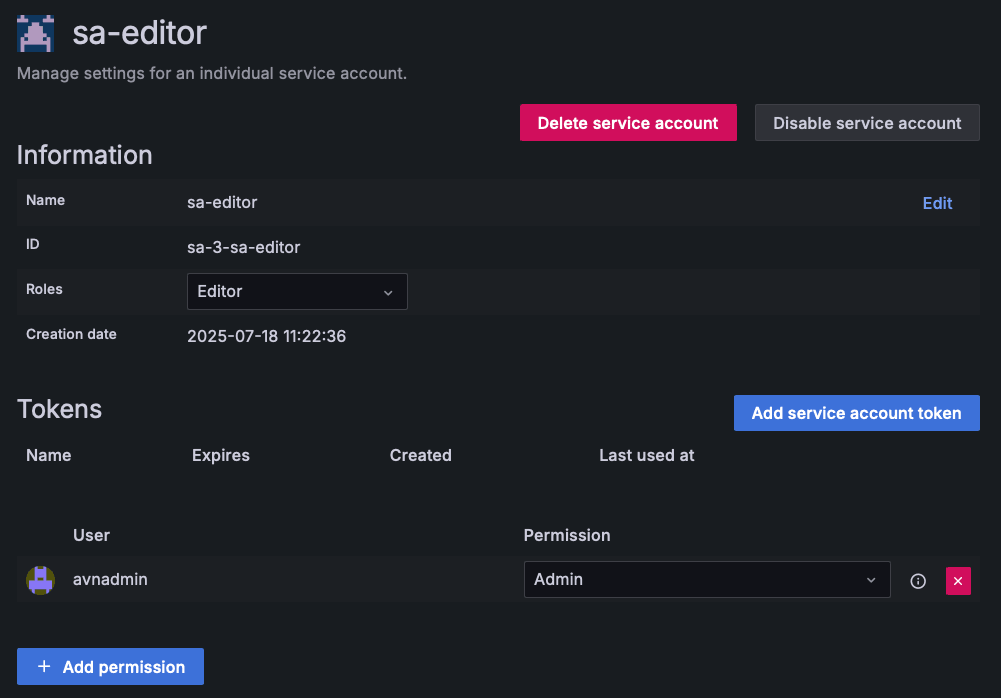
Click on Add service account token:
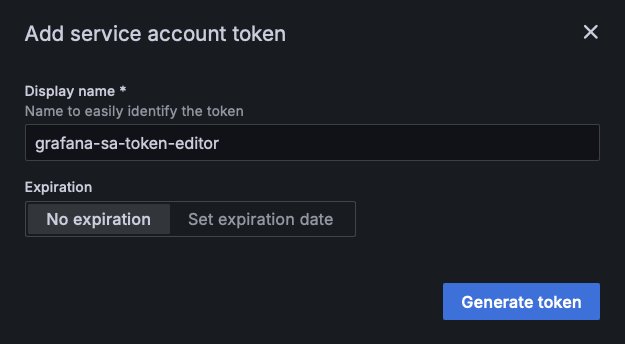
Enter the name of the desired token, grafana-sa-token-editor, and click on Generate token:
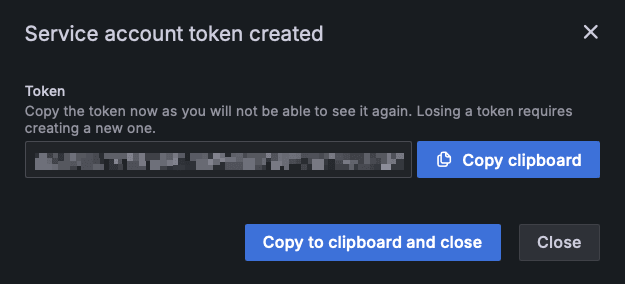
Copy the generated token.
NOTE: After closing the pop-up, you will no longer be able to display the token!
The created token appears in the tokens list:
Create a folder
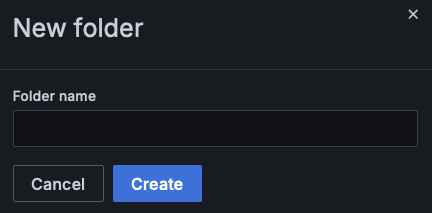
Before using the Grafana® API, you must have at least one folder on your Dashboard. To create one, click Dashboards in the left-hand navigation menu. Then click New and select New folder.

Give your folder a name, then click Create.
You are ready to use this token with the Grafana® API.
Use the Grafana® API
Detailed instructions on how to use the API and the possible actions can be found in the official documentation.
NOTE: Don't forget to set the Authorized IP addresses in the Grafana® configuration. See our Configure your Dashboards instance to accept incoming connections guide for more details.
To send a request to the API, you must use the previously created token and set it in the request header as a "Bearer token":
Congratulations! You can now use all the power of the Grafana® API.
Go further
Browse all the Analytics guides.
Browse the rest of the OVHcloud US documentation for guides on our other products and services.
Learn more about Cloud Analytics on the OVHcloud US website.
OVHcloud Managed Databases and Analytics:
- Grafana® is a registered trademark of Grafana Labs and is used with the permission of Grafana Labs. OVH SAS and its subsidiaries are not affiliated with or endorsed by Grafana Labs.
- Kafka® is a registered trademark of The Apache Software Foundation and has been licensed for use by OVHcloud, who has no affiliation with and is not endorsed by The Apache Software Foundation.
- MongoDB® is a registered trademark of MongoDB, Inc.
- MySQL® is a registered trademark of Oracle and/or its affiliates.
- PostgreSQL® is a registered trademark of the PostgreSQL Community Association of Canada.