
How to configure reverse DNS for a Public Cloud instance
Reverse DNS (rDNS) is the complement to "forward" DNS resolution, which resolves domain names into IP addresses. With reverse DNS resolution, an IP address can resolve into the domain name (or host name) it is mapped to. This means that DNS queries of the associated IP address will return this domain name.
Configuring the reverse DNS resolution for an instance is especially useful when sending emails. A mail server's validation by spam protection systems will improve if a DNS lookup of the IP address resolves properly.
Requirements
- A Public Cloud instance in your OVHcloud account
- A domain name with its
Arecord pointing to the instance
OVHcloud Control Panel Access
- Direct link: Network IPs
- Navigation path:
Bare Metal Cloud>Network>IP
Instructions
Once you see your list of IPs, you can filter for your Public Cloud project ID using the drop-down menus above the table.
In the table, select the more options ... button in the row of an eligible service and select Configure the reverse DNS.
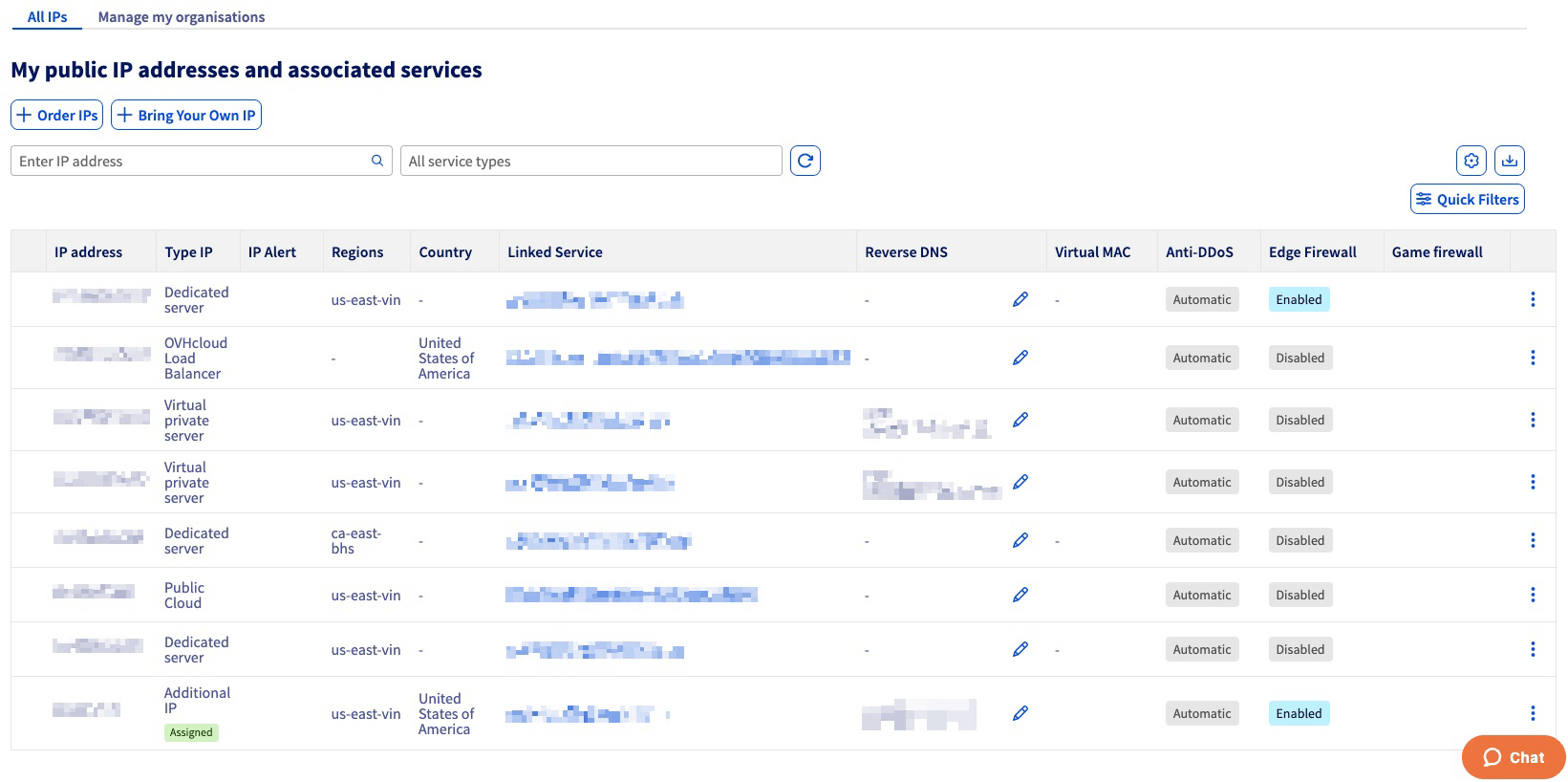
In the new window, enter your reverse path and click on Confirm.
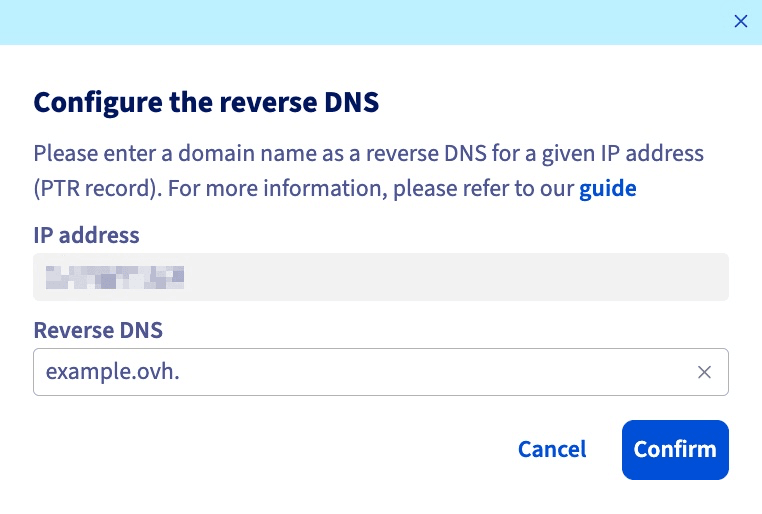
You can also edit the reverse path directly via the icon in the Reverse DNS column of the table.
If the modification does not work as expected, verify that the A record is correctly configured in the DNS zone of your domain name. Bear in mind that it might take up to 24 hours for DNS zone changes to be effective, in case you have only recently edited the A record.
Go further
Browse all the Compute guides.
Browse the rest of the OVHcloud US documentation for guides on our other products and services.
Learn more about Public Cloud Compute on the OVHcloud US website.