
How to Upgrade Your Nutanix Cluster
Once an upgrade of one Nutanix software component is needed, let's review all the main steps to apply it.
This guide explains the steps to upgrade your Nutanix Cluster.
Requirements
- A Nutanix Cluster in your OVHcloud account
- Access to the OVHcloud Control Panel
Instructions
Official documentation for upgrades
You can either look for this document: "The Nutanix upgrades: Life Cycle Manager" or visit the official Nutanix website for archived documents: Software Documentation: Upgrade Guide.
Backup
As for any action on the configuration of the cluster system, it is strongly recommended to create a new backup or check the latest one.
Items to update
Some updates are done from Prism Central. These are updates for:
- Prism Central itself
- *NCC
Some other updates must be run from the Prism Element. These are updates for:
- LCM
- AOS
- Foundation
- AHV
Note: Before performing an update, make sure that the versions of Prism Element are supported by OVHcloud and that the version of Prism Central to be updated is compatible with Prism Element.
Supported versions of Prism Element by OVHcloud are 5.20 LTS and 6.1 STS. You can update these subversions, but it is best to wait a month after a new subversion is released.
The compatibility of the version of Prism Central with Prism Element can be checked on the NUTANIX Interoperability website if you have a customer account on the Nutanix website.
Prism Central Upgrade
LCM Inventory
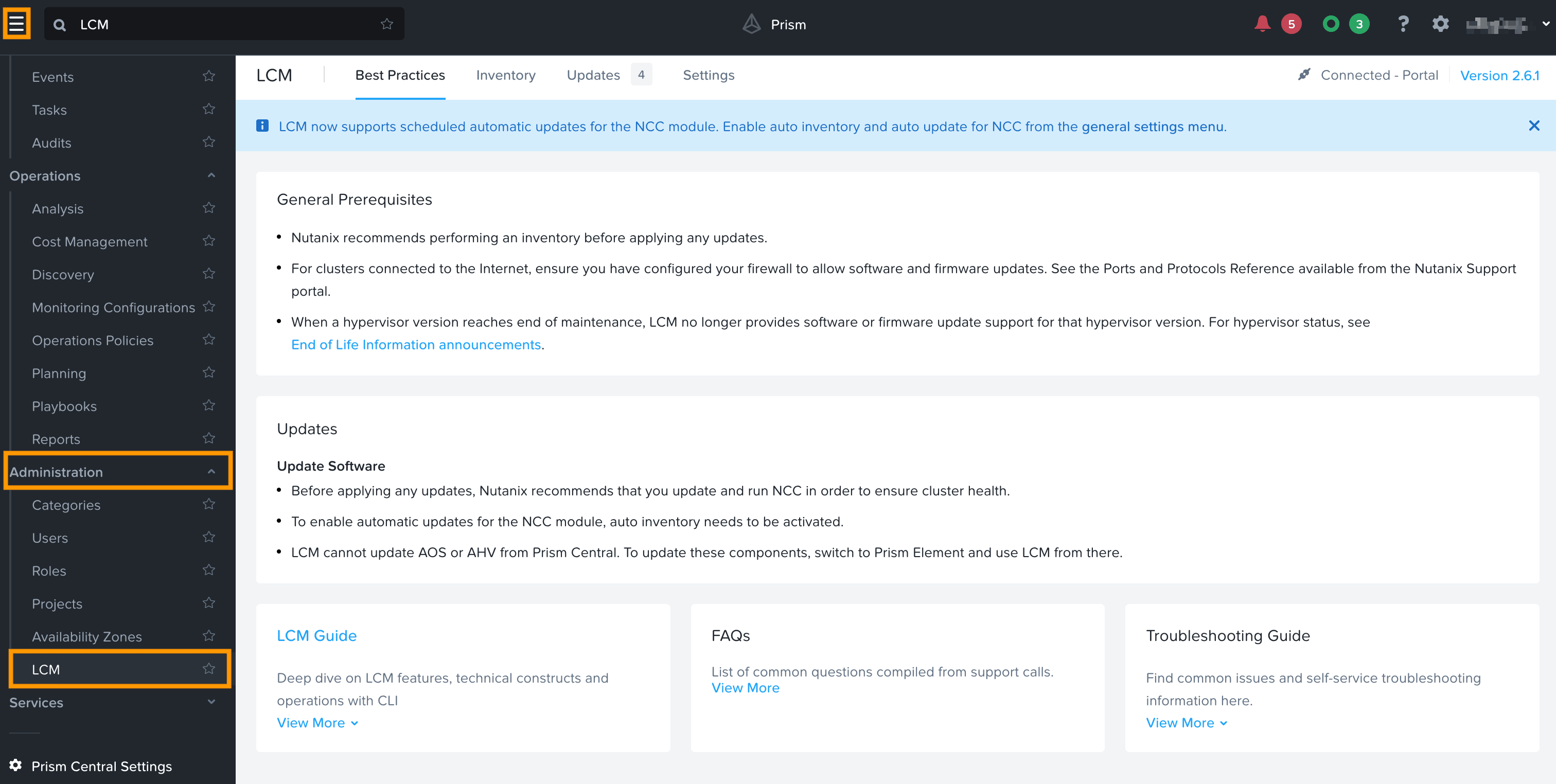
As documented in the official upgrade process, you should first launch an LCM Inventory to get a view of the software status of the Nutanix Cluster. To do this, select the main menu icon in the upper-left corner. Then, select the Administration submenu and then click LCM.
Select the Inventory tab, then select the Perform Inventory button.
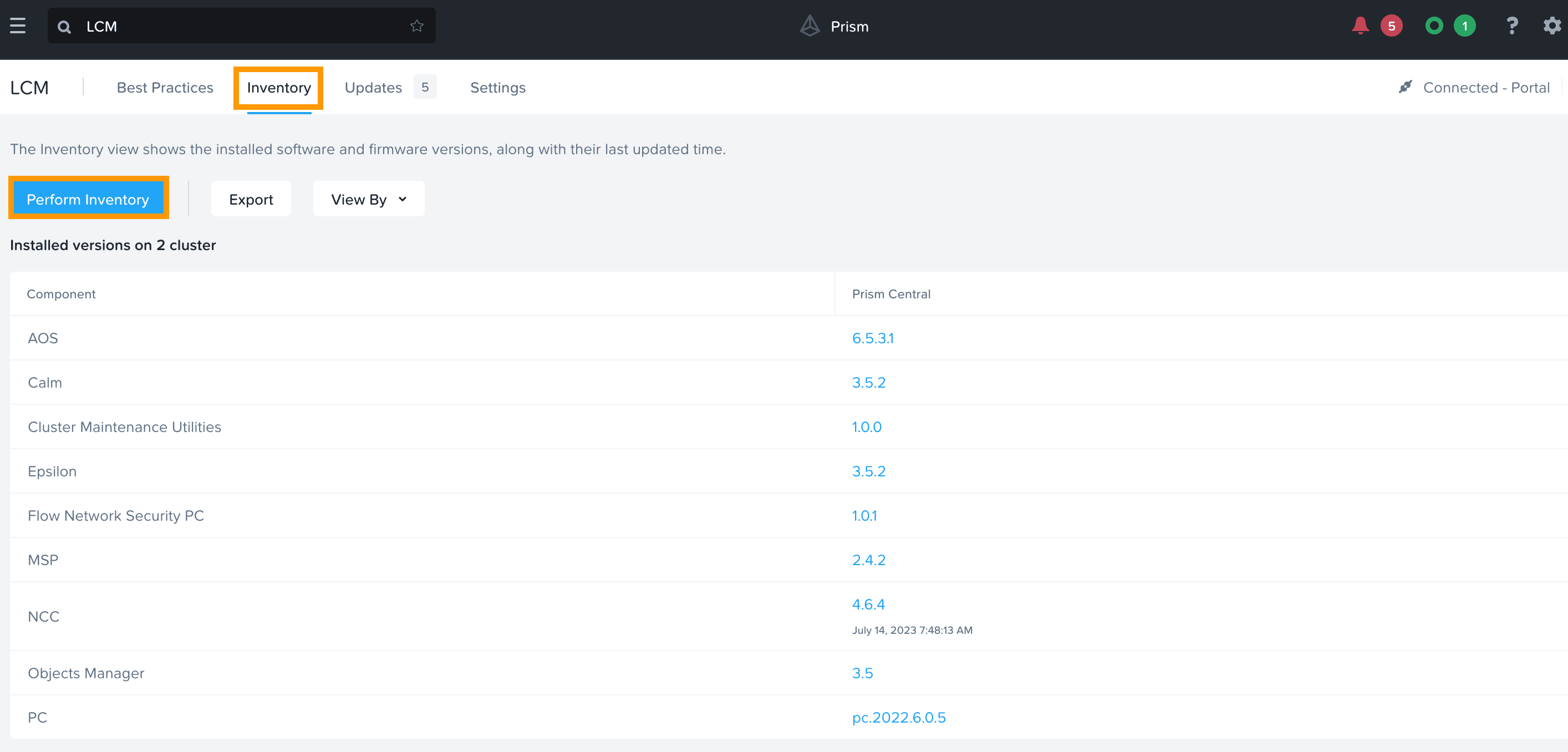
After a pre-check phase, you will receive the results as soon as the inventory is done. The available upgrades will be displayed:
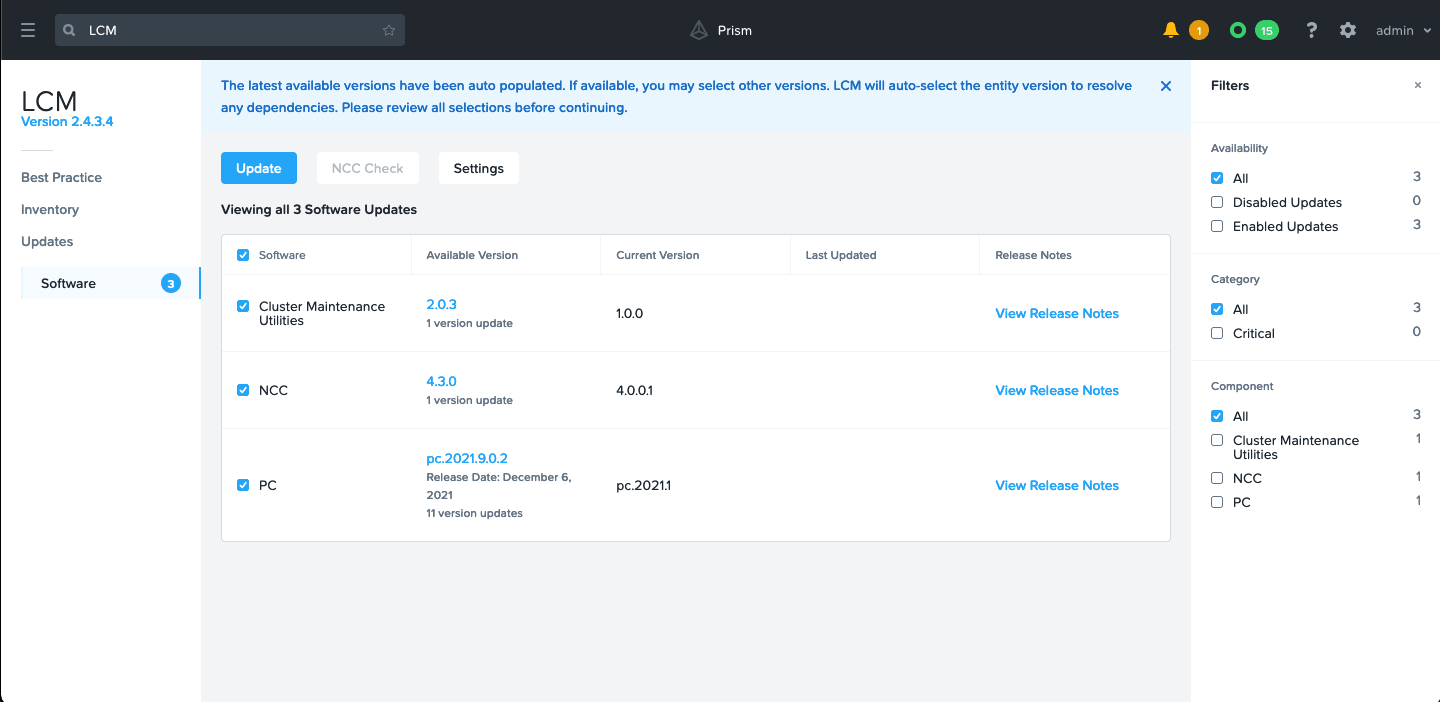
Select the upgrades you want or update all components. You can also decide to manage those upgrades directly as explained in the next two sections.
Performing the upgrade
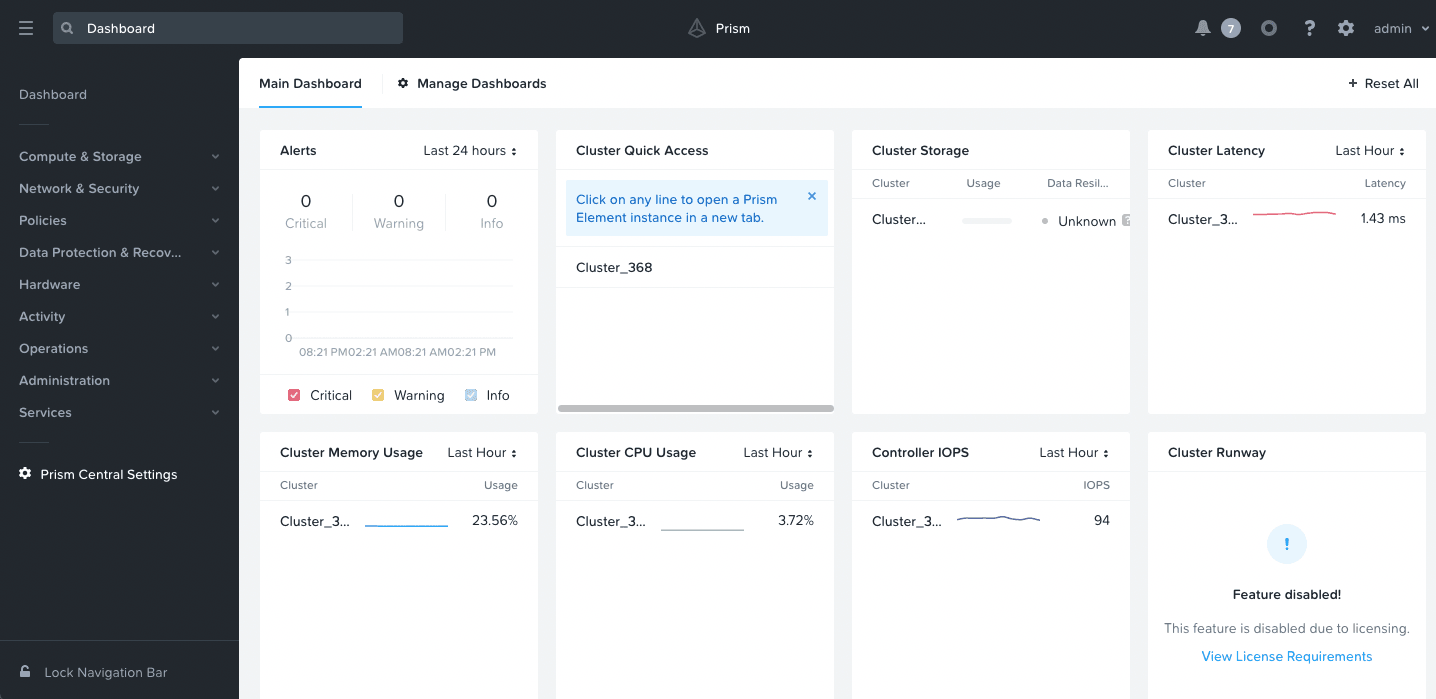
Once you are certain that you can launch the upgrade, open the Prism Central Settings:
If there are available upgrades, you can select the ones you need to apply, then choose to only do the pre-check or upgrade immediately:
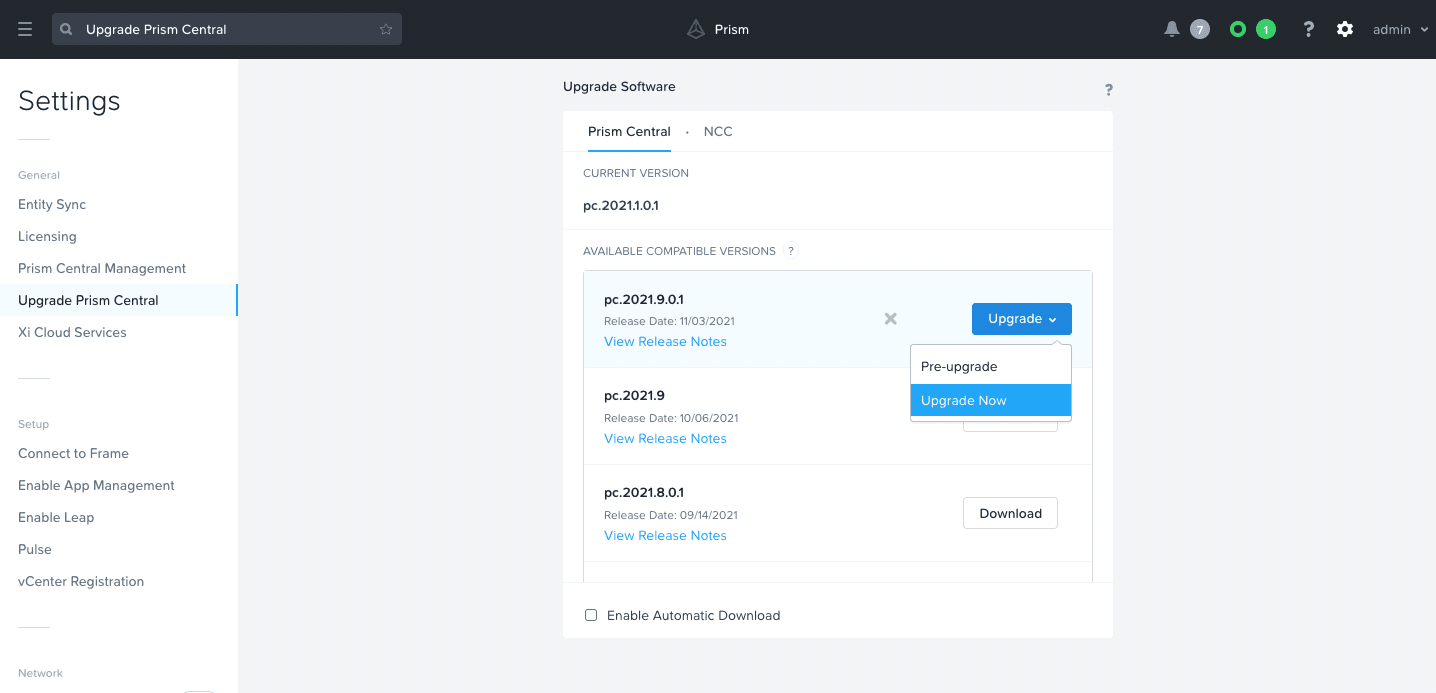
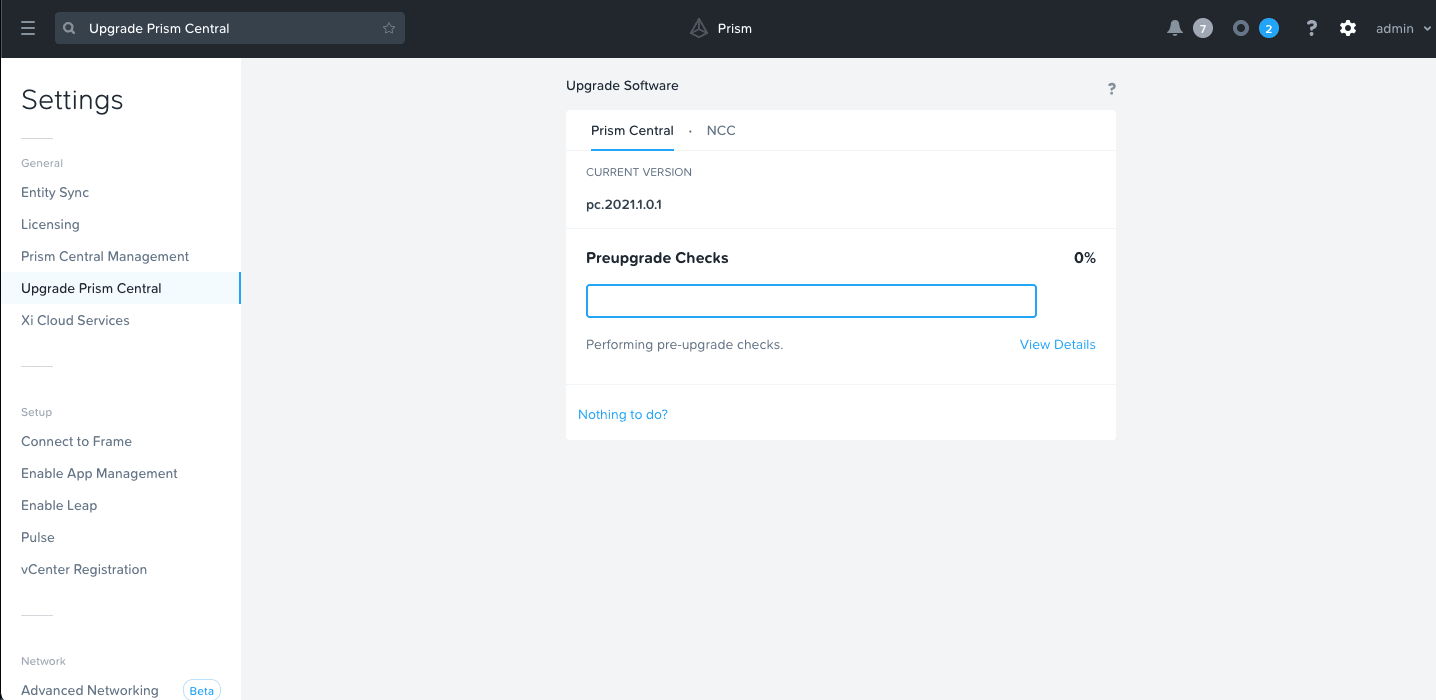
The pre-check will be executed in any case:
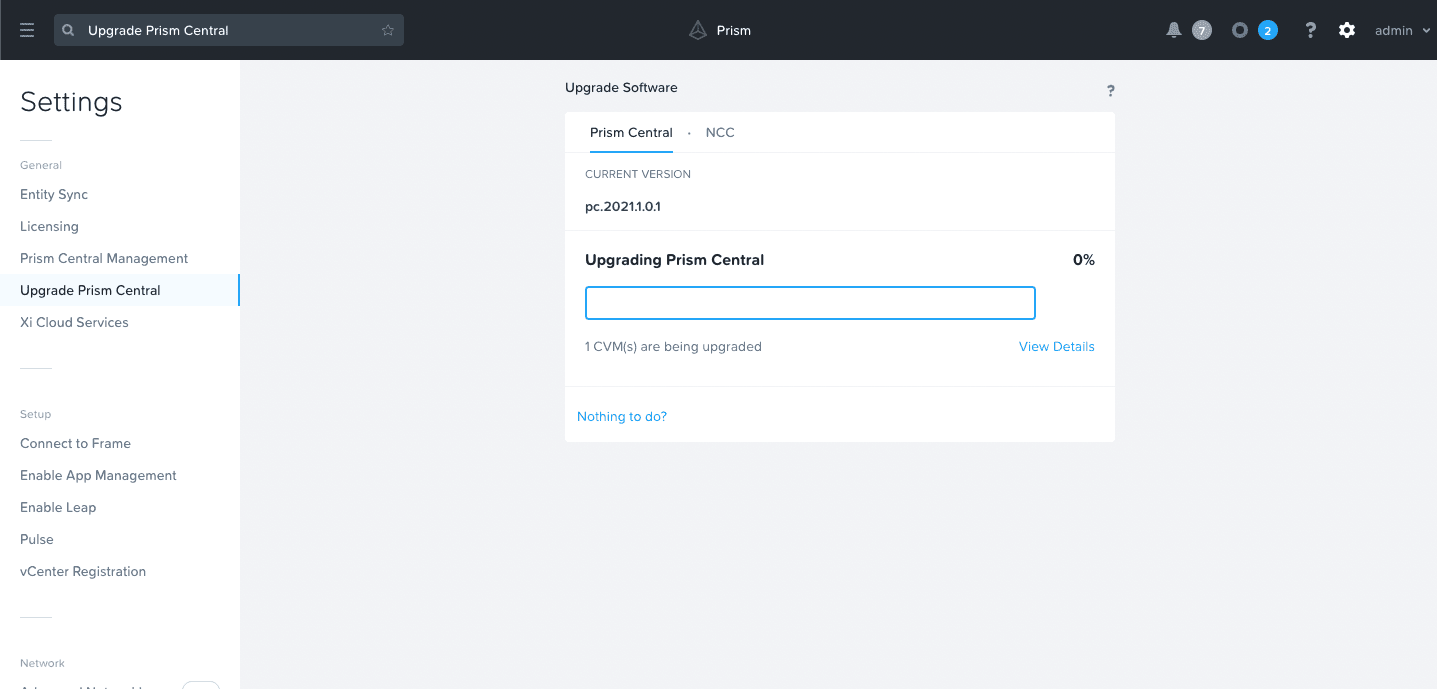
If you have selected the upgrade process, the process itself will be initiated:
During the execution, you might lose the connection to Prism Central:
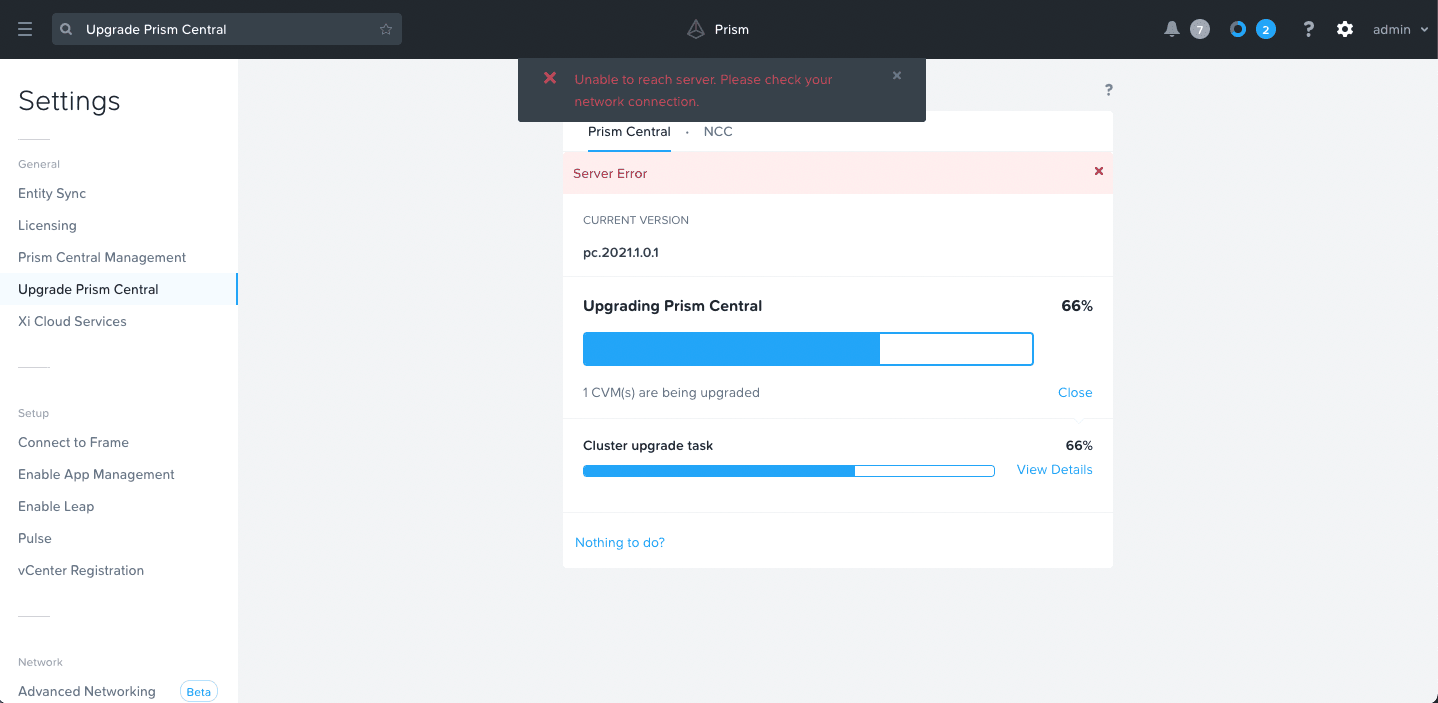
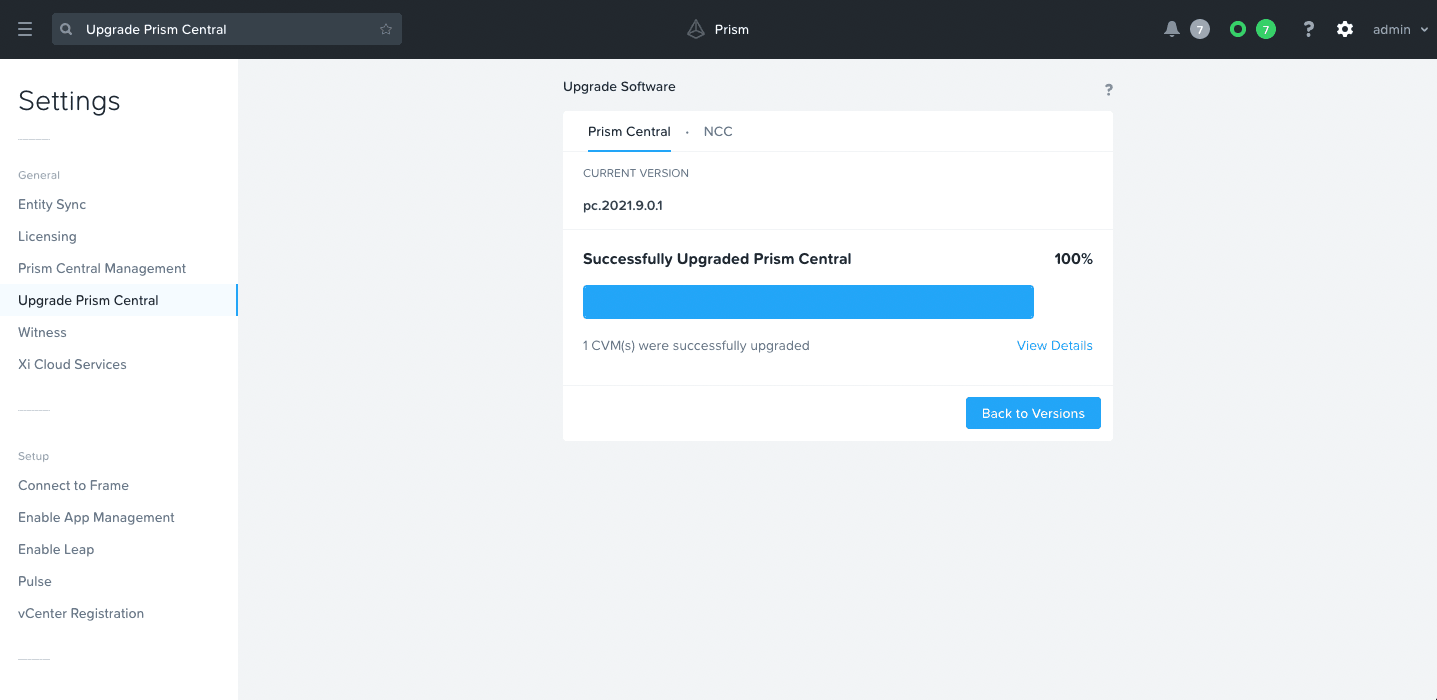
After a few minutes, you can connect back to the Prism Central interface, and you can then check or wait for the end of the upgrade process:
NCC upgrade
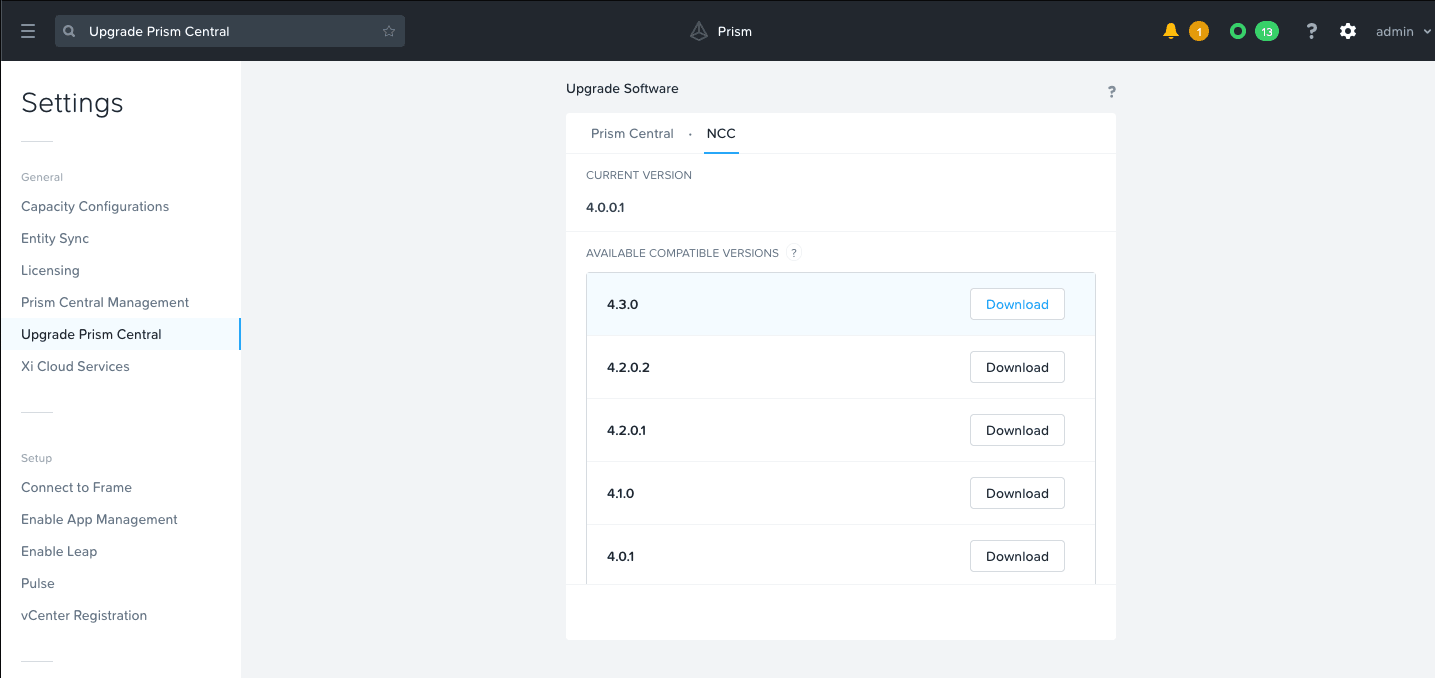
If there is one or more NCC upgrades available, you can download the ones you need and then launch the upgrade:
Validation
LCM Inventory update
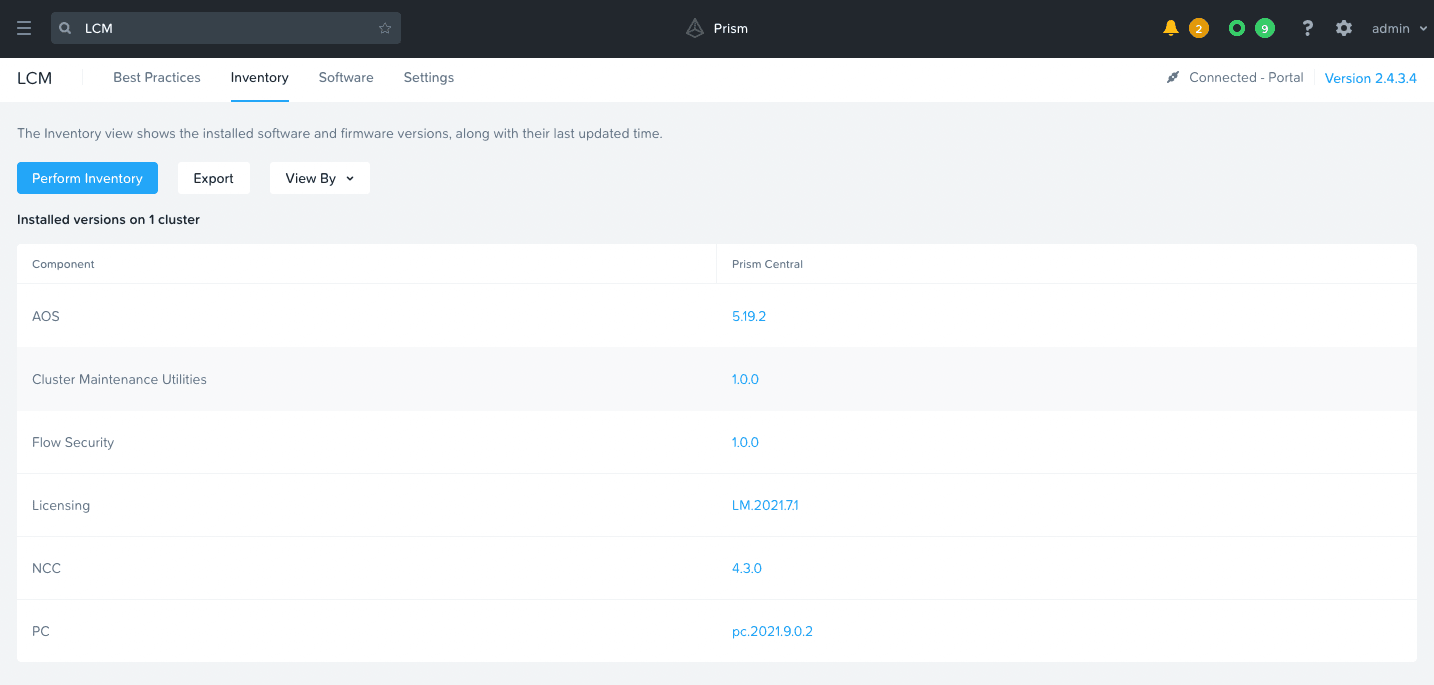
Update the LCM inventory. If no upgrades are available anymore, then only the list of installed software components releases will be presented:
Prism Central upgrade validation
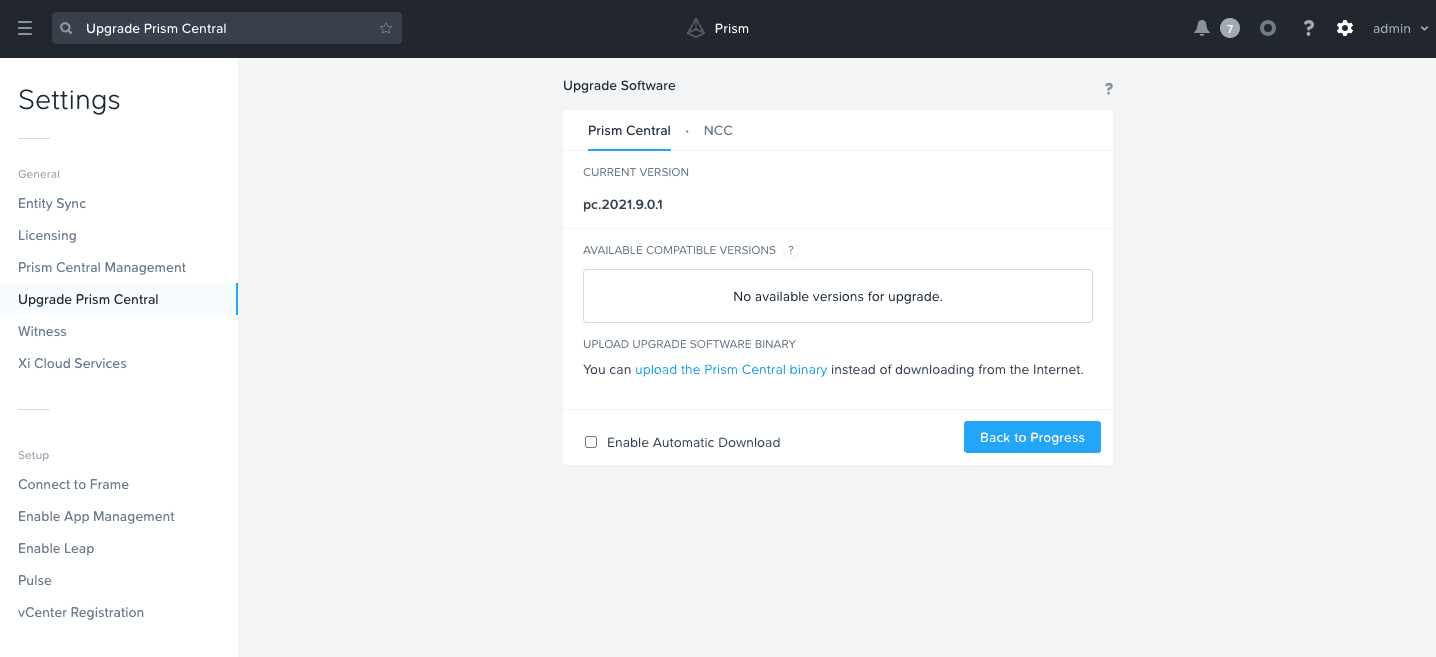
You can also check that the Nutanix Cluster Prism Central is up-to-date if there is no upgrade available for your cluster: Click on the Prism Central Settings and open Upgrade Prism Central. There should be no available versions:
NCC upgrade validation
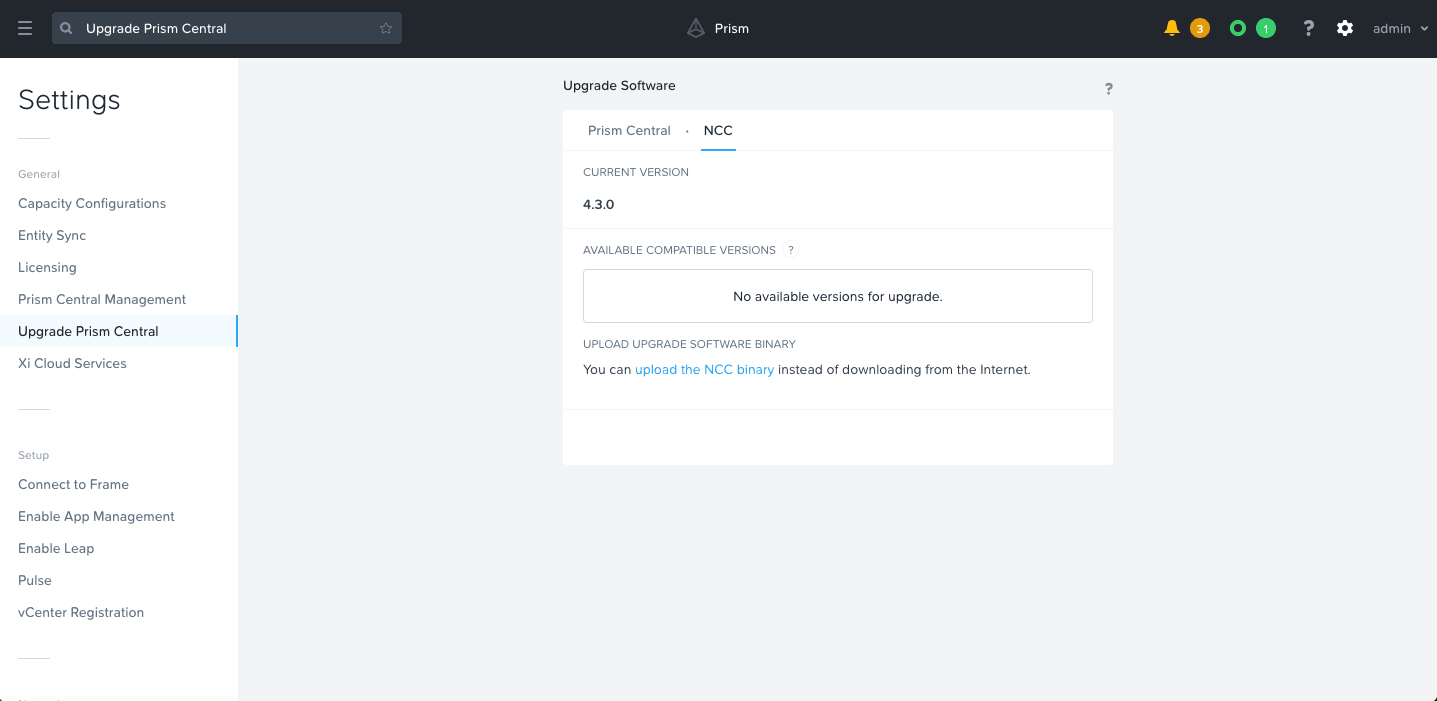
You can also check that the Nutanix Cluster NCC is up-to-date if there is no upgrade available for your cluster: Click on the Prism Central Settings and open Upgrade Prism Central. There should be no available versions in the NCC tab:
Updating Prism Element
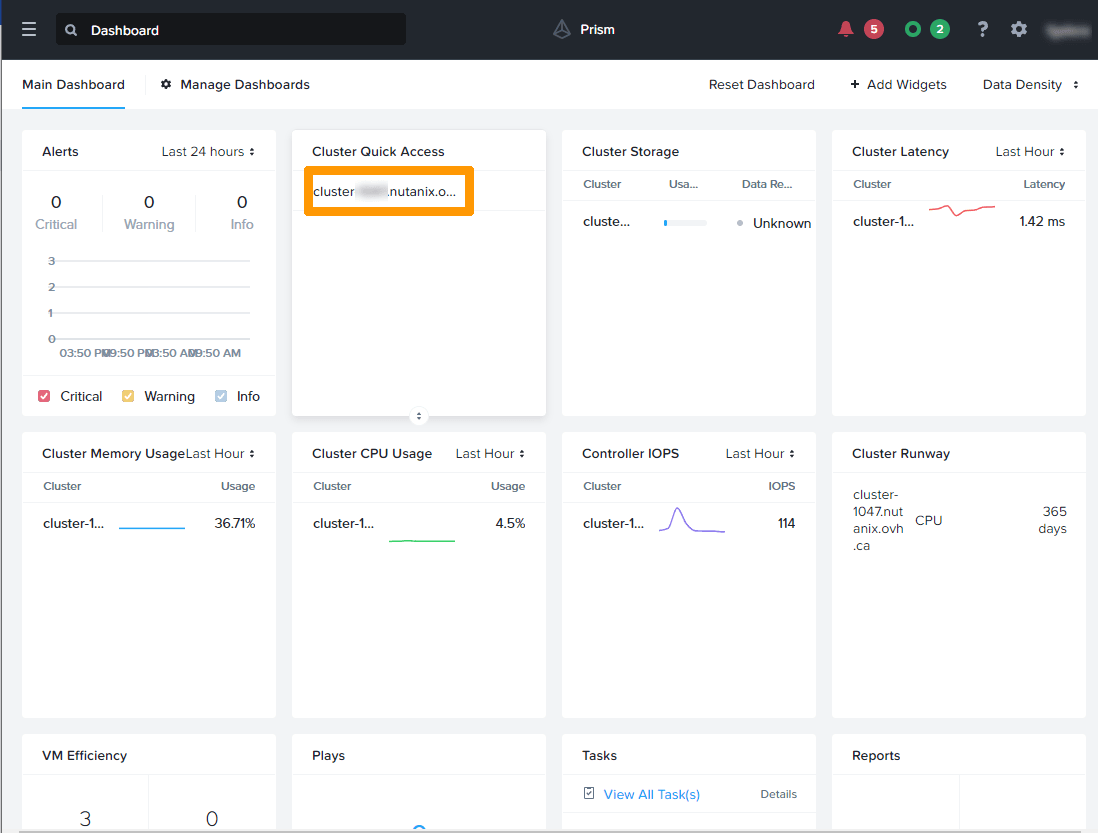
From the Prism Central dashboard, in the Cluster Quick Access frame, click your cluster.
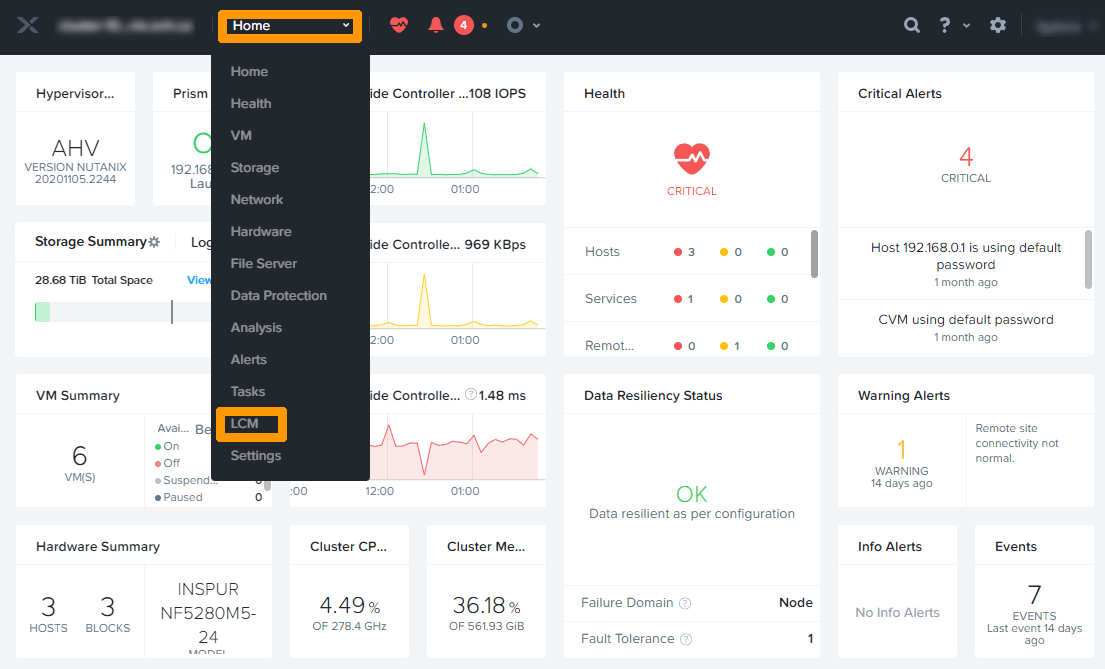
Open the Menu and click on LCM.
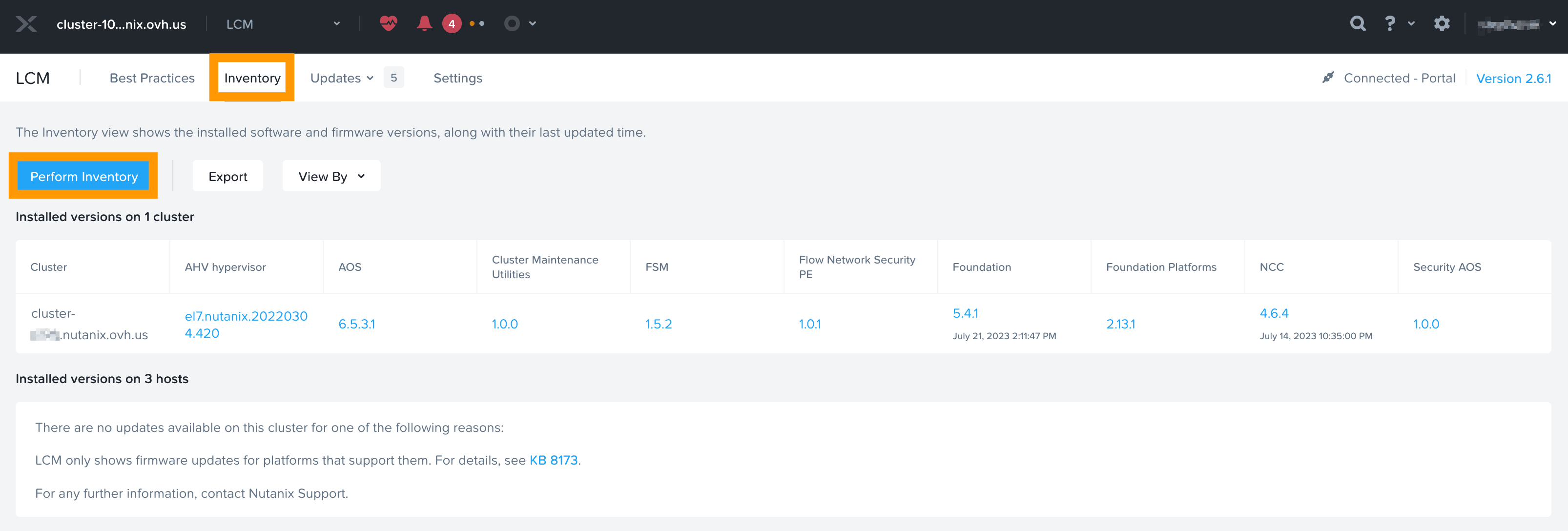
Click on the Inventory tab, then on the Perform Inventory button.
When the check is complete, click Return to Inventory.
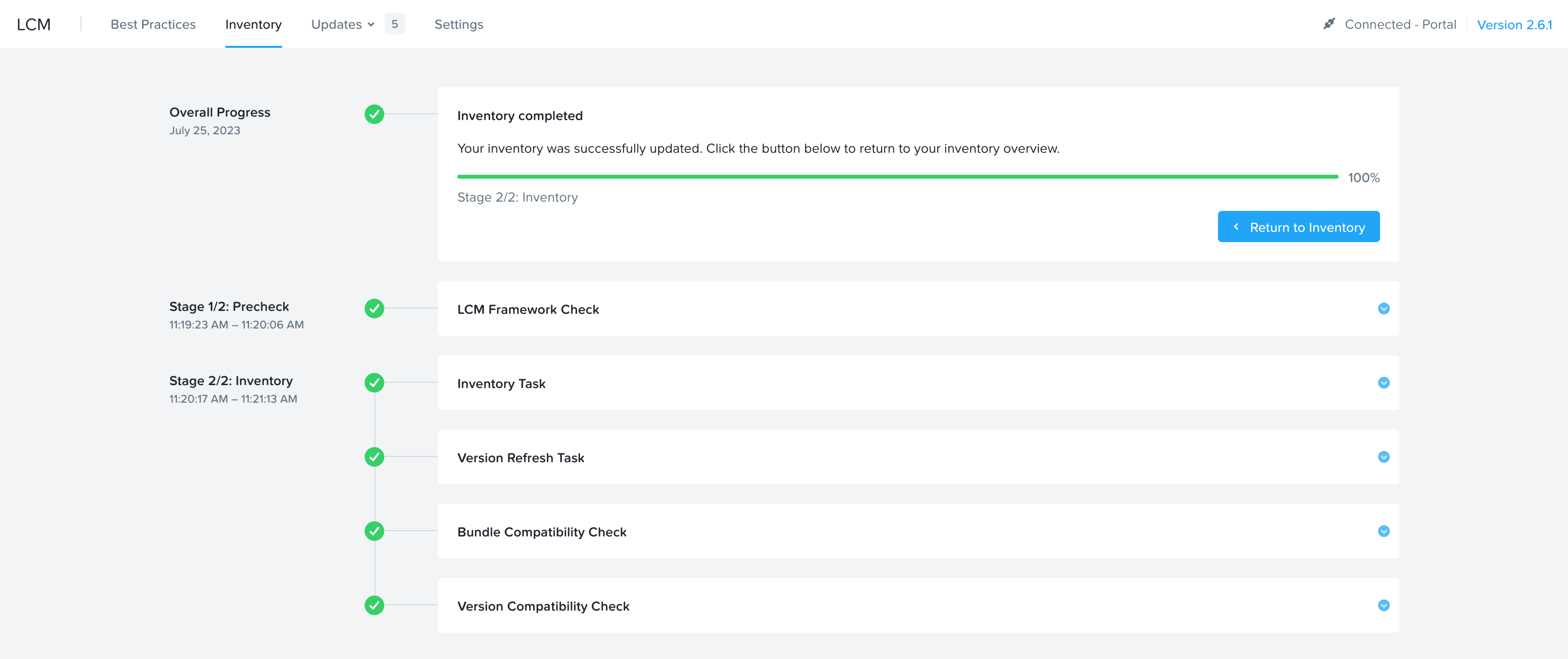
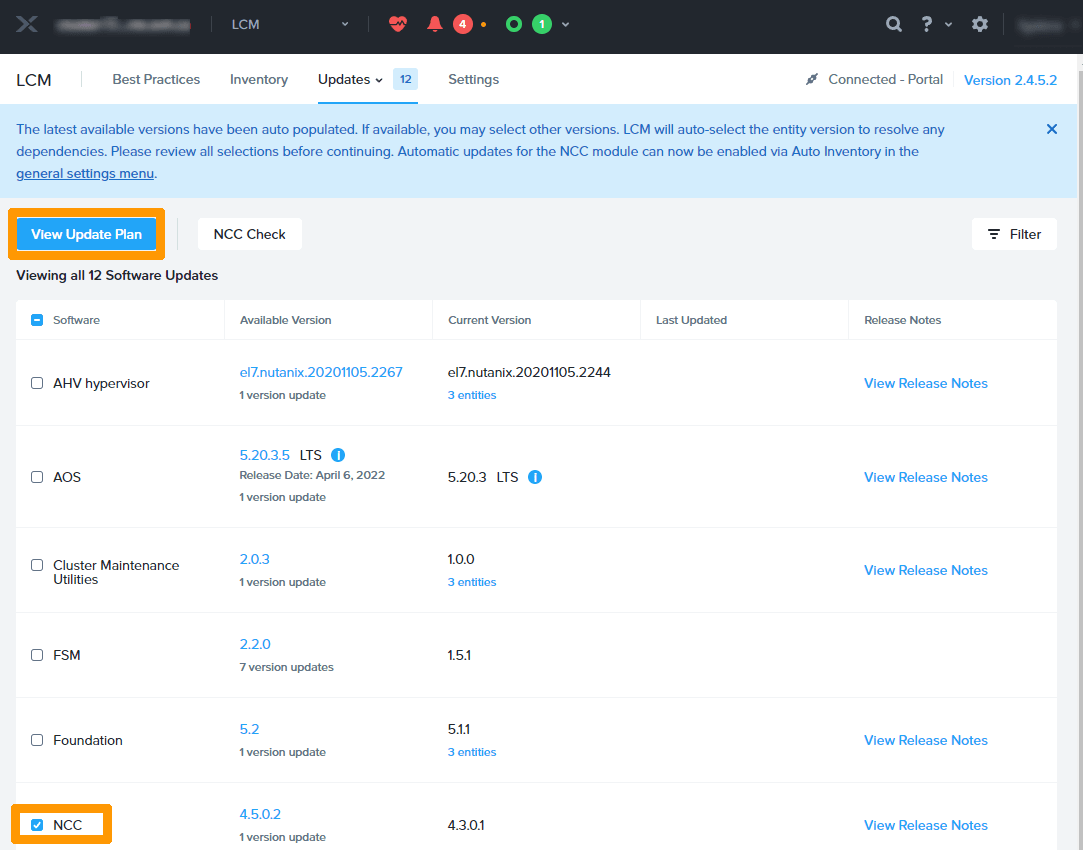
First, we will update NCC.
Check NCC and click View Update Plan.
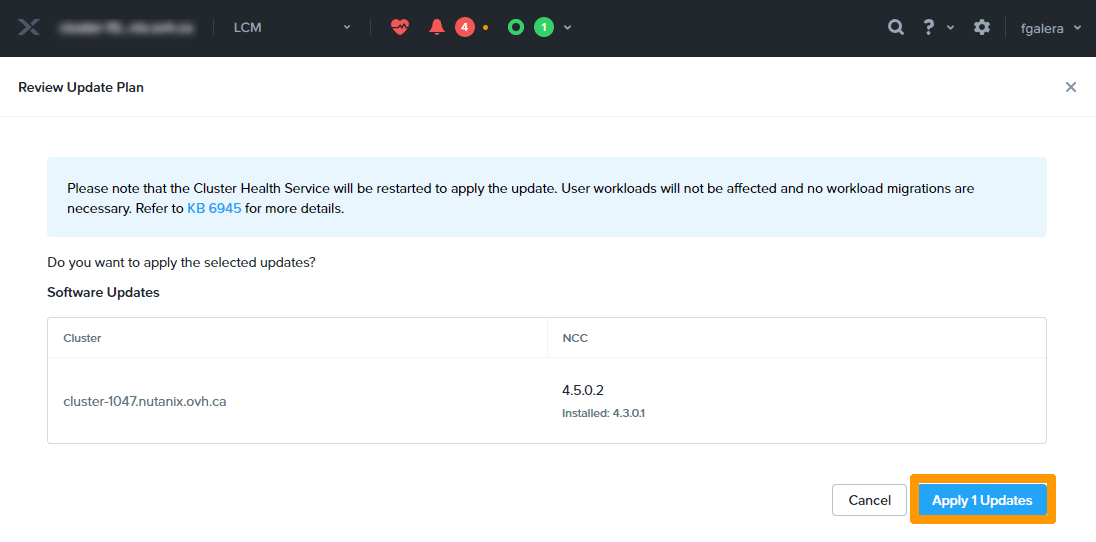
Click Apply 1 Updates.
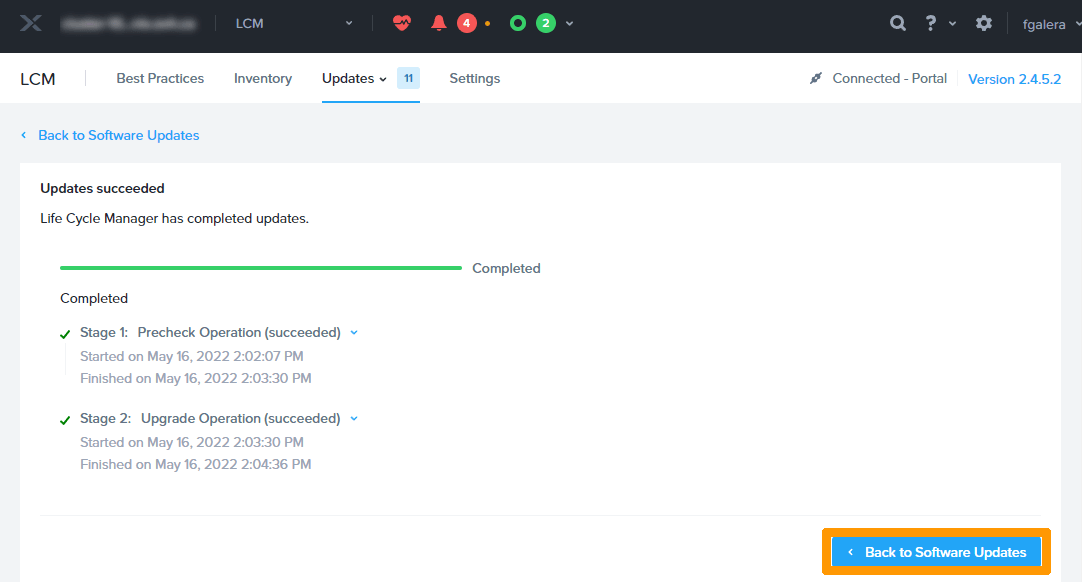
Click Back to Software Updates.
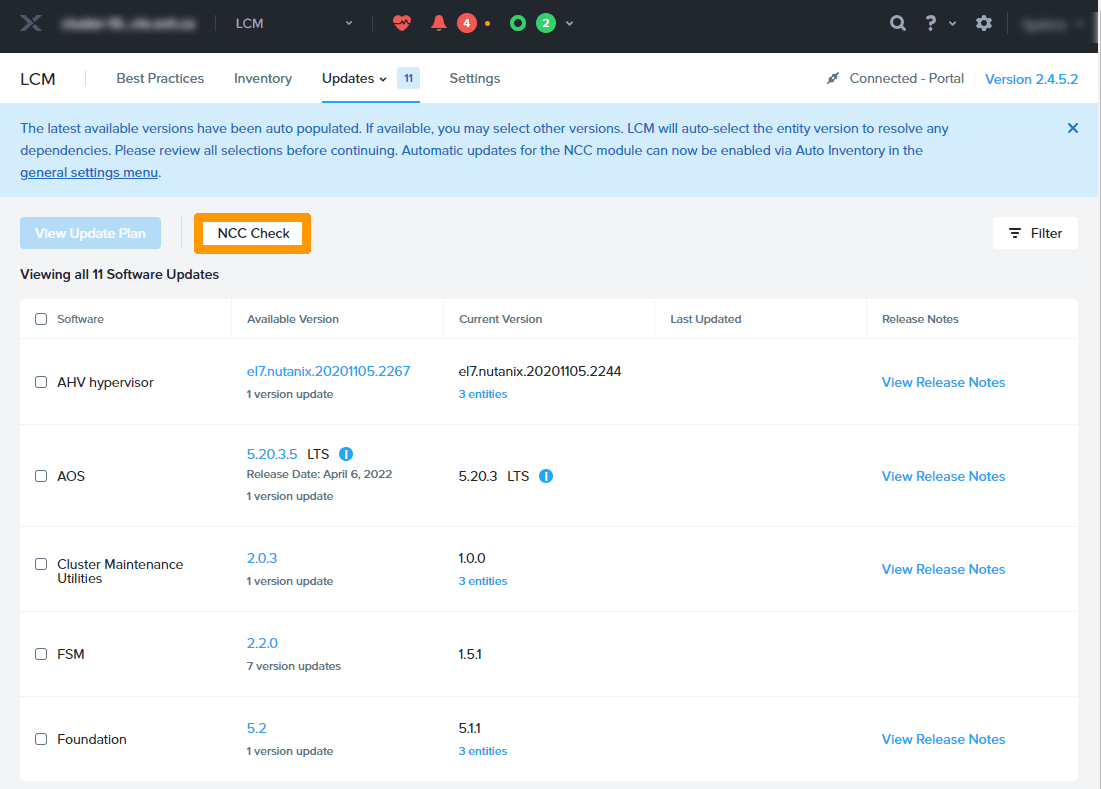
Click NCC Check to check the system before major updates.
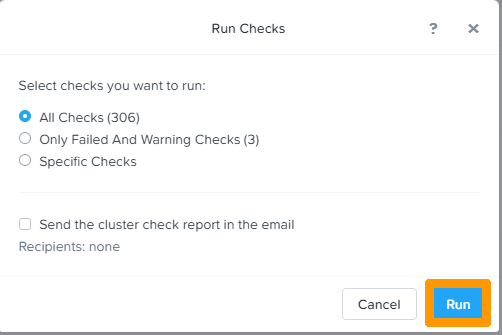
Leave All Checks and click Run.
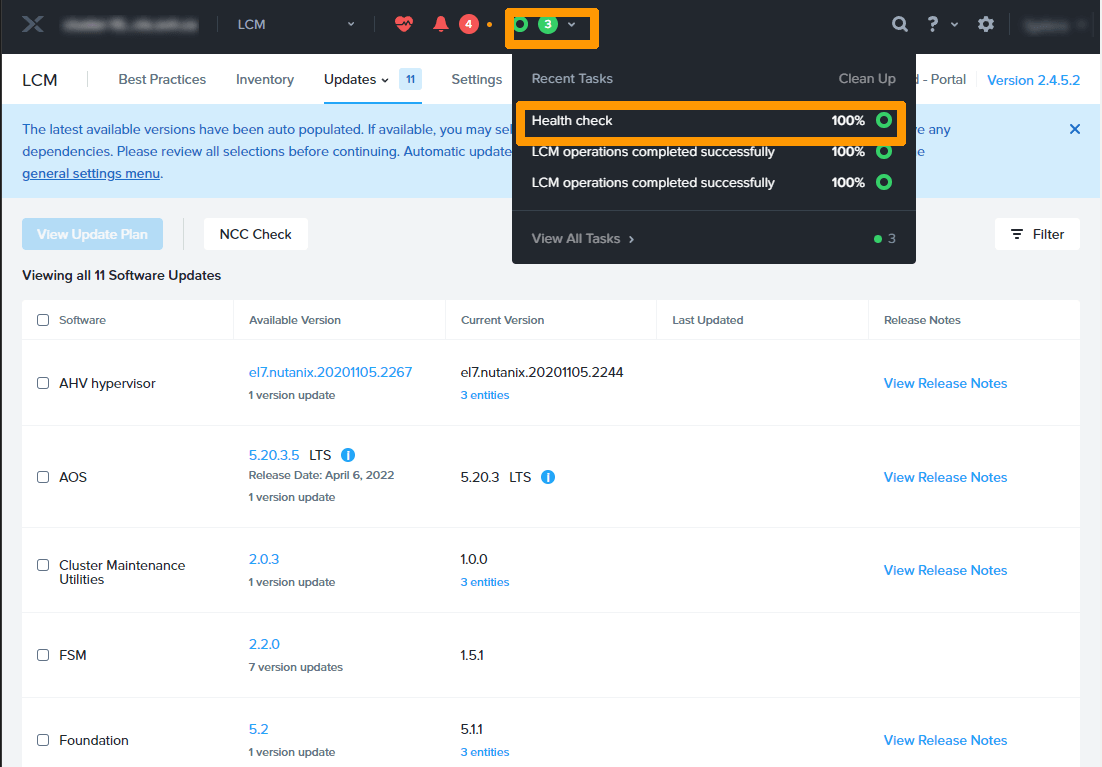
Wait for the Health check task to complete. You can view it in the Tasks menu.
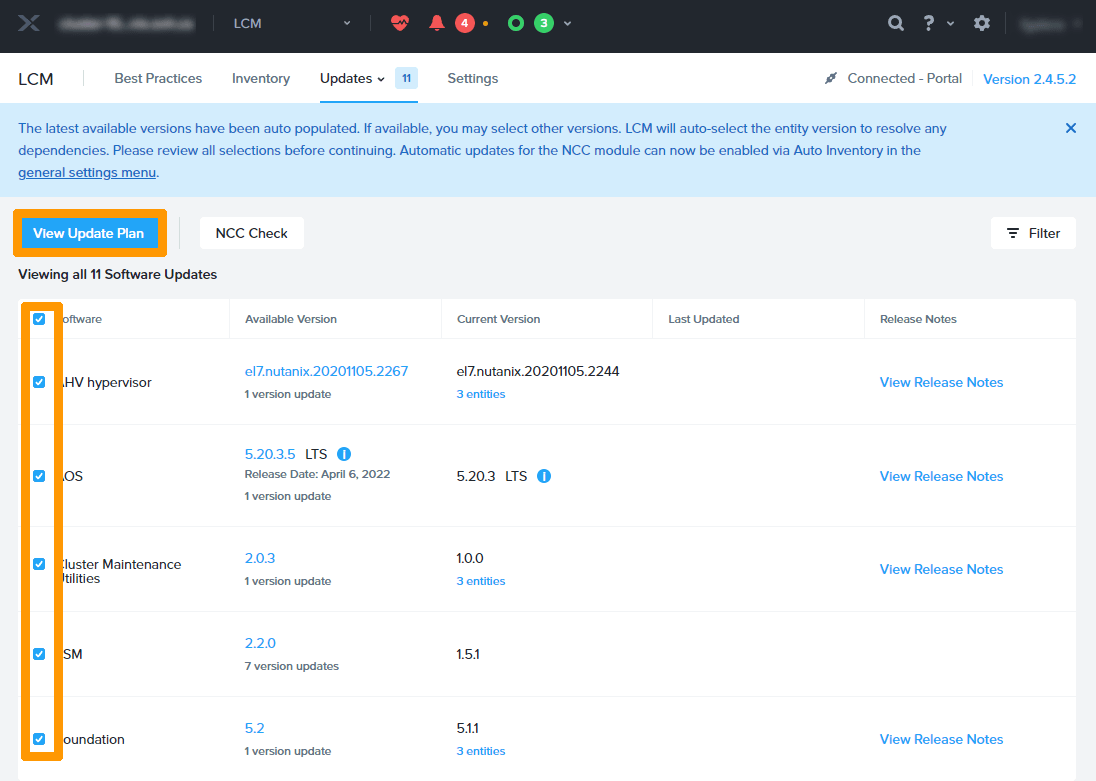
Select all available updates and click View Update Plan.
Click Next.
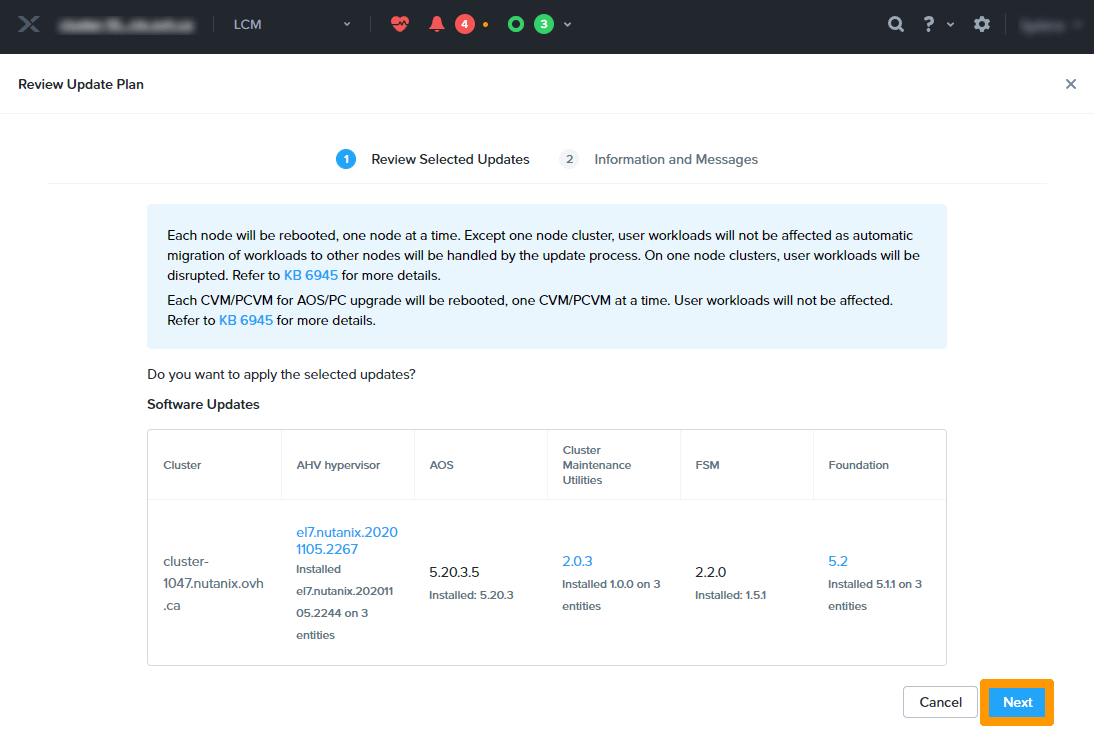
Click Apply # Updates.
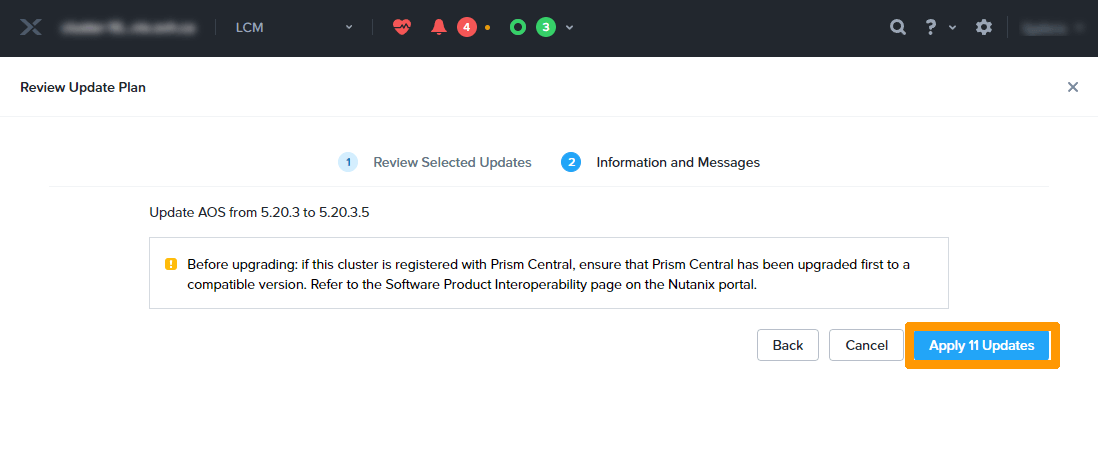
Note: The update process can be very long, it is possible that some slowdowns occur but no downtime is to be expected.
Go further
Browse all the Nutanix guides.
Browse the rest of the OVHcloud US documentation for guides on our other products and services.
Learn more about Nutanix on OVHcloud on the OVHcloud US website.