
How to contact OVHcloud US Support
OVHcloud US Support strives to be flexible and easily accessible for every user. Not every customer will have the same preference, so we provide multiple ways to contact us. The purpose of this tutorial is to walk you through how to contact our support team using whichever support channel works best for you.
Topics
- Self-serve
- Chat from OVHcloud Control Panel
- Create a ticket via OVHcloud Control Panel
- Create a ticket via OVHcloud API
- Post via X
Self-serve
If you prefer to find answers on your own, the following resources can be used to answer many of the questions you might have:
Chat from OVHcloud Control Panel
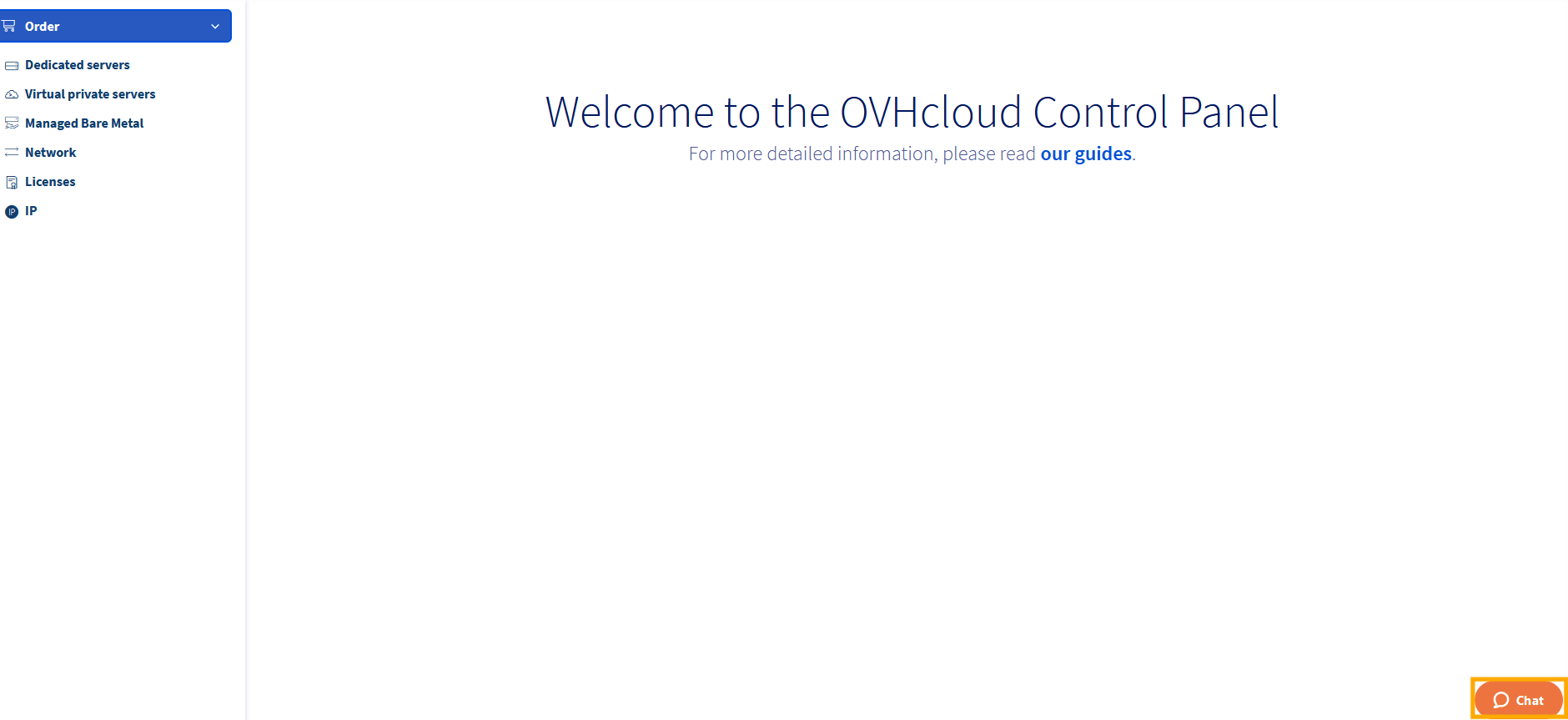
From the OVHcloud Control Panel, click the orange Chat button in the lower-right corner.
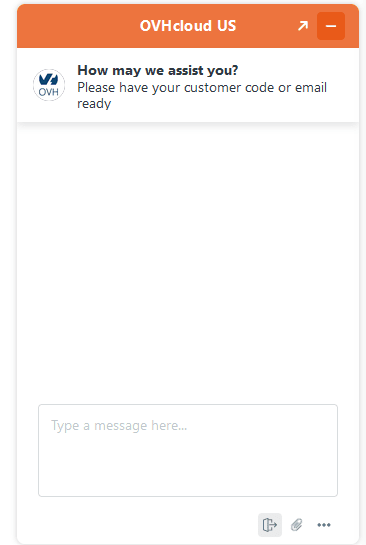
From here you can discuss your support needs with and OVHcloud Support Team member.
Create a support ticket via OVHcloud Control Panel
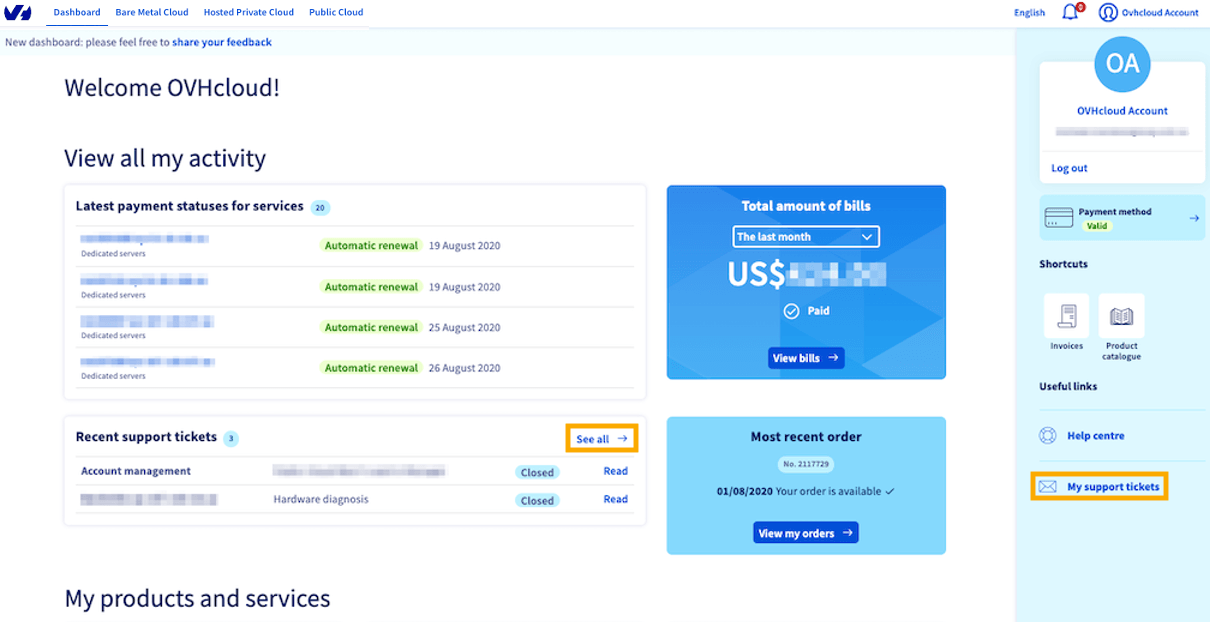
First, log in to the OVHcloud Control Panel. From the dashboard, click See all in the Recent support tickets box or My support tickets in the right-hand navigation menu.
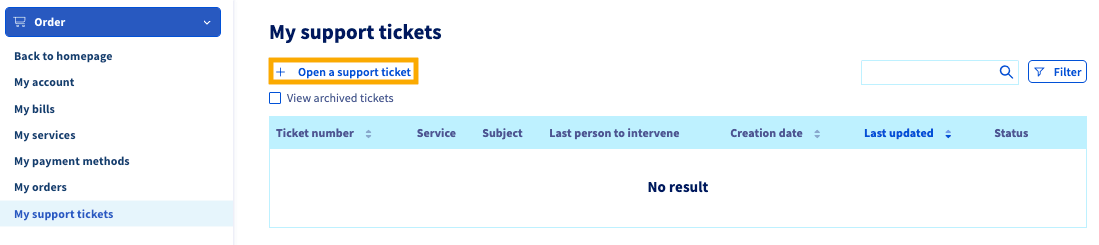
On the My support tickets page, click the + Open a support ticket button.
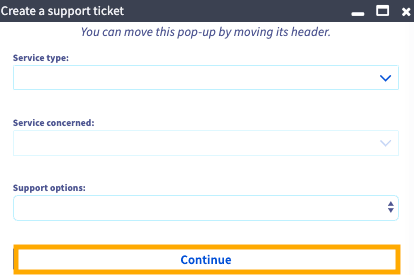
Go through the prompts in the following pop-up and fill in your ticket when prompted to do so. Make sure to give as much information as possible to allow our agents to troubleshoot your issue as effectively as possible.
Click Continue.
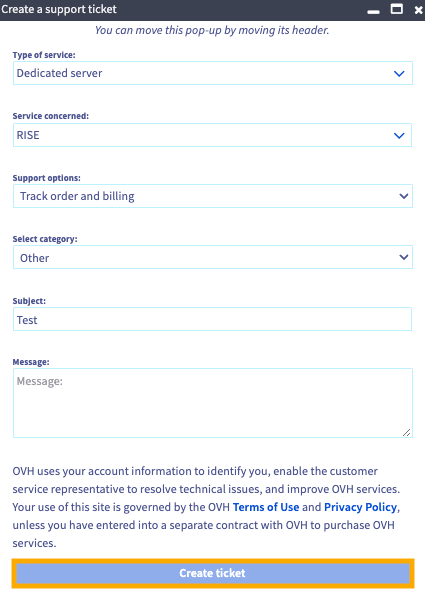
Add a subject and a message with any other relevant details. When you are finished writing your ticket, click the Create ticket button to submit your request. You will receive a confirmation email that your request has been received.
Create a ticket via OVHcloud API
From the OVHcloud API user interface, navigate to the /support section.
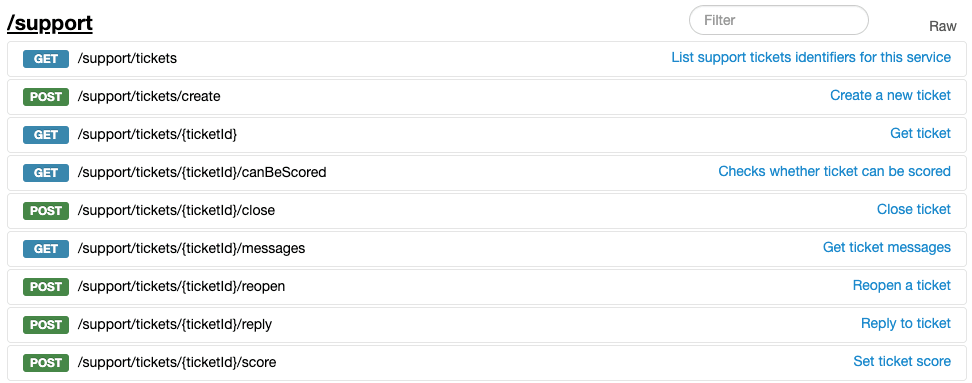
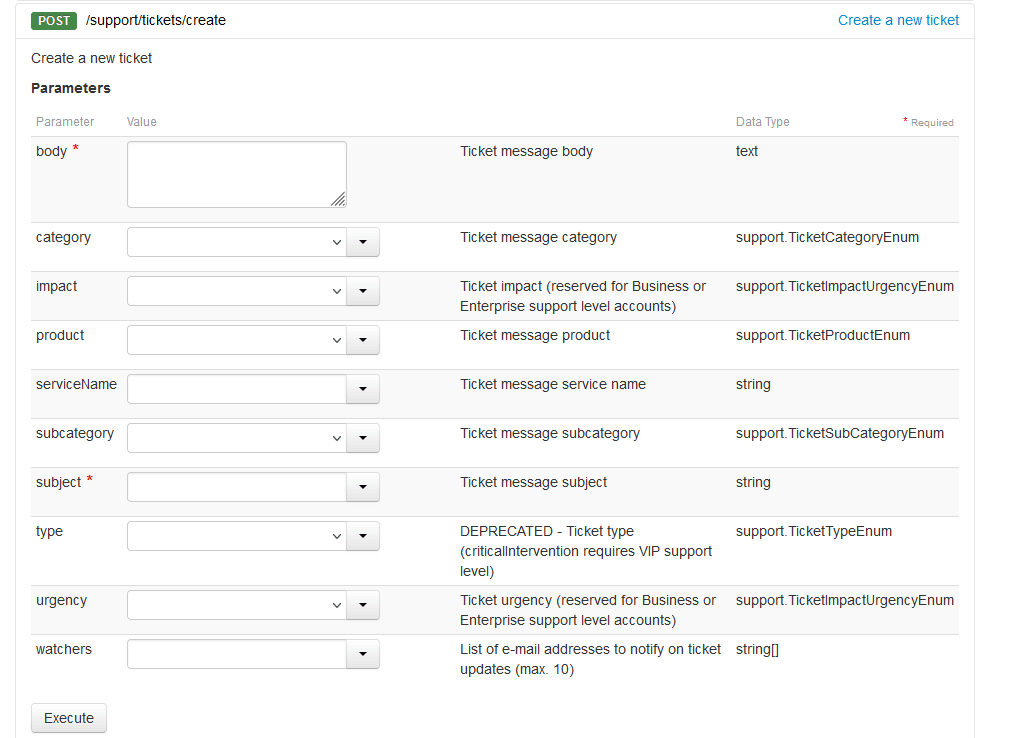
Use the following API call to submit a ticket to our support team.
While body and subject are required fields, you can add more detail including category, product, subcategory, and urgency.
Post via X
At OVHcloud US, we allow our customers to contact support via X (formerly Twitter). Post to us at @ovh_support_us. You will receive a response from one of our agents as soon as possible.
For account-specific information, we will send you a DM (Direct Message) with additional steps. Follow us on X, @OVHcloud_us, to get the latest updates about our company.
Conclusion
No matter which way you choose to receive support, you can rest easy knowing that your requests will reach the same excellent professionals. We invite you to take advantage of whichever method works best for you and we look forward to assisting you.